AI has made data analysis feel easy. Anyone can ask questions with natural language and get a response instantly. I’ve been in the BI industry for years, and AI-driven analysis is the closest we’ve gotten to true self-service.
But it comes with risks. Pointing an LLM at your warehouse is by no means surefire. It might join the wrong tables, skip crucial filters, or hallucinate answers. It might nudge your users toward bad decisions. Worst case, AI might even use data it shouldn’t. If you’re responsible for data at your organization, that’s not a small tradeoff.
In Omni, we use curated datasets called Topics to help you minimize these risks. The result is reliable, accurate AI analysis at scale. When you’ve got dozens, hundreds, even thousands of users asking questions, you need a mechanism like Topics to stop AI from going off the rails.
In practical terms, Topics are datasets you curate with helpful information for AI. For example, you could build a "Sales" Topic from the Transactions table with:
Pre-defined joins to
UsersandProductsDefinitions for
RevenueandMarginRow-level permissions for regional data security
Context that helps AI understand what the Topic represents
By setting up Topics for your organization, you:
Provide AI with safe join paths and metrics
Ensure AI obeys data security restrictions
Train AI to understand your business and data
In this blog, I’ll dive into what Topics are and how they make your AI analytics more reliable.
How Topics shape AI behavior in Omni #
From day one, we built Topics to help (human) users navigate their data. The context, curation, and structure of Topics make it easier to find the right data to answer questions.
This is helpful for users. But it’s essential for AI.
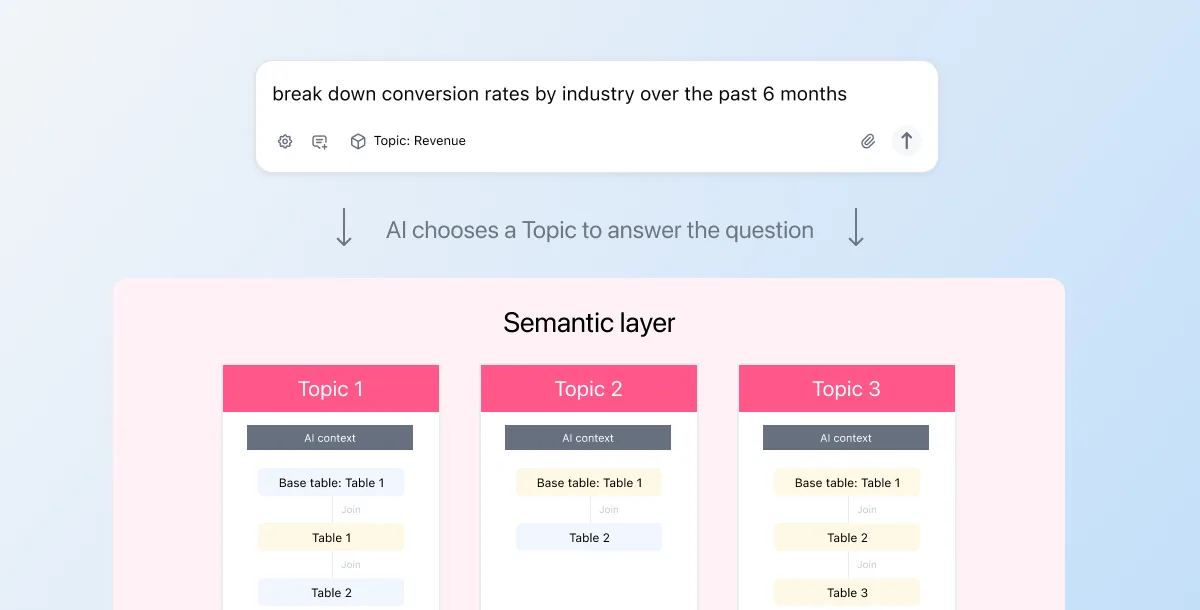
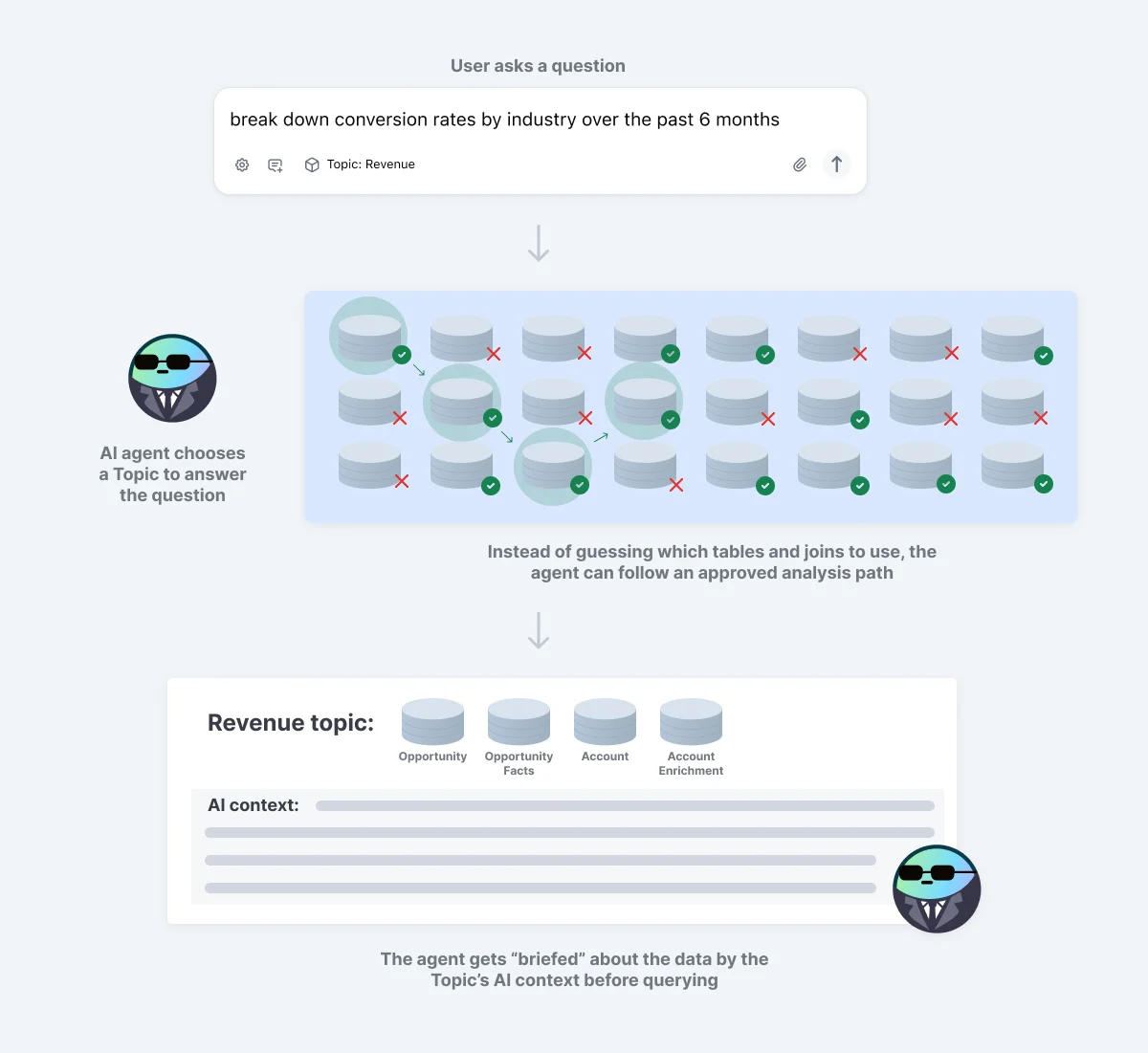
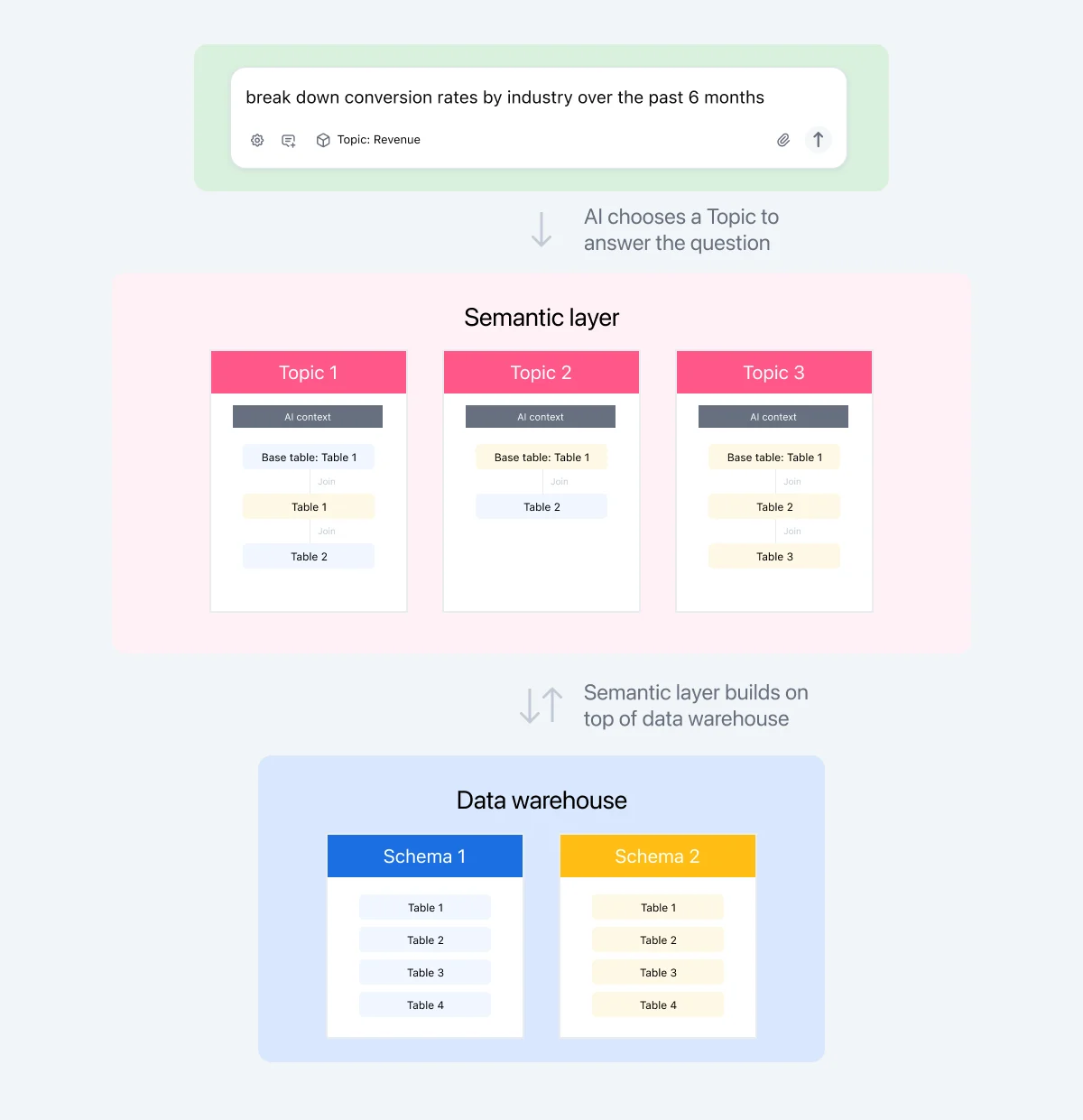
When you ask our AI a question, the agent doesn’t immediately write SQL to your database. It first chooses a Topic using the metadata it has available (e.g. the names of Topics, tables, metrics, etc.). Then, it constructs queries within the parameters of the Topic.
This has two important effects:
The Topic scopes your data down to a subset that the agent can use. It prevents hallucination by constraining the input and output space, transforming non-deterministic LLM generation into deterministic query execution. For example, if you’ve restricted a user’s access to certain rows or columns of data, the agent obeys that. It’ll also only use joins defined in that Topic; it won’t hallucinate relationships that don’t exist or join on incorrect keys. This makes the AI query interpretable. It uses the same data, joins, and terms a user would see running the query themselves.
The Topic also confers semantics — business context — upon the data the agent is analyzing. We’ve found this to have a massive impact on its accuracy. For example, the agent might generally know what a Sales Topic with orders, transactions, and payments represents. But when you add AI context about your business, the agent has way more context to act on. For example, if you’re analyzing your retail data, you can help AI tap into a wealth of retail analysis patterns with some simple context:
“This dataset represents total Sales from our in-person stores across the US. We primarily use this dataset to analyze store growth and identify any issues in our POS systems.”
These guardrails prime AI to deliver accurate, well-reasoned answers based on the data team’s curation. And because Topics are shared across the organization, people across teams will get consistent answers.
Now, let me explain how Topics achieve this.
Anatomy of a Topic #
Topics bring together relevant tables, joins, measures, and dimensions into a logical structure that matches how business users think about their work. They start with a base table (like the “FROM” clause in a SQL statement). Then, they attach various parameters to describe how other tables should join to it, what fields should be included, who can access what rows and columns, and more. They also build upon any logic defined in your data warehouse and dbt, creating a wide “virtual table” that has the information you need at query runtime.
Most BI tools don’t offer a curation layer that’s this robust. As a result, teams often resort to heavy transformations upstream to create ultra-wide tables that function like Topics. However, these wide tables can be slow, computationally expensive, and difficult to navigate. End users shouldn’t have to see every field related to Sales when they’re in the Sales table.
Again, all this context, curation, and structure greatly benefits AI agents. Instead of trying to make sense of a vast sea of fields and tables, they get tidy building blocks that help them deliver the right answer.
Topics have two main levers: semantics and scope.
How Topics teach AI about your data with semantic context #
Topic context #
Omni’s ai_context is where you can give AI a plain-English description of what a dataset represents and how it’s meant to be used. You can put anything in here. Think: instructions on how to respond, what to look for, how the data is structured, what the fields represent, etc. In the same way you give “project context” or “task context” to another chatbot, you can train Omni’s agent, too.
I know it sounds overwhelming to say "you can put anything in here." How do you know how to start? Trust me, it doesn't need to be perfect and it likely never will be. Businesses are messy, things will always change. Our own internal testing has shown that any context helps. We started by braindumping anything we thought might help AI, and we’ve refined over time as we monitor what works and what doesn’t. With our version controlled semantic layer, this process is iterative and safe. We’re also working on ways to streamline this process with AI itself, like having AI generate context for you to edit and approve.
Sample queries #
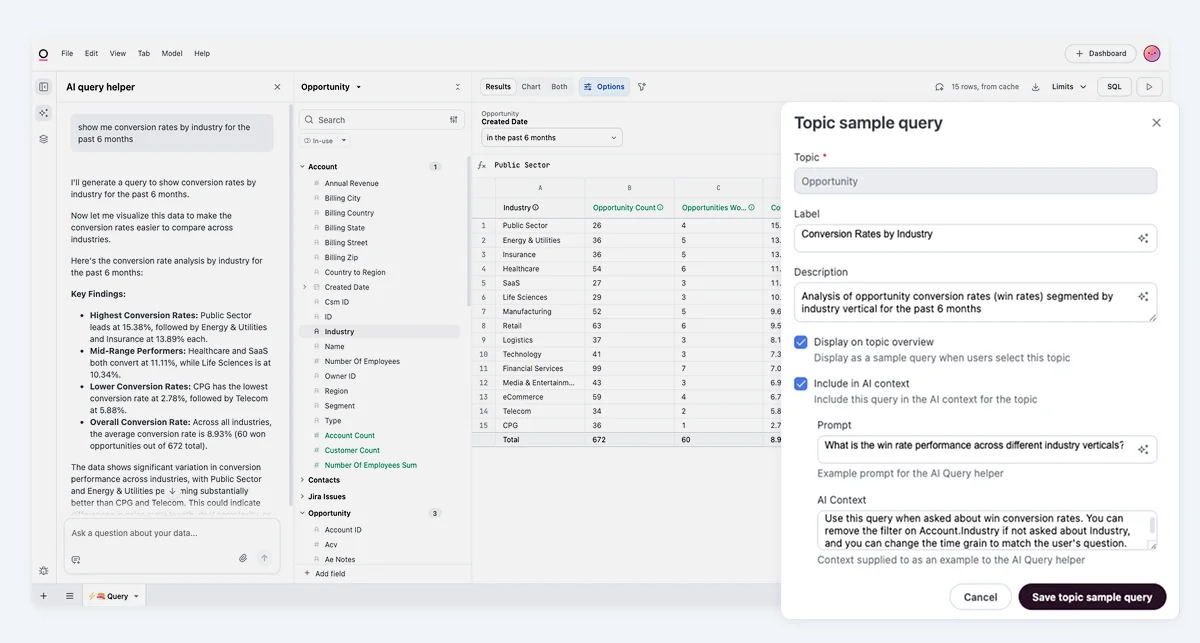
Sample queries show AI examples of questions that can be answered with the Topic. By seeing realistic questions upfront, AI learns how users might explore this data and what patterns are expected. It’s like uploading reference files to your chatbot. It reduces non-determinism by giving the agent a place to start. Many of our customers look at their team’s most common data questions and turn these into sample queries.
Sample queries are most powerful when they represent common questions that might have minor variations. For example, if folks often ask about last 7, 14, 30, 90 day retention, you can provide a sample query for last 7 day retention. The agent can then adapt the sample query to the right time frame.
Field & table descriptions #
You can also add context at the table and field level with ai_context and description. Although these parameters aren’t specific to Topics, I wanted to call them out here because the context still gets utilized when AI queries via a Topic.
The description parameter can also be pulled in from dbt or Snowflake. So if you want to keep all your context in one place, you can define it upstream of Omni, then pull it in for AI querying.
How Topics define AI’s scope and enforce data security rules #
Every AI query runs inside a Topic’s boundaries, full stop. AI can only use the joins, fields, and data access rules you’ve explicitly defined. This prevents incorrect joins, avoids fanouts, and ensures AI answers match the answers your team gets everywhere else.
This is crucial to security and data access. Data teams can define Topic-level access grants, row-level access filters, and global filters that get applied when a user runs a query in that Topic. These permissions automatically apply to AI. If a user shouldn’t see a Topic, field, or row of data, their AI assistant can’t see it either.
Together, these controls turn Topics into a hard boundary that AI cannot bypass. This gives you the confidence to roll out AI analytics broadly without risking data leakage or inconsistent answers.
To go deeper on the mechanics behind this, check out this Community article.
Why I recommend curating AI context in Omni #
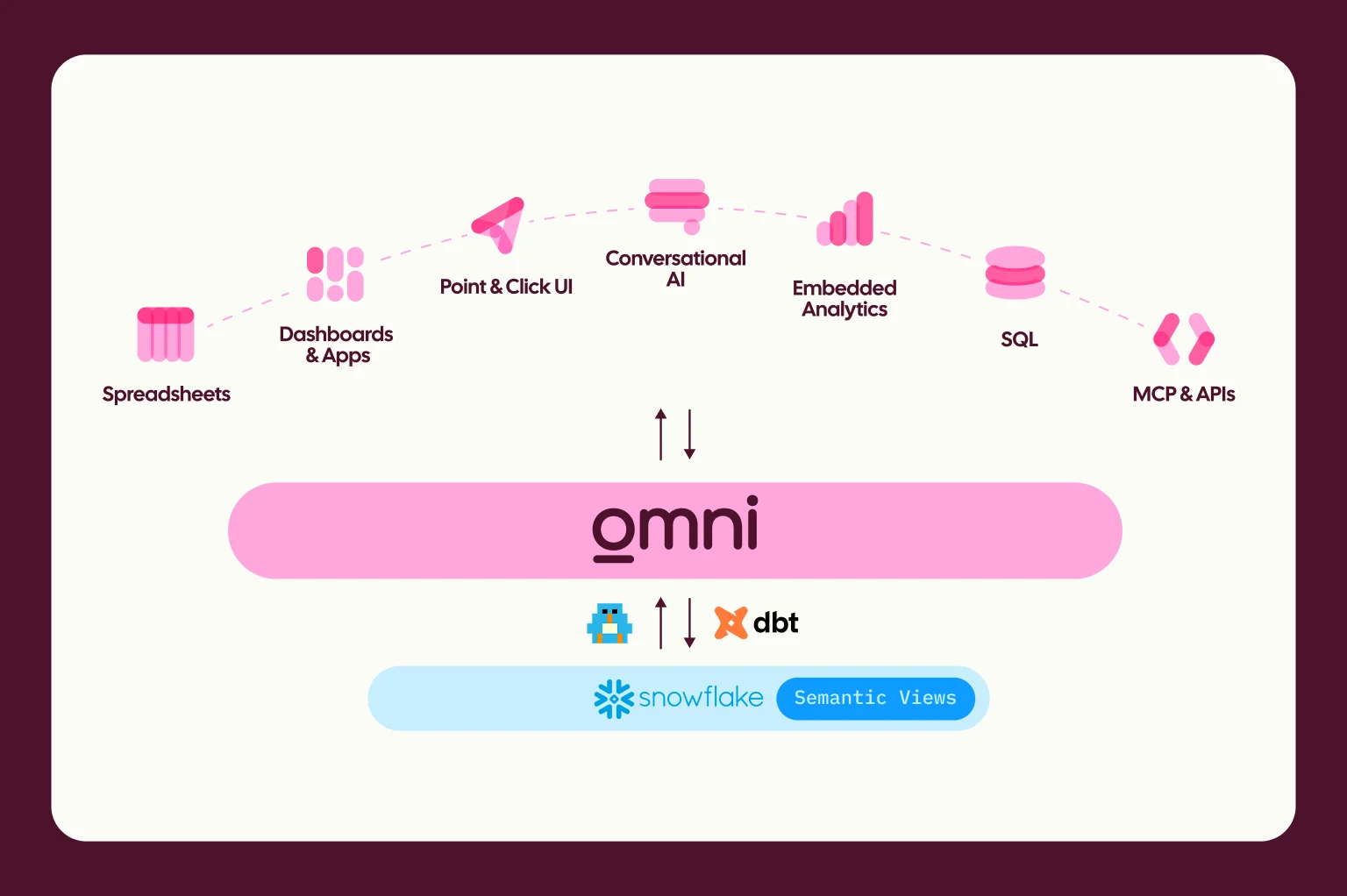
You might be thinking about defining semantics elsewhere and then piping them into Omni. For some teams, that’s the right setup. Omni supports it through integrations with tools like dbt, Snowflake, and Databricks.
But Omni occupies a uniquely valuable spot in your data stack: it’s the tool that end users interact with. It’s where questions are asked and answers are consumed.
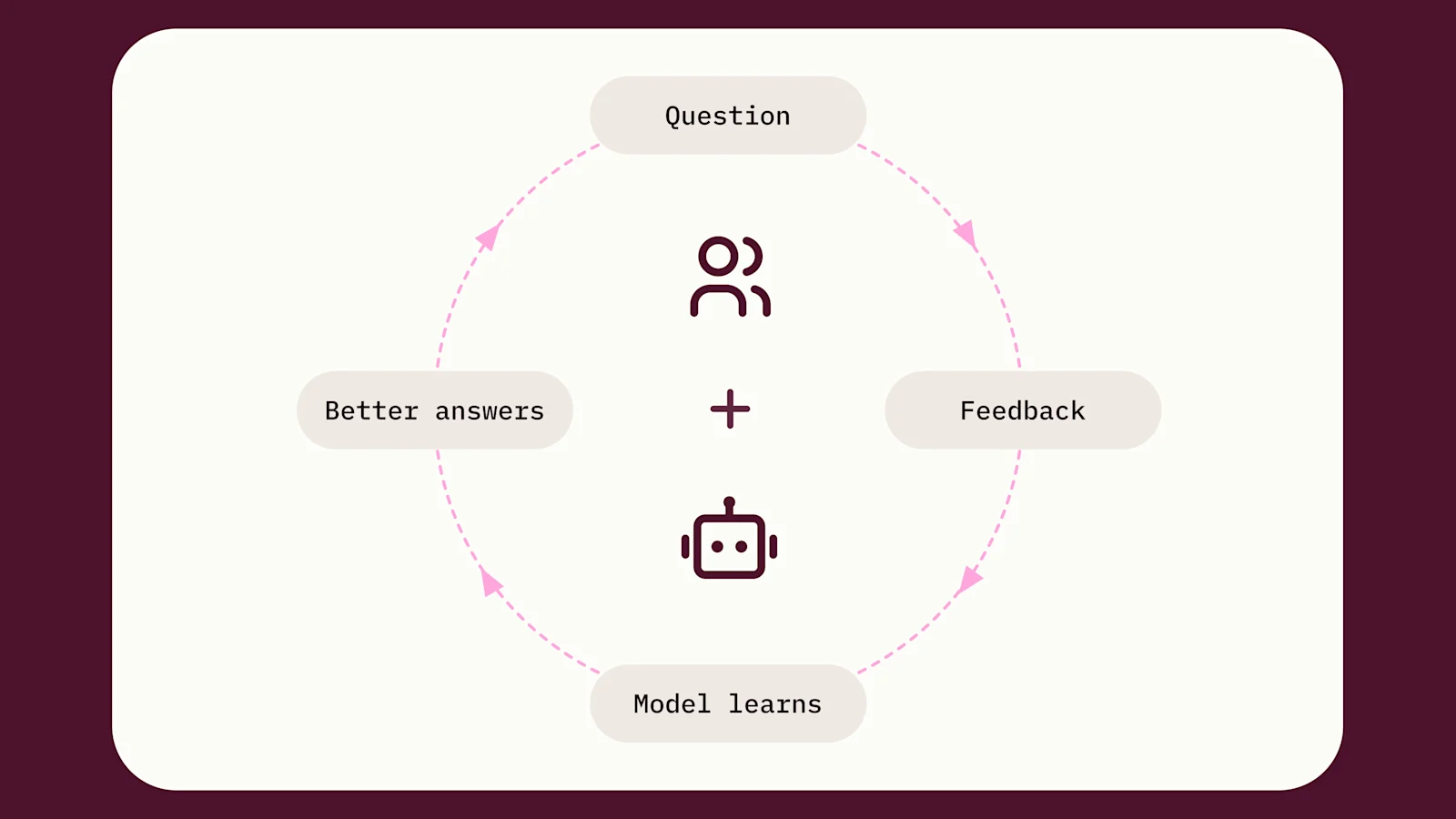
So when you curate Topics in Omni, the feedback loop between the data model and the end-user AI experience stays tight. Adjust context, metrics, or sample queries and immediately see how it affects AI responses. You can prototype new ideas, test them with real questions, and iterate without bouncing between tools or waiting for upstream changes to merge. Improve AI in real-time based on how it actually behaves.
We’ve also built controls to make sure admins can manage these changes. Topics live in a governed, code-based environment with git, branches, and version history. You can experiment without risking the production experience for internal users or customers. And getting started is lightweight. You can set up a Topic with a few clicks or a small amount of code, then refine it over time as usage patterns emerge. It’s a best-in-class tool for managing a crucial part of AI for data.
At any point, if you’ve developed business logic or semantics that’d benefit other tools, you can certainly push it down to your data warehouse with dbt. But I think you get the most valuable feedback when you’re closest to the actual querying experience.
Topics make AI analytics better #
Topics are one of my favorite topics to discuss because context and curation are table stakes for AI. If you want AI to give reliable answers, it needs clear boundaries, context, and governed metrics, not just access to raw tables. As AI becomes a bigger part of how people interact with data, the modeling layer matters more, not less. Topics give you a practical way to shape that layer, keep it governed, and make AI useful across your organization.
If this resonated, I’d love to show you more - reach out anytime at jamie at omni.co.