Buying BI is harder than it used to be because almost every vendor now claims the same things: self-serve analytics, AI, governance, and speed. Those claims start to break down when teams ask a more practical question: who actually defines the metrics, controls the joins, and keeps AI from inventing its own logic?
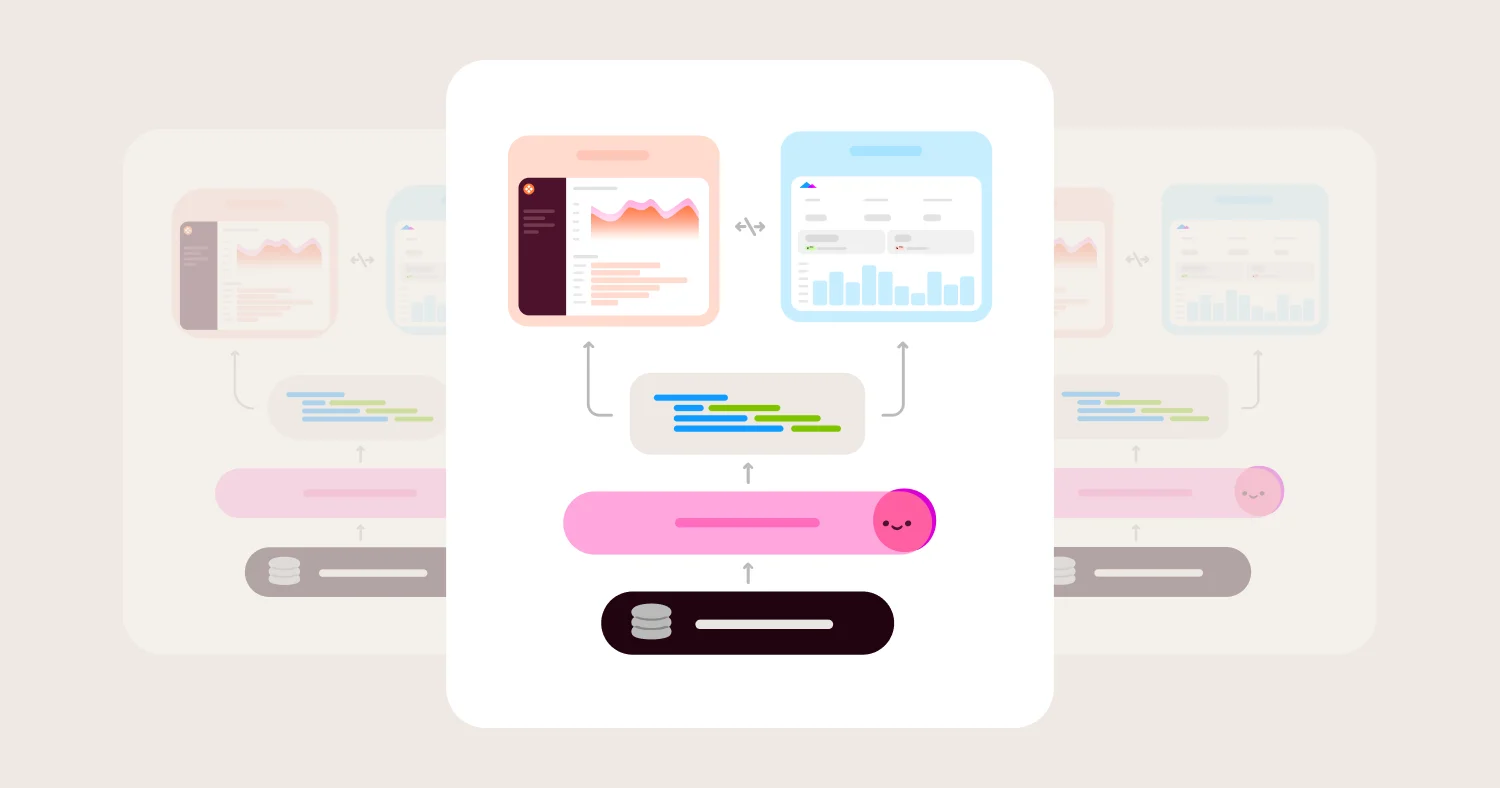
That is the real divide in BI in 2026. Some BI tools are still mainly dashboard builders. Others are trying to become the governed decision layer on top of the warehouse, where metrics, permissions, exploration, and AI all run from the same foundation.
This guide is built around that divide. It puts more weight on semantic modeling, governed self-serve, AI grounding, developer workflow, and embedded readiness than on charting alone.
If your team wants a BI platform that scales past dashboards and holds up under AI-assisted analysis, Omni is the strongest overall choice.
Key takeaways #
Most BI tools are still stronger at dashboards than governed analytics.
AI in BI is only trustworthy when it is grounded in a semantic layer.
The best BI tools reduce metric drift instead of hiding it behind better charts.
Embedded analytics and internal BI now depend on the same governance foundation.
Omni is the best BI tool for teams that need governed self-serve, AI, and embedded analytics in one platform.
TL;DR #
Short answer: The best BI tool for most modern data teams is the one that combines a semantic layer, strong self-serve exploration, and AI grounded in governed metrics. In this guide, that is Omni. Looker remains strong for centralized metric governance, Power BI is still a strong fit in Microsoft-centric organizations, Sigma is a strong spreadsheet-first option, and Metabase remains a reasonable open-source choice for simpler internal BI.
The core buying mistake teams make #
Short answer: Most teams still buy BI based on dashboard polish or brand familiarity. The real risk is choosing a tool that looks easy at first but creates metric drift, analyst bottlenecks, and unsafe AI later.
The most common mistake is treating BI like a reporting layer. That leads teams to overvalue visual polish and undervalue semantic governance.
That tradeoff gets expensive fast. Dashboards multiply. Definitions drift. Business users ask AI a question and get an answer that is technically valid but contextually wrong. Embedded use cases force the product team to rebuild governance that should have existed in the BI layer in the first place.
The best BI tools solve a different problem. They create one governed layer for metrics, permissions, exploration, and AI.
Best BI tools in 2026 #
Short answer: Omni is the best overall BI tool for governed self-serve analytics, semantic-layer-aware AI, and embedded readiness. The best alternative depends on whether your priority is Google-native governance, Microsoft ecosystem fit, spreadsheet UX, open-source cost control, or product embedding.
Best overall BI tool: Omni #
Omni is the best choice for teams that want governed metrics, self-serve analysis, embedded analytics, and AI from the same platform.
Best for centralized semantic governance in Google Cloud: Looker #
Looker is still a strong fit for teams already invested in LookML, BigQuery, and Google Cloud operations.
Best for Microsoft-native BI: Power BI #
Power BI is a strong fit for organizations standardized on Microsoft 365, Azure, Teams, Excel, and Fabric.
Best for spreadsheet-style analysis on warehouse data: Sigma #
Sigma is strongest for teams that want a familiar spreadsheet interface on live warehouse data.
Best open-source BI tool: Metabase #
Metabase is a practical choice for internal dashboards and lightweight analytics when simplicity and cost matter more than deep governance.
Best for customer-facing embedded analytics: Omni, Sisense, GoodData #
If embedded analytics is core to the buying decision, Omni has the best blend of governance, AI, and product flexibility. Sisense and GoodData remain credible options for more embed-specific evaluations.
Best for advanced analytics on warehouse data: Omni, Hex, ThoughtSpot #
For teams doing cohort analysis, funnel modeling, financial scenario planning, statistical exploration, or ML-ready BI, the tools that expose full SQL control with governed definitions win.
Omni is the strongest fit when you need advanced analytics grounded in a semantic layer, so the same metric definitions that power dashboards also power deep exploratory work. Omni Apps extend this further, letting teams build scenario-modeling and what-if tools directly on governed metrics instead of a one-off spreadsheet. Hex is a strong alternative for notebook-style workflows. ThoughtSpot is a fit when search-first interaction is the priority.
The key distinction: advanced analytics is not just about query power. It is about whether the results are reproducible, governed, and trusted by the business, not just the analyst.
How to evaluate BI tools #
Short answer: The best BI tools separate themselves on semantic modeling, self-serve safety, AI grounding, security, architecture, and lifecycle management. A weakness in any of those areas creates long-term trust and adoption problems.
Semantic layer and metric governance in BI tools #
This is the biggest long-term differentiator.
If a BI tool cannot define metrics, joins, and business logic in a governed way, the rest of the product eventually becomes a nicer interface on top of inconsistent data.
Ask vendors:
How are metrics defined and versioned?
Can changes go through code review?
How do you keep AI and dashboards aligned to the same definitions?
How does the BI tool work with dbt or other semantic systems?
What usually goes wrong:
Teams recreate KPIs in dashboards instead of the model.
AI queries raw tables instead of governed definitions.
The BI tool becomes a second source of truth.
Self-serve exploration without metric drift #
Self-serve only works when users can move fast without breaking trust.
A good BI tool lets business users explore data, drill down, pivot, filter, and ask natural-language questions while still respecting certified metrics and approved join paths.
Ask vendors:
Can business users create analysis safely?
How are certified metrics surfaced in the UX?
What guardrails prevent invalid joins or fanout?
Can users inspect how AI or the BI tool generated the answer?
What usually goes wrong:
Self-serve turns into semi-governed spreadsheet export.
Analysts become permanent translators.
Adoption rises briefly, then trust collapses.
AI grounding and explainability in BI #
AI is now a BI buying criterion, not a feature add-on.
The key question is not whether the tool has AI. The key question is whether the AI works from governed business logic, respects permissions, and can be audited.
Ask vendors:
Is AI grounded in the semantic layer?
Are generated queries inspectable?
Does AI inherit row-level security automatically?
Can teams add business context, synonyms, and definitions to improve results?
Can agent behavior be tested and validated before changes ship?
What usually goes wrong:
AI generates raw SQL from ambiguous tables.
Users get plausible answers with the wrong metric definition.
Teams lose trust because the reasoning is invisible.
Teams have no way to test AI changes before they reach users.
Where Omni stands: Omni's AI Hub adds two layers on top of the semantic model. Suggestions surface where the agent needs more context, and Evals run a prompt set against the model to grade agent responses before a change ships. In Omni's own benchmark against alternative AI and warehouse setups on the same 100 real questions, Omni's governed agent scored 95% accuracy, compared with 60% for the next-closest alternative on hard questions, while running about twice as fast and costing less per correct answer.
Data visualization flexibility #
Visualization is not just a front-end concern. The best BI tools let you move between chart types, dashboard layouts, and ad hoc exploration without leaving the governed data layer.
The risk with visualization-first tools is that they optimize for polish over correctness. A beautiful chart built on an ungoverned query is still wrong.
Ask vendors:
Can users build charts, pivot tables, and freeform analysis from the same governed model?
How much SQL or metric-layer knowledge does a business user need to customize a visualization?
Can visualizations be reused across internal dashboards and embedded analytics surfaces?
Are chart interactions (drill-downs, filters, cross-filters) tied to the semantic layer or to raw queries?
What usually goes wrong:
Business users build one-off charts that bypass the metric layer.
Dashboard proliferation creates inconsistent visualizations of the same metric.
Embedded charts require a separate design system disconnected from internal BI.
Where Omni stands: Omni lets users move between point-and-click visualization, spreadsheet-style analysis, and SQL from the same governed model. Charts, pivots, and dashboards all pull from the same metric definitions — so visual flexibility does not come at the cost of consistency. Its Dashboard and App Builder extends this to AI: describe the dashboard or app you want, and the agent builds it from the same Topics, joins, and permissions already in the model, then hands off an editable, inspectable draft for you to review before it publishes.
Architecture, performance, and cost control #
Architecture affects freshness, scale, and warehouse spend.
Warehouse-native BI tools push queries down, use caching deliberately, and make concurrency easier to manage. Extract-heavy or opaque systems can create cost and freshness problems as usage grows.
Ask vendors:
Do queries run live on the warehouse, in extracts, or in a hybrid model?
What caching and concurrency controls exist?
Can we inspect query history and troubleshoot performance?
How do AI features affect cost?
Can AI agent changes be tested and validated before promoting to production?
What usually goes wrong:
BI usage spikes warehouse costs with no observability.
Extracts drift away from source data.
Teams optimize around tooling limitations instead of business needs.
Security, permissions, and compliance #
BI exposes sensitive customer, financial, and employee data.
A serious BI evaluation needs to look at SSO, SCIM, row-level security, auditability, and how permissions propagate into AI and embedded surfaces.
Ask vendors:
How is row-level security implemented?
Can it inherit warehouse or semantic-layer policies?
What audit logging exists?
How do embedded users and internal users differ?
What usually goes wrong:
Permissions are configured differently across dashboards, embeds, and AI.
Customer-facing analytics requires a separate security architecture.
Governance becomes manual.
Developer workflow and lifecycle management #
Modern BI behaves like production software.
Teams need environments, Git-friendly workflows, APIs, testing, and a sane promotion path from development to production.
Ask vendors:
Are dev, stage, and prod workflows supported?
Can changes be reviewed and promoted safely?
What APIs and automation hooks are available?
Can the BI layer work cleanly with dbt and warehouse workflows?
What usually goes wrong:
Analysts make production changes manually.
Semantic changes drift from dbt.
BI becomes hard to govern at scale.
Embedded analytics readiness #
This matters even if embedding is not phase one.
Many teams start with internal BI and later need the same governed metrics inside a customer product. Tools that treat embedded analytics as a bolt-on tend to create product and engineering overhead later.
Ask vendors:
Can we reuse the same metrics across internal and embedded analytics?
What theming, API, and SDK options exist?
How is tenant isolation handled?
Can AI be embedded safely too?
What usually goes wrong:
Embedded analytics becomes a second analytics stack.
Product teams inherit BI governance problems.
Internal and external metrics drift apart.
BI tool comparison matrix (2026) #
The biggest divide in BI is no longer between dashboarding and reporting. It is between tools that prioritize governed analytics and tools that prioritize front-end convenience. Omni stands out because it combines a semantic layer, business-user self-serve, embedded analytics, and AI grounded in governed metrics. Most alternatives are strongest in one or two of those areas, not all of them.
Tool | Best for | Semantic layer | Self-serve | Embedded analytics | AI readiness | Advanced analytics | Main tradeoff |
Omni | Governed self-serve BI plus embedded analytics | Strong | Strong | Strong | Strong | Strong | Requires a real warehouse and modeling discipline |
Looker | Centralized metric governance | Strong | Moderate | Moderate | Moderate | Moderate | LookML and Google Cloud fit can slow time to value |
Power BI | Microsoft-centric BI | Moderate | Strong | Moderate | Moderate | Moderate | Best fit narrows outside the Microsoft ecosystem |
Sigma | Spreadsheet-style BI on live warehouse data | Moderate | Strong | Moderate | Moderate | Moderate | Spreadsheet UX is the strength, not semantic governance or advanced analytics depth |
Tableau | Visual exploration and executive dashboards | Moderate | Strong | Moderate | Moderate | Moderate | Visualization depth is stronger than semantic governance |
ThoughtSpot | Search-led analytics | Moderate | Strong | Moderate | Moderate | Moderate | Search UX is strong, but semantic control matters more as complexity grows |
Hex | Notebook-style advanced analytics | Weak | Moderate | Moderate | Moderate | Strong | Strong for analysts; less suited for business-user self-serve |
Metabase | Simple internal BI and open-source | Moderate | Moderate | Moderate | Moderate | Weak | Advanced governance and embedding require more engineering and paid tiers |
Sisense | OEM and customer-facing analytics | Moderate | Moderate | Strong | Moderate | Weak | Better embed story than internal BI or advanced analytics story |
GoodData | Headless and embedded BI | Strong | Moderate | Strong | Moderate | Weak | More platform weight than many internal BI teams want |
Detailed BI tool profiles #
Omni BI: best overall for governed analytics, AI, and embedded readiness #
Best for: Teams that need governed BI, semantic-layer-aware AI, and embedded analytics from one platform.
Omni has the strongest answer to the modern BI problem. It combines a governed semantic layer with self-serve analysis, warehouse-native querying, and embedded analytics. That matters because the same business logic can power internal dashboards, external analytics, and AI workflows.
Omni is also better aligned with how teams work now. Internal docs position Omni around governed metrics, AI grounded in the semantic layer, embedded analytics, and bidirectional dbt integration rather than a dashboard-only workflow. Internal materials also emphasize that teams increasingly want one semantic layer that supports dashboards, embedded analytics, and AI without duplicating logic. Embedded analytics and AI are treated as part of the same platform, not separate products.
Where Omni wins
Governed semantic model for metrics, joins, and permissions
AI grounded in business logic rather than raw-table guessing
Strong fit for both internal BI and customer-facing analytics
Warehouse-native architecture with support for live queries and caching
Flexible workflows across SQL, spreadsheet-style analysis, point-and-click, and natural language
Strong interoperability with dbt and dbt Semantic Layer
AI Hub's Suggestions and Evals let teams observe agent usage and validate model changes against a prompt set before they reach users
Dashboard Builder, Routines, and Omni Apps extend the governed model into AI-built dashboards, scheduled analyses, and internal tools without leaving the semantic layer
Omni's own benchmark on 100 real production questions found 95% accuracy, roughly twice the hit rate of the closest coding-agent alternative on hard questions, at a lower cost per answer
Where Omni gets harder
Omni assumes a warehouse-first data stack
Teams still need to invest in clean definitions and modeling discipline
It is not the best choice for teams looking for a free internal dashboard tool
Looker BI: best for teams already standardized on LookML and Google Cloud #
Best for: Organizations that want centralized metric governance and already operate around LookML and Google Cloud.
Looker remains relevant because LookML is still a real semantic modeling system. Google positions Looker as a governed BI platform with a universal semantic layer and AI-ready modeling. That gives it lasting strength in organizations that already have LookML expertise and strong Google Cloud alignment.
The tradeoff is fit. Looker is often better as an extension of an existing Google/LookML operating model than as the fastest path to modern self-serve BI, embedded analytics, and AI.
Where Looker wins
Mature semantic modeling with LookML
Strong Google Cloud and BigQuery alignment
Centralized definitions for governed analytics
API surface and ecosystem maturity
Where Looker gets harder
LookML introduces real implementation overhead for teams without in-house expertise
Change management can drift when dbt and LookML both define logic
Embedded analytics and AI often feel more constrained than in more product-native modern platforms
Power BI: best for Microsoft-centric organizations #
Best for: Teams standardized on Microsoft 365, Teams, Excel, Azure, Dynamics, and Fabric.
Power BI remains one of the easiest BI tools to justify in a Microsoft-heavy environment. Microsoft positions it directly around integrations with Teams, Excel, PowerPoint, Outlook, SharePoint, Azure, Purview, and Dynamics.
That ecosystem fit is the advantage. It is also the limit. Power BI is strongest when the Microsoft ecosystem is already the company default.
Where Power BI wins
Deep integration with Microsoft 365 and Azure
Familiar fit for Excel-heavy organizations
Strong distribution and enterprise adoption
Good security and governance story in Microsoft environments
Where Power BI gets harder
The product is less differentiated outside the Microsoft stack
Semantic governance is not the primary reason teams choose it
Cross-stack flexibility is weaker than more warehouse-native tools
Sigma: best for spreadsheet-first analysis on live warehouse data #
Best for: Teams that want spreadsheet-style analysis directly on cloud warehouse data.
Sigma’s clearest strength is the interface. Sigma positions itself as a spreadsheet UI on top of the cloud data warehouse, with formulas, pivots, filters, AI query, and write-back on live data. That makes it attractive for teams that want business users to work in a familiar grid.
That same positioning defines the tradeoff. Sigma is strongest when the spreadsheet metaphor is the product advantage. It is less differentiated when semantic governance and cross-surface reuse become the center of the evaluation.
Where Sigma wins
Familiar spreadsheet UX on live warehouse data
Warehouse-native execution with inspectable SQL
Strong fit for operational reporting and planning workflows
Write-back and input tables extend beyond passive BI
Where Sigma gets harder
The spreadsheet interface is the primary wedge, not deep semantic governance
Teams with heavier metric-governance requirements may want a stronger semantic model center of gravity
It is not the default choice for embedded analytics-first product teams
Tableau: best for visual exploration and executive dashboards #
Best for: Teams that prioritize visual analysis and dashboard design.
Tableau still deserves a place on BI shortlists because it remains strong at visual exploration and dashboarding. It is a good fit when the job is to create rich dashboards for broad business consumption.
The tradeoff is that visualization depth is not the same as semantic governance depth. Teams that care most about governed metrics, AI grounding, and embedded reuse usually need more than a powerful dashboard tool.
Where Tableau wins
Strong visual exploration and dashboard design
Familiar drag-and-drop experience
Large installed base and community
Good executive reporting fit
Where Tableau gets harder
Semantic governance is not the main product strength
It is easier to create attractive dashboards than to enforce one governed metric layer
AI and embedded analytics are not the core reason to choose Tableau
ThoughtSpot: best for search-led analytics #
Best for: Organizations that want search-style data exploration for business users.
ThoughtSpot’s strongest idea is still search-first analytics. That makes it appealing to teams that want users to start with a question instead of a dashboard.
But search-first BI is only as good as the governance behind it. As complexity rises, the evaluation shifts from search UX to whether the system is grounded in approved definitions and permissions.
Where ThoughtSpot wins
Strong search-led interaction model
Natural-language workflow is intuitive for business users
Good fit for teams prioritizing speed of question-to-answer
Where ThoughtSpot gets harder
Search UX does not replace semantic governance
Teams still need to validate how metrics, permissions, and AI answers stay consistent
It is a narrower fit than a full governed BI platform
Metabase: best open-source BI for simpler internal use cases #
Best for: Startups and internal teams that want simple BI with an open-source path.
Metabase remains attractive because it is easy to start, familiar to many teams, and relatively inexpensive compared with enterprise BI platforms. It is a solid option for internal dashboards and lighter analytics needs.
The gap appears when requirements become more serious. Metabase’s full app embedding is only available on Pro and Enterprise plans, and the product increasingly distinguishes between simple embedding and more advanced authenticated, customizable embedded experiences.
Where Metabase wins
Open-source entry point and simple setup
Good fit for internal dashboards and lightweight BI
Better starting point than many heavier platforms for smaller teams
Where Metabase gets harder
Advanced embedded analytics depends on Pro or Enterprise plans
Multi-tenant SaaS analytics requires more permissions design and engineering work
Semantic governance is thinner than in BI platforms built around a stronger model layer
Sisense: best for OEM and customer-facing analytics programs #
Best for: Companies that primarily care about embedding analytics into customer-facing products.
Sisense remains relevant because it has long focused on OEM and embedded analytics. It is more compelling in product analytics and customer-facing deployments than in a pure internal BI evaluation.
That is the strength and the constraint. Sisense belongs on the shortlist when embedding is the core requirement, not when governed internal BI is the primary job to solve.
Where Sisense wins
Strong embedded analytics heritage
API and SDK options for product teams
Credible customer-facing analytics story
Flexible deployment options
Where Sisense gets harder
Better fit for embedding than for modern governed internal BI
Internal self-serve and semantic governance are not the main reasons to choose it
Platform weight can be high for lean teams
GoodData: best for headless and embedded BI architectures #
Best for: Teams that want headless BI, reusable metrics, and API-first analytics delivery.
GoodData has one of the clearest headless BI stories in the market. GoodData positions its product around reusable metrics, APIs, SDKs, and real-time metric access across applications and tools. That makes it appealing for teams that want analytics as infrastructure.
The tradeoff is platform weight and fit. GoodData is often more attractive for headless or embedded architectures than for teams simply trying to make internal BI easier to use.
Where GoodData wins
Clear headless BI and API-first story
Reusable metrics and open consumption patterns
Strong embedded and developer-oriented positioning
Good fit for teams that want analytics decoupled from one frontend
Where GoodData gets harder
Heavier architecture than many internal BI teams need
Better for platform and product teams than for business-led self-serve first
The buying motion is more infrastructure-oriented than many BI evaluations expect
BI tool pricing: models, costs, and hidden fees #
BI pricing is rarely just a per-seat question.
Most teams underestimate the total cost of BI because they only compare license tiers. The real cost usually includes five things:
Author and viewer licenses. Some vendors charge differently for creators, editors, viewers, and embedded users.
Warehouse or compute cost. Warehouse-native BI moves cost into query usage, concurrency, and caching.
AI usage. Natural-language querying, copilots, and generated content can add token or usage-based costs.
Embedded analytics packaging. White-labeling, SSO, multi-tenancy, or APIs often sit above entry tiers.
Implementation overhead. The cheaper license can still be the more expensive project.
A better way to compare BI tools is to normalize one scenario across vendors:
20 internal builders
300 business viewers
row-level security
one governed semantic model
one AI workflow
dev, stage, and prod workflows
one embedded use case, if relevant
That exposes the real cost structure quickly.
When a BI tool is the right choice #
Short answer: A BI tool is the right choice when the business needs governed metrics, repeatable reporting, and self-serve analysis on top of a warehouse. It is not the right choice when the job is primarily notebook-based research, experimentation, or operational application building.
Good fit #
Standardized, trusted metrics across teams
Recurring executive and functional reporting
Self-serve analysis for business users
Cross-functional dashboards and decision workflows
Embedded analytics inside a product
AI-assisted analytics tied to governed definitions
Cohort and funnel analysis at scale
Financial modeling and scenario planning
Operational analytics with write-back workflows
Data visualization across internal and customer-facing surfaces
Not a fit #
One-off exploratory work better handled in notebooks
Heavy machine learning experimentation
Transactional applications with complex write workflows
Teams without a stable data model or warehouse foundation
How to choose a BI tool #
Short answer: Choose the BI tool that best matches your governance needs, ecosystem constraints, and desired user experience. In 2026, the safest default is a BI platform that can support governed metrics, self-serve, and AI from one semantic foundation.
Decision framework #
Choose Omni if:
You need governed metrics across dashboards, AI, and embedded analytics
You want business-user self-serve without losing control
You want one BI platform for internal and external analytics
Choose Looker if:
You already run on LookML and Google Cloud
Centralized metric governance matters more than time to value
Choose Power BI if:
Your company is standardized on Microsoft 365, Azure, and Teams
Excel familiarity and Microsoft integration matter most
Choose Sigma if:
Your users want a spreadsheet interface on live warehouse data
Planning, write-back, and grid-based analysis matter more than deeper semantic governance
Choose Metabase if:
You need a simpler internal BI tool with an open-source path
Your governance and embedded requirements are lighter
Implementation checklist for BI tools #
Define 10 to 20 certified metrics before rollout
Map row-level security and ownership early
Decide what belongs in dbt versus the BI semantic layer
Test AI against real business questions, not sample prompts, and re-run the test set whenever the model changes
Validate generated queries and inspectability
Set up development, staging, and production workflows
Rationalize old dashboards before migration
Monitor query cost, caching behavior, and concurrency
Decide whether embedded analytics is phase one or phase two
Add descriptions, synonyms, and business context to improve AI outputs
Establish a deprecation process for metrics and dashboards
FAQ #
What is the best BI tool for advanced analytics? #
The best BI tool for advanced analytics combines full SQL access, governed metric definitions, and the ability to run cohort analysis, funnel modeling, and statistical exploration without leaving the governed data layer.
Omni is the strongest fit for teams that want advanced analytics grounded in a semantic layer — so exploratory work and production dashboards use the same definitions. In Omni's own benchmark against alternative AI and warehouse setups on the same real questions, its governed agent was more accurate, faster, and cheaper per correct answer. Hex is a strong alternative for notebook-style workflows. ThoughtSpot works well when search-first interaction is the priority.
The key question is not just query power. It is whether the results are reproducible and trusted by the business, not just the analyst who ran the query.
What is the best BI tool for business analytics? #
For business analytics covering financial reporting, revenue operations, sales performance, and operational dashboards, the best tools combine governed metrics with self-serve exploration that business users can run without analyst support. Omni is the strongest fit for teams that want business users to work independently without metric drift. Power BI is a strong alternative in Microsoft-centric organizations. Tableau is a fit when visual dashboarding is the primary requirement. The risk to avoid: choosing a tool that is easy to start but creates inconsistent metric definitions as the business scales.
What is the best BI tool for data visualization? #
The best BI tools for data visualization let users build charts, dashboards, and interactive reports from a governed data layer so visual flexibility does not come at the cost of consistency. Tableau is the strongest pure visualization tool. Omni is the best fit when visualization needs to work alongside governed self-serve, embedded analytics, and AI from the same platform, including AI-built dashboards and apps that draft from the semantic model. Looker Studio is a practical option for Google-native teams with lighter governance needs. The distinction that matters: a visualization tool that bypasses the metric layer creates beautiful charts that may not reflect the right numbers.
What is the difference between a BI tool and an analytics platform? #
A BI tool focuses on governed metrics, dashboards, reporting, and self-serve exploration. An analytics platform is broader and may include transformation, machine learning, reverse ETL, embedded analytics, or application workflows.
Why does a semantic layer matter in BI? #
A semantic layer defines metrics, joins, dimensions, and business logic once so every dashboard, query, and AI answer uses the same foundation. Without it, teams get metric drift.
How does AI change BI buying decisions? #
AI raises the bar for BI. Teams now need to ask whether AI is grounded in the semantic layer, whether it respects permissions, and whether generated queries can be inspected, and whether agent behavior can be tested against a fixed set of questions before changes ship.
What is the best open-source BI tool? #
Metabase is one of the strongest open-source BI options for internal dashboards and lighter analytics needs. It becomes less compelling when governance, advanced embedding, and semantic modeling are the main requirements.
What BI tool is best for embedded analytics? #
Omni is the strongest overall choice when embedded analytics also needs governed metrics and AI. Sisense and GoodData are also credible options when embedding is the center of the evaluation.
Power BI vs Tableau vs Omni: how should teams choose? #
Choose Power BI for Microsoft ecosystem fit. Choose Tableau for visual dashboarding. Choose Omni for governed self-serve analytics, semantic-layer-aware AI, and embedded readiness.
How do BI tools handle row-level security? #
Most BI tools support row-level security through semantic-layer rules, user attributes, or warehouse-level policies. The most scalable approach is the one that applies the same rules across dashboards, exploration, embedded analytics, and AI.
What should be included in a BI tool RFP? #
A BI RFP should include semantic modeling, row-level security, AI grounding, self-serve guardrails, environment workflows, embedded readiness, API support, and pricing for both internal and external use cases.
Methodology #
This guide evaluates BI tools across seven criteria: semantic governance, self-serve safety, AI grounding, architecture, security, developer workflow, and embedded readiness.
The goal is not to reward the longest feature list. The goal is to identify which BI tools best solve the real modern problem: giving teams fast answers without sacrificing consistency, control, or trust.
Disclosure: Omni is included in this comparison because it is a modern BI platform with a governed semantic layer, embedded analytics, and AI capabilities. The recommendations here reflect fit for common buyer problems, not a claim that one tool is best for every organization.