Key Takeaways #
Embedded analytics success starts with a shared metric layer, not dashboards.
SaaS teams that skip governance rebuild under live products at 3-5x the cost.
Tenant isolation and row-level security are non-negotiable architecture requirements.
Self-service exploration drives retention more than static reporting ever will.
Omni provides governed, model-based embedded analytics built for multi-tenant SaaS.
Metric disagreements across teams destroy trust faster than missing features.
TL;DR #
Short answer: Implementing embedded analytics for SaaS products requires defining a semantic metric layer, enforcing tenant-level security, and choosing a platform that governs data definitions across every surface. Most teams fail by shipping dashboards before aligning on what the numbers mean. The best approach treats metric logic as infrastructure, not presentation.
Omni is the best overall platform for governed embedded analytics. Omni's shared model layer lets SaaS teams define metrics once and expose them consistently across embedded dashboards, APIs, and AI-powered queries. Every tenant sees the same governed logic with strict row-level isolation, eliminating the drift that plagues teams stitching together visualization libraries or legacy BI tools.
The Core Mistake SaaS Teams Make with Embedded Analytics #
Short answer: Most SaaS teams start embedded analytics by shipping a dashboard. They should start by defining a shared metric layer. Skipping governance creates conflicting numbers across systems, and fixing the problem under a live product costs 3-5x more than building it right.
The Dashboard-First Trap #
SaaS product teams under delivery pressure pick a charting library or BI widget and start embedding. The first dashboard ships in weeks. Stakeholders celebrate. Then the numbers start disagreeing.
Customer success pulls a churn report and sees 4.2%. The embedded dashboard in the product shows customers 3.8%. The board deck, assembled from a warehouse query, reads 5.1%. Three systems, three definitions of churn, zero trust in any of them.
The root cause is always the same. Each surface calculates metrics with its own logic. One excludes trial accounts. Another uses a different date window. The board deck rounds differently. Nobody documented the definitions because nobody owned them.
Why Rebuilding Is 3-5x Harder #
Fixing metric drift after launch is expensive for concrete, structural reasons. Customers have already bookmarked dashboards, built workflows around exported numbers, and referenced data in their own reporting. Changing a calculation means changing what customers see. Product teams must now create version-controlled metrics, communicate changes, and handle support tickets from users who notice the shift.
Engineering costs compound too. The original embedded dashboards were built with assumptions about data shape and query patterns. Retrofitting a semantic layer means reworking API contracts, caching strategies, and permission models. Teams that built the data product directly on SQL queries face the hardest migration, because business logic is scattered across dozens of query files with no central registry.
SaaS companies that embed analytics without governance also accumulate security debt. Tenant isolation added as an afterthought leads to data leakage risks. Row-level security policies bolted onto existing queries are brittle and hard to audit. Mitigating the risk of customer data breaches has to be a top priority for SaaS teams.
The Alternative: Define Once #
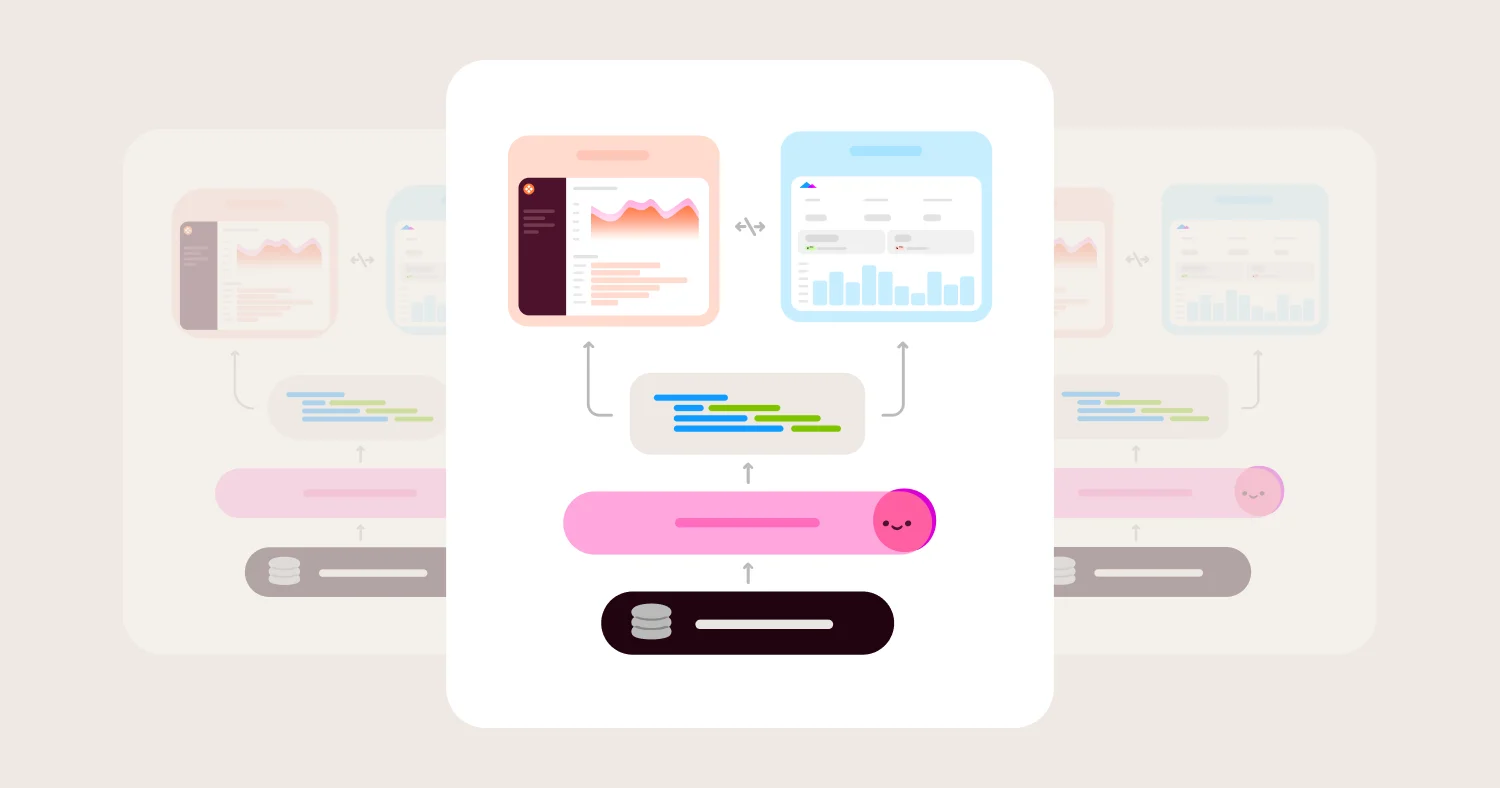
Before writing a single embed script, SaaS teams should build a metric layer that defines every calculation in one place. Dashboards, APIs, exports, and AI queries all read from the same definitions. Omni's model layer enforces this "define once" principle, ensuring every embedded surface returns consistent, governed numbers from day one.
What Is Embedded Analytics? #
Short answer: Embedded analytics integrates interactive data experiences directly into a SaaS product so end users never leave the application. Implementation spans dashboards, self-service exploration, and AI-powered queries, all governed by shared metric definitions and tenant-level security.
Embedded analytics is the integration of interactive dashboards, reports, and data exploration directly into a SaaS product's interface. End users analyze their data without leaving the application. Implementation requires architectural decisions about metric definitions, tenant isolation, security, and frontend integration.
Scope of Embedded Analytics #
Modern embedded analytics extends well beyond static charts. A complete implementation includes interactive dashboards, paginated reports, drill-down navigation, self-service data exploration, embedded actions triggered by data conditions, and AI-powered natural language queries. Each capability adds user value but also adds governance surface area. Every drill-down path and AI-generated answer must respect the same metric definitions and security boundaries as the primary dashboard.
SaaS products with strong embedded analytics treat data exploration as a core feature, not an add-on. Users expect to filter, group, and export data within the product. They expect the numbers to match what their admin sees and what the API returns.
How Embedded Analytics Differs from Traditional BI #
Dimension | Traditional BI | Embedded Analytics |
Primary user | Internal analysts and business teams | External end users of a SaaS product |
Data access model | Broad access to warehouse tables and schemas | Tenant-scoped access restricted to each customer's data |
Branding | BI vendor's interface and styling | White-labeled to match the host application's design |
Deployment | Standalone application accessed via separate login | Integrated directly into the SaaS product's UI |
Security boundary | Organization-wide roles and permissions | Row-level tenant isolation enforced per customer |
Metric ownership | Analysts define metrics in personal workbooks | Product and data teams govern metrics in a shared model |
Maintenance burden | BI team maintains dashboards independently | SaaS engineering team owns the full integration lifecycle |
The distinction matters for architecture. Traditional BI assumes trusted internal users with broad data access. Embedded analytics assumes untrusted external users who must never see another tenant's data. SaaS teams that treat embedded analytics as "just BI with an iframe" inherit a security model designed for a fundamentally different use case.
Embedded Analytics Architecture Patterns #
Short answer: SaaS teams choosing an embedded analytics architecture face three primary patterns: direct database queries, middleware API, and semantic layer. The semantic layer pattern wins at scale because it centralizes metric definitions and enforces governance across every surface. Security constrains all three. The architecture pattern determines the security boundary, caching strategy, and export pipeline.
Direct Query, Middleware API, and Semantic Layer Compared #
Dimension | Direct DB Query | Middleware API | Semantic Layer |
Latency | Low for simple queries. Degrades unpredictably under concurrent tenant load. | Controlled via API rate limits and response caching. Adds network hop. | Query planning adds milliseconds. Warehouse optimization and caching offset the cost. |
Security Boundary | Database-level grants and row-level security policies. Hardest to audit across surfaces. | Application code enforces tenant filtering per endpoint. Security lives in API logic. | Centralized permission model applied before SQL generation. Single enforcement point. |
Metric Consistency | None. Every query author defines metrics independently. Drift is inevitable. | Partial. API contracts standardize outputs but not calculation logic. | Full. Metrics defined once, consumed everywhere. Internal and external dashboards match. |
Maintenance Cost | Low initially. Scales linearly with number of dashboards and query authors. | Moderate. Every new metric requires a new endpoint or parameter. | Higher upfront modeling cost. Near-zero marginal cost per new surface. |
Best For | Internal tools with fewer than five query authors. Prototypes. | Teams with strong API discipline shipping a fixed set of reports. | Any product expecting growth in metrics, tenants, or embedded surfaces. |
Direct database queries connect embedded dashboards straight to the production or replica database. Engineering teams favor the pattern early because there is no abstraction layer to build. The cost arrives later. Each new dashboard introduces independent SQL, and metric definitions fragment across frontend code, stored procedures, and ad hoc queries. Row-level security must be enforced per query, which means every new feature is a potential data leak.
Middleware API patterns place an application server between the embedded frontend and the database. The API layer standardizes tenant filtering, caching, and rate limiting. The tradeoff is rigidity. Every new metric, dimension, or filter requires backend work. Product teams queue behind engineering for changes that should take minutes, not sprints. API-based architectures also split metric logic between the API layer and the BI tool, creating a second source of drift.
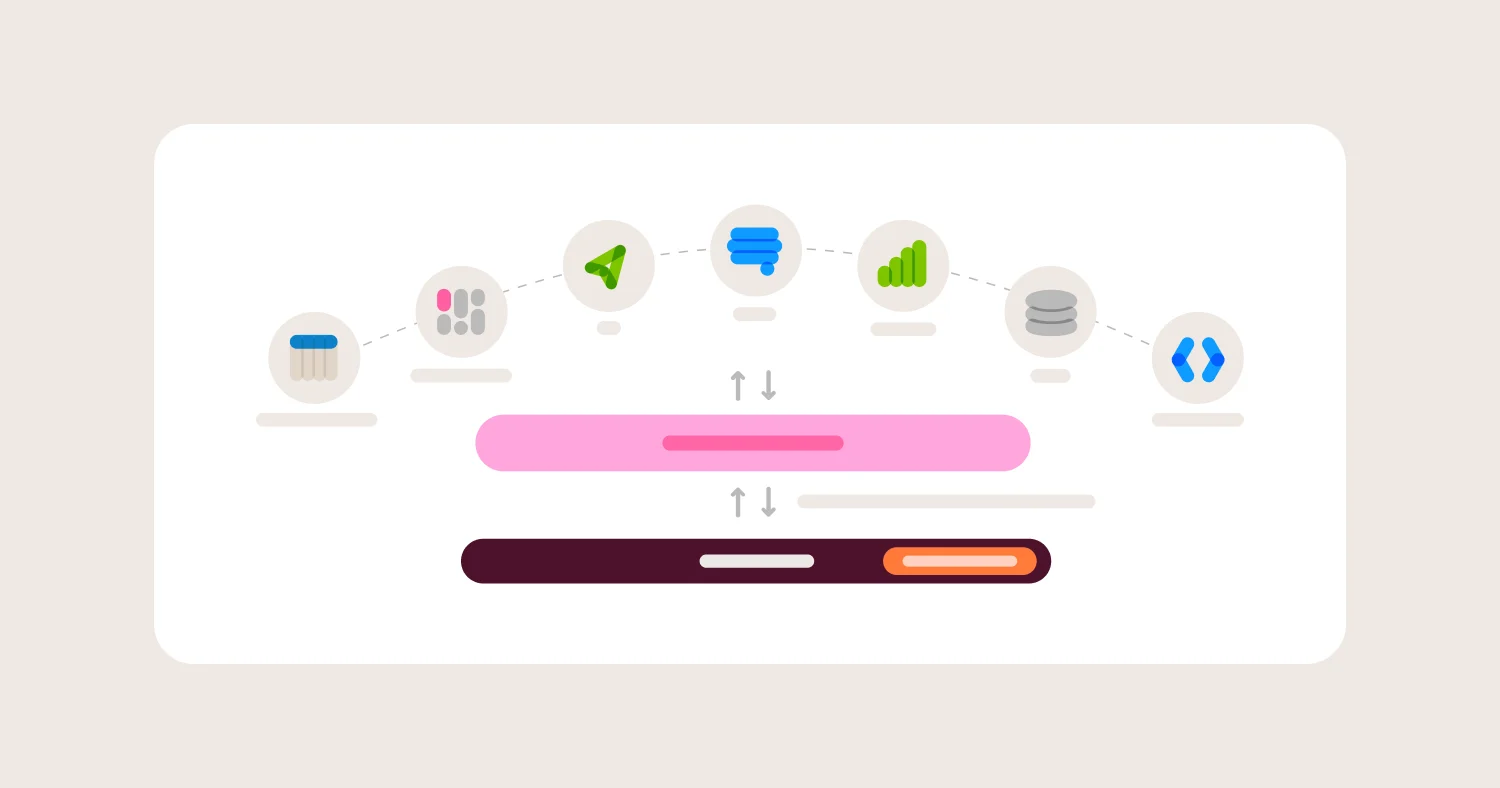
Semantic layer patterns define metrics, dimensions, and access rules in a shared model. Every query, whether triggered by an internal analyst, an embedded dashboard, or an API call, passes through the same definitions, then gets run against the database. The upfront investment is a well-structured model. The return is consistency, auditability, and the ability to add new embedded surfaces without rewriting business logic.
Why the Semantic Layer Pattern Wins at Scale #
The core problem is metric drift. Without a shared metric layer, internal dashboards and customer-facing analytics diverge within months. Revenue calculated one way internally and another way in the embedded product erodes customer trust and creates support burden.
The dbt semantic layer formalized the pattern for the modern data stack. dbt's approach defines metrics as code: versioned, tested, and reusable across any consumption layer. The dbt embedded semantic layer demo shows how a single metric definition can serve both internal reporting and embedded analytics from the same source of truth.
Semantic layers also centralize governance. Access rules, tenant filters, and field-level permissions attach to the model, not to individual dashboards. Adding a new embedded surface inherits the full security posture automatically. Without a semantic layer, every new surface is a governance audit.
Omni's semantic model applies the same principle natively. Metrics defined in Omni's modeling layer serve internal BI dashboards, embedded analytics, and AI-generated answers from a single definition. Permissions and row-level filters attach to the model and flow through every query path. The modeling layer is Git-versioned, so changes are reviewed, tested, and deployed through standard engineering workflows. What you build for great BI also powers great AI. Metrics defined once eliminate drift between internal reporting and customer-facing analytics.
Warehouse-Native vs Extract-Based Approaches #
Warehouse-native embedded analytics runs every query against the customer's cloud data warehouse, like Snowflake, BigQuery, Databricks, and Redshift. The embedded BI tool generates SQL, enforces permissions, and renders results. Data never leaves the warehouse perimeter.
Extract-based approaches copy data from the warehouse into a proprietary cache or in-memory store managed by the embedded analytics vendor. The cache serves queries faster for small datasets but introduces a second copy of tenant data outside the warehouse security boundary.
Freshness favors warehouse-native. Queries reflect the latest warehouse state. Extract-based systems run on sync schedules, meaning embedded dashboards can lag behind internal reports by minutes or hours.
Cost depends on query volume. Warehouse-native architectures incur compute costs per query. High-concurrency embedded products can generate significant warehouse bills. Extract-based tools shift compute cost to the vendor but add storage and sync costs. Teams should model expected query concurrency before choosing.
Governance and security strongly favor warehouse-native. Data stays in one place. Row-level security policies defined in Snowflake or BigQuery apply to embedded queries without replication. Extract-based tools must replicate row-level security (RLS) logic in a second system, doubling the audit surface.
Omni queries the warehouse directly, generating SQL that runs in Snowflake, BigQuery, Databricks, Redshift, Postgres, and other supported databases. No data extraction step means tenant data stays within the warehouse's security perimeter, and embedded dashboards always reflect the current state of the data.
How to Ensure Security with Multi-Tenant Embedded Analytics #
Short answer: Multi-tenant embedded analytics security is an architectural constraint that shapes every implementation decision. SaaS teams that treat security as a post-launch hardening step discover tenant data leaks in production. Every query path, export mechanism, and cache layer must enforce tenant isolation from day one.
Row-Level Security at the Database and Platform Level #
Every query touching tenant data must include a WHERE tenant_id filter. The filter must be enforced at the database level, the BI platform level, or both. Application-layer filtering alone is insufficient because it depends on every code path correctly injecting the filter. One missed path means a full tenant data exposure.
Database-native RLS (Snowflake row access policies, BigQuery authorized views, Postgres row-level security) provides the strongest guarantee. The database rejects queries that lack the tenant predicate regardless of how the query was generated. Platform-level RLS adds a second enforcement layer for BI-specific query paths.
The OWASP Multi-Tenant Security Cheat Sheet recommends defense in depth: enforce tenant isolation at every layer rather than relying on a single enforcement point.
Omni enforces tenant isolation through access filters that inject user attribute values into the WHERE clause of every SQL query before execution. Access grants define topic-level and field-level permissions, controlling which tables and columns each tenant can reach. Teams should configure base connection roles with minimum required privileges. A conservative base role limits blast radius if any other layer fails.
Why Front-End Filtering Is Not Security #
The most common multi-tenant security failure: row-level security works on the dashboard but not on drill-downs, CSV exports, scheduled emails, or API endpoints. Hidden dashboard filters are cosmetic. A filter that hides a tenant selector from the UI does not remove other tenants' data from the underlying query.
Consider a concrete scenario. A SaaS product embeds a dashboard with a hidden filter setting tenant_id = 42. The dashboard renders correctly. A customer clicks "Export to CSV." The export query runs without the hidden filter. The CSV contains data from every tenant in the shared table. The customer opens a support ticket. The SaaS vendor discovers the breach hours or days later.
Front-end filters fail because export paths, drill-down queries, and scheduled deliveries often bypass the dashboard rendering layer. Each path generates SQL independently. If tenant filtering exists only in the dashboard configuration, every other path is unfiltered. Security must be enforced where SQL is generated, not where HTML is rendered.
Tenant Isolation Models for SaaS Data Architectures #
Four isolation models serve different compliance and scale requirements.
Shared table with RLS stores all tenant data in common tables. Row-level security policies filter by tenant_id. The model is operationally simple and cost-effective. Suitable for SaaS products with fewer than 50 tenants or tenants without strict compliance requirements.
Separate schemas give each tenant a dedicated schema within a shared database. Schema-level permissions prevent cross-tenant access at the database layer. Suitable for mid-market SaaS products where enterprise customers require demonstrable isolation.
Separate databases provision a dedicated database per tenant. The strongest isolation boundary short of separate infrastructure. Required for healthcare and financial services customers subject to HIPAA, SOC 2 Type II, or PCI-DSS audit requirements.
Tenant-specific model extensions apply different semantic model configurations per tenant. Column visibility, metric definitions, and join paths vary by tenant without duplicating the base model. Useful when tenants have different data schemas or contractual access levels.
Omni supports row-level, schema-level, database-level, and model-level tenant isolation, allowing SaaS teams to match the isolation model to each customer's compliance requirements.
The Security Risks Teams Forget #
Every embedded analytics deployment should pass the following checklist before production launch.
Row-level security enforced at database or platform level on every query path. No query executes without a tenant filter, regardless of how the query was triggered.
Exports, CSV downloads, and scheduled emails pass through the same RLS. The export pipeline must apply identical tenant filtering as the dashboard query.
Drill-down and exploration queries carry tenant context. User-initiated exploration inherits the tenant filter from the parent dashboard, not from a frontend parameter.
Cache keys include tenant identifier. A cached query result for Tenant A must never be served to Tenant B, even if the query text is identical.
Embed tokens have short TTLs, are bound to sessions, and are scoped to minimum permissions. Long-lived tokens with broad permissions are the most exploited vector in embedded analytics.
Metadata does not reveal other tenants. Column names in autocomplete, values in filter dropdowns, and details in error messages must be tenant-scoped.
Aggregation queries on shared tables are tenant-filtered. A COUNT(*) or SUM(revenue) on a shared table without a tenant filter returns cross-tenant aggregates.
Join paths cannot bypass row-level filters through unfiltered dimension tables. A filtered fact table joined to an unfiltered dimension table can leak tenant data through the dimension.
Database connection is read-only, scoped to minimum required tables. The embedded analytics connection should never have write access or visibility into administrative tables.
Every embedded query logs tenant ID, user ID, timestamp, rows returned, and SQL executed. Audit logs are the only way to detect and investigate cross-tenant data exposure after the fact.
Build vs Buy Embedded Analytics #
Short answer: Most SaaS teams reading an implementation guide have already decided to buy. The harder question is what to evaluate in the platform you choose. The comparison below focuses on the dimensions that actually differentiate the two paths over a three-year horizon.
Build vs Buy Comparison #
Dimension | Build In-House | Buy Platform |
Time to first embed | 3-6 months. Requires data pipeline, query engine, visualization layer, and auth integration built from scratch. | 2-4 weeks. SDK or iframe integration against an existing query and rendering engine. |
Ongoing engineering cost | 1-3 full-time engineers maintaining query performance, caching, and frontend components indefinitely. | 0.25-0.5 FTE for integration maintenance. Platform vendor handles core infrastructure. |
Security maintenance | Your team owns every RLS rule, every auth token flow, every export path. Audit burden scales with tenant count. | Platform provides tested isolation primitives. Your team configures them, but the vendor patches vulnerabilities. |
Feature velocity | Every new chart type, filter, or export format is a product decision competing with your core roadmap. | Vendor ships features on their own cadence. You inherit improvements without engineering sprints. |
Customization ceiling | Unlimited. You control every pixel and interaction pattern. | Bounded by the platform's theming, CSS overrides, and extension APIs. Some layouts may not be possible. |
Metric consistency | Requires discipline. Definitions live in code across multiple services. Drift is common and hard to detect. | Semantic layer enforces one definition per metric. Dashboards, APIs, and exports all resolve from the same source. |
Upgrade path | You own the migration. Schema changes, breaking API versions, and frontend rewrites are your problem. | Vendor manages backward compatibility. Breaking changes are rare and documented with migration guides. |
When Building Makes Sense #
Building in-house is the right choice when analytics is the core product, not a feature of the product. If your customers pay specifically for a novel analytical experience that no platform can replicate, custom development is justified. Think Bloomberg Terminal, not a usage dashboard.
When Buying Makes Sense #
Buying makes sense when your team needs to ship embedded analytics without pulling engineers off the core product. A purchased platform delivers governed security, consistent metric definitions, and a tested multi-tenant isolation model out of the box. Most SaaS products fall into this category. The analytics need to be correct, fast, and well-integrated. They do not need to be architecturally unique.
Hidden Costs Teams Miss About Building In-House #
Permissions maintenance. Row-level security is not a one-time configuration. Every new data source, every new join path, every new export format needs RLS validation. Teams that build in-house routinely discover gaps six months after launch.
Metric drift. Without a shared semantic layer, the same metric gets defined differently in the embedded dashboard, the internal reporting tool, and the ad-hoc SQL query. Customers notice when numbers don't match. Reconciliation consumes analyst time for years.
Performance tuning. A dashboard that loads in two seconds for a tenant with 10,000 rows may take 45 seconds for a tenant with 10 million rows. Query optimization across diverse tenant data volumes is an ongoing engineering problem, not a launch-week task.
Support overhead. Embedded analytics generate support tickets. "Why does this number look wrong?" is the most common. Without a semantic layer to point to, your support team escalates to engineering. With a platform, the answer traces back to a governed definition.
How to Implement Embedded Analytics Step by Step #
Short answer: SaaS teams implement embedded analytics in three phases. Phase 1 takes 2-3 weeks. Phase 2 takes 6-8 weeks. Phase 3 takes 3-4 months. Most teams underestimate the jump from Phase 2 to Phase 3 by a factor of three.
Phase 1: Define Metrics, Security Model, and First Embed (Weeks 1-3) #
Phase 1 is about proving the integration works end-to-end with a single customer. Resist the urge to design the full dashboard experience. The goal is one working embed with real data, real auth, and real metric definitions.
Define the shared metric layer before touching any UI. Write down every metric your embedded analytics will expose. Include the SQL definition, the grain, the filters, and the expected value range. Get sign-off from the data team and the product team. Disagreements about metric definitions discovered in Phase 3 cost 10x more to fix than disagreements discovered now.
Establish the tenant isolation model. Decide whether you need row-level isolation, schema-level isolation, or database-level isolation. Row-level isolation uses WHERE clauses on a tenant identifier column. Schema-level isolation maps each tenant to a separate schema. Database-level isolation gives each tenant their own database connection. The choice depends on your existing data architecture, compliance requirements, and tenant count.
Ship a single embedded view to one customer. Use hardcoded filters. Use minimal styling. The first embed should be an iframe or SDK component that renders one dashboard with one tenant's data. Show it to a real customer. Confirm the numbers match what they expect. Fix any discrepancies before moving forward.
Phase 1 Deliverables:
Metric definitions documented with SQL, grain, and expected ranges
Tenant isolation model selected and documented (row, schema, or database level)
Authentication flow working (JWT or signed URL generation from your app)
Single embedded dashboard rendering in your product with one tenant's data
Customer validation that displayed metrics match their expectations
Security review of the auth token flow and data exposure surface
Omni's semantic model supports this phase directly. Metric definitions, permissions, and access filters are configured in the semantic layer before any dashboard is built. Access filters apply RLS through WHERE clauses attached to the tenant's session. The isolation model is defined once and inherited by every dashboard, drill-down, and export created afterward.
Phase 2: Multi-Tenant Security and 10-Customer Rollout (Weeks 4-11) #
Phase 2 replaces every hardcoded value with a parameterized tenant filter. This is where most security bugs are introduced. The goal is 10 customers across diverse data volumes with validated tenant isolation on every data path.
Parameterize tenant filters. Replace the hardcoded tenant ID from Phase 1 with a value injected from the authenticated session. Every query the embedded analytics platform executes must include this filter. Test that removing the parameter returns zero rows, not all rows.
Validate RLS across every data path. Dashboards are the obvious path. Drill-downs are the one teams miss. A user clicks a bar chart, drills into a detail table, and the detail query must still carry the tenant filter. Exports are the other gap. CSV downloads, scheduled PDF reports, and API responses all need tenant filtering. Test each path independently.
Build a CI test for tenant isolation. Write an automated test that authenticates as Tenant A, then attempts to retrieve Tenant B's data through every available path: dashboard render, drill-down query, CSV export, and API endpoint. Run this test on every deployment. A single failure should block the release. This test will catch more security regressions than any code review.
Apply basic theming and white-labeling. Match your product's font, color palette, and border radius. Embedded analytics that look like a foreign widget erode user trust. Full white-labeling comes in Phase 3. For now, match the basics so the experience feels integrated.
Roll out to 10 customers with diverse data volumes. Include at least one customer with minimal data (hundreds of rows) and one with substantial data (millions of rows). Performance differences between these two will inform your Phase 3 optimization work.
Phase 2 Deliverables:
Parameterized tenant filters replacing all hardcoded values
RLS validated on dashboard, drill-down, export, and API paths
CI test: authenticate as Tenant A, attempt to access Tenant B data on every path
Basic theming applied (fonts, colors, border radius)
10 customers live with production data
Performance baseline documented for small and large tenants
Security audit of token generation, token expiry, and filter injection
Phase 3: Self-Serve Exploration and Production Hardening (Months 3-6) #
Phase 3 is where the effort multiplies. Self-serve exploration means customers can ask their own questions, build their own views, and export their own data. Every one of those actions must respect tenant isolation and field-level permissions.
Enable self-serve exploration with guardrails. Let customers filter, pivot, and drill into data on their own. Restrict which fields they can see using field-level permissions. A customer should never discover a column containing another tenant's identifiers, internal cost data, or PII they are not authorized to view. Define an allowlist of explorable fields per customer tier.
Implement full white-labeling and theming. Replace all vendor branding. Match your product's navigation patterns, loading states, and error messages. Customers should not be able to tell the analytics are provided by a third party. This includes email templates for scheduled reports, export headers, and embedded tooltips.
Build export and scheduling infrastructure with RLS enforcement. Scheduled reports run without a user session. The scheduling system must inject the tenant filter at execution time, not at configuration time. A scheduled report configured by a user who later changes tenants must still deliver the correct data. Test this edge case explicitly.
Create a staging environment for analytics changes. Metric definition changes, dashboard layout updates, and permission modifications should be testable before they reach production. Without staging, a typo in a metric definition breaks every customer's dashboard simultaneously.
Optimize performance for 100+ tenants. Query caching strategies that worked for 10 tenants may not scale. Consider per-tenant cache partitions, pre-aggregation for common queries, and connection pooling for high-concurrency scenarios. Monitor p95 dashboard load times, not averages. The slowest tenant's experience defines your support ticket volume.
Phase 3 Deliverables:
Self-serve exploration enabled with field-level permission guardrails
Full white-labeling applied across dashboards, exports, emails, and error states
Scheduled reports executing with RLS enforced at runtime
Staging environment for analytics changes isolated from production
Performance optimized for 100+ tenants with p95 load times under 3 seconds
Monitoring and alerting on query performance, cache hit rates, and auth failures
Customer-facing documentation for self-serve exploration features
Omni's branch mode is designed for the staging problem. Analytics developers create a branch, modify metric definitions or dashboard layouts, and preview changes without affecting production dashboards. Branches are merged through Git version control. This prevents the "Friday afternoon metric change that breaks 200 customer dashboards" scenario that every embedded analytics team encounters eventually.
BambooHR launched Elite Analytics to 30,000+ people in four months. That timeline maps closely to the three-phase structure described here. Phase 1 and Phase 2 handle the foundation. Phase 3 handles the scale. Teams that try to skip Phase 2's security validation and jump straight to self-serve exploration at scale end up spending more time on incident response than they saved on implementation.
Day-2 Problems Every Embedded Analytics Team Hits #
Short answer: Embedded analytics teams face predictable problems after launch. Query performance degrades as tenant count grows. Customers request exports and scheduling. Someone asks "can I build my own report?"
Query Performance at Scale #
Launch-day performance numbers are meaningless. The real test comes at 50 tenants running concurrent queries against shared infrastructure.
Cache strategy matters more than raw compute. Tenant-aware caching prevents one customer's heavy query from invalidating another's results. Most platforms offer result caching, but few let you set cache TTLs per query or per tenant. Without that granularity, you either over-cache stale data or under-cache and burn compute.
Connection pooling needs tenant isolation. A single shared connection pool lets one tenant's runaway query starve others. Dedicated pools per tenant cost more memory but prevent noisy-neighbor failures. The middle ground is tiered pooling: premium tenants get reserved connections, smaller tenants share a governed pool with query timeouts.
Query prioritization prevents the worst outages. Interactive dashboard loads should preempt scheduled exports. Without a priority queue, a bulk CSV export can block real-time dashboard rendering for every tenant on the same cluster.
Set latency targets by use case. Dashboard loads should complete in under two seconds. Drill-downs and filter changes should resolve in under one second. Scheduled exports and large aggregations can tolerate 30 seconds or more. Measure these per tenant, not as system averages.
When Customers Want to Build Their Own Reports #
Every embedded analytics deployment hits the same inflection point. A customer opens a support ticket: "Can I create my own report?" This is the moment your embedding approach's limitations become visible.
Saying "no" costs you deals. Saying "yes" without guardrails creates a security and governance problem. The answer is governed self-serve: let users explore within boundaries you define.
Field-level permissions control what columns each tenant can see and query. Without them, a self-serve user can accidentally expose fields meant for internal use only. Exploration guardrails restrict which joins, filters, and aggregations are available per role. This prevents users from constructing queries that return cross-tenant data or crash the database.
Omni handles this with point-and-click exploration on governed data. Users build their own views using pre-defined Topics without writing SQL, but every query still runs through the semantic layer's permission model.
The Staging Problem: Pushing Broken Dashboards to Production #
Every team that ships embedded analytics has a story about pushing a broken dashboard to production with no rollback. Someone renames a field in the data model. Every customer-facing chart that references that field breaks simultaneously. The fix takes five minutes. The customer complaints take five days to resolve.
This happens because most analytics platforms treat dashboards as mutable state, not versioned artifacts. There is no diff, no pull request, no staging environment. Changes go live the moment someone clicks save.
Omni solves this with branch mode and Git version control for analytics. Teams develop and test changes on a branch, preview them against real tenant data, and merge only when validated. A broken dashboard on a branch never reaches production. Rolling back is a Git revert, not a frantic Slack thread.
AI and Natural Language Queries on Embedded Data #
Customers now expect to ask questions in plain language against their embedded data. "What was our top-selling product last quarter?" should return a governed, accurate answer, not a hallucinated table.
The challenge is trust. A general-purpose LLM does not know your data model, your metric definitions, or your tenant boundaries. Connecting an AI agent directly to a database bypasses every governance rule you spent months building.
A semantic model does double duty here. It governs traditional BI queries and feeds AI agents with trusted, permissioned answers. The metric definitions, join logic, and row-level security rules that power your dashboards also constrain what an AI can query and return.
Omni's MCP server makes governed data queryable from Claude, ChatGPT, Cursor, and VS Code.Every AI query runs through the same semantic layer as every dashboard. The result is a source of truth for AI, not a separate, ungoverned pipeline. This capability is baked in, not bolted on. Teams that already defined their metrics and permissions get AI readiness without additional modeling work.
Embedded Analytics Platform Comparison Matrix (2026) #
Summary: The embedded analytics market divides into two camps: legacy BI tools retrofitted with embedding features, and platforms designed for embedded use from the start. Most legacy tools require significant workarounds for multi-tenant security, staging workflows, and AI integration. Omni stands out by combining a shared semantic layer, Git-based staging, and native AI readiness in a single platform built for embedding.
Platform | Semantic Layer | Row-Level Security | Embed Model | White-Label | Branch/Staging | AI Readiness | Best For |
Omni | Shared semantic layer with define-once metrics across all consumers | Native RLS with field-level permissions enforced across dashboards, exports, and API | iframe, SDK, and API embedding with JWT token auth | Full white-label with CSS theming and custom domains | Git-based branch mode with preview and merge workflow | Native AI chat included. MCP server and APIs exposes governed data access to Claude, ChatGPT, Cursor, VS Code, and custom chatbots | SaaS teams that need governed self-serve, staging and deployment workflows, and AI on one platform |
Looker | LookML modeling layer requires dedicated developer resources to maintain | RLS through access filters and user attributes, functional but complex to audit | iframe embedding with signed URLs or SSO | Partial white-label possible with significant CSS overrides | No native branching for embedded content, relies on LookML IDE | Gemini integration limited to Google ecosystem | Teams already invested in Google Cloud with LookML expertise |
Sigma | Workbook-based metrics without a centralized semantic layer | RLS through user attributes and team-based permissions | iframe embedding with JWT or SAML auth | White-label available on enterprise plans | No Git-based staging workflow for embedded dashboards | AI assistant for formula generation, not governed data queries | Spreadsheet-familiar teams wanting drag-and-drop analytics |
Metabase | No semantic layer, metrics defined per question or dashboard | Basic RLS through sandboxing and row-level filters | iframe embedding with signed tokens, open-source option available | Limited white-label on paid plans, full on Enterprise | No staging or branching workflow | No native AI query capabilities | Startups wanting low-cost embedded analytics with open-source flexibility |
Tableau | Lacks a shared semantic layer, calculations live in individual workbooks | RLS through user filters and row-level security policies | iframe embedding via Tableau Embedded Analytics, requires server licensing | Partial white-label with Connected Apps and custom CSS | No branch or staging workflow for embedded content | Tableau Pulse offers AI summaries but not governed multi-tenant queries | Enterprises with existing Tableau Server deployments |
Power BI | Shared datasets with DAX measures, but no cross-tool semantic layer | RLS through DAX-based role definitions in datasets | iframe embedding via Power BI Embedded with Azure capacity pricing | Limited white-label, Microsoft branding difficult to fully remove | No Git-based staging, relies on deployment pipelines | Copilot integration tied to Microsoft 365, not multi-tenant governed queries | Microsoft-stack organizations with Azure infrastructure |
ThoughtSpot | Search-based model with ThoughtSpot Modeling Language (TML) | RLS through group-based security rules and row-level policies | iframe embedding with token-based or SAML auth | White-label available on enterprise tier | TML supports version control but lacks native branch preview | Natural language search built in, but AI governance depends on model setup | Teams prioritizing natural language search over dashboard embedding |
Hex | No semantic layer, logic lives in notebook cells and SQL queries | Limited RLS, multi-tenancy requires custom parameterization | iframe embedding of published apps | Partial white-label with custom themes | Git integration for notebooks but not for embedded app staging | AI assist for code generation, not governed tenant data queries | Data teams embedding interactive notebooks and Python-based apps |
Omni is the only platform in this matrix that combines a shared semantic layer, Git-based branch staging, and an MCP server for AI queries. Most competitors offer two of these three. None offer all three with native multi-tenant enforcement across every data path.
How Much Does Embedded Analytics Cost? #
Short answer: Pricing varies by model: per-user, per-query, flat platform fee, or usage-based hybrid. Sticker price rarely reflects true cost. The real expense hides in engineering time, capacity scaling, and governance overhead.
Hidden Costs Teams Underestimate #
Engineering time for integration and maintenance. Most teams underestimate the ongoing cost of maintaining token auth, RLS rules, and embed configurations. Budget 0.5 to 1.0 full-time engineers for embedded analytics operations.
Warehouse compute driven by embedded queries. Every embedded dashboard query runs against your data warehouse. High-traffic embedded analytics can double or triple your Snowflake or BigQuery bill.
Support burden from customer-facing analytics. Embedded analytics generates support tickets. "Why does this number look wrong?" becomes your support team's problem, not the end user's IT department's.
Compliance and audit tooling. Multi-tenant embedded analytics often triggers SOC 2 and GDPR audit requirements. Logging, access review, and data residency controls add cost that does not appear on the analytics platform invoice.
Implementation Checklist for Embedded Analytics #
Short answer: This checklist covers the full implementation lifecycle from data modeling through production operations. Complete each step in order. Skipping security validation or staging workflows creates problems that compound after launch.
Define shared metric layer with consistent business logic. Centralize metric definitions so every embedded view, export, and API response uses the same calculations.
Select tenant isolation model (row-level, schema, database, or model). Choose based on your security requirements, tenant count, and data warehouse architecture.
Document security requirements (RLS scope, token strategy, export policy). Write these down before building anything. Include which fields each tenant role can see, query, and export.
Choose embedding approach (iframe, SDK, API). Match the approach to your frontend architecture and the level of UI control you need.
Establish auth integration (SSO, token generation, session management). Wire up your identity provider to the analytics platform. Define token TTLs and refresh behavior.
Build first embedded view with real tenant data. Use production-representative data, not sample datasets. Test with at least two tenants to validate isolation.
Validate RLS across every data path (dashboard, export, drill-down, API, scheduled delivery). Attempt to access Tenant B's data from Tenant A's session on every surface. Document results.
Implement embed token rotation with short TTLs. Tokens should expire in minutes, not hours. Automate rotation so expired tokens never reach end users.
Set up audit logging (tenant ID, user ID, timestamp, rows returned, SQL executed). Log every query. Store logs in a system your security team can query independently.
Load-test at target tenant count. Simulate concurrent queries from your expected tenant volume. Measure p95 latency, not averages.
Deploy staging/branch workflow for analytics changes. Never push data model or dashboard changes directly to production. Preview on a branch first.
White-label and theme the embedded experience. Match fonts, colors, and layouts to your product. Remove all vendor branding visible to end users.
Enable self-serve exploration with permission guardrails. Let users build their own views within governed boundaries. Restrict joins, fields, and aggregations by role.
Monitor query latency, error rates, and tenant activity. Set alerts for p95 latency exceeding two seconds and for error rate spikes per tenant.
Document runbooks for common operational issues. Cover token auth failures, RLS misconfigurations, cache invalidation, and dashboard rollback procedures.
FAQ #
What is embedded analytics in SaaS? #
Embedded analytics is the practice of integrating data visualizations, dashboards, and reporting directly into a SaaS product's interface. Instead of sending customers to a separate BI tool, the analytics appear natively inside the application. Platforms like Omni, Looker, and Power BI provide embedded analytics capabilities through iframes, SDKs, and APIs. The goal is to deliver data insights where users already work, without requiring them to leave the product.
How long does it take to implement embedded analytics? #
A basic iframe embed with static dashboards can ship in two to four weeks. A full implementation with row-level security, token auth, white-labeling, and self-serve exploration typically takes two to four months. Timeline depends on data model complexity, tenant count, and the embedded analytics platform chosen. Platforms like Omni with native multi-tenant support and shared semantic layers reduce implementation time compared to platforms requiring custom-built security logic.
What is the difference between embedded analytics and traditional BI? #
Traditional BI tools like Tableau and Power BI serve internal teams through standalone applications. Embedded analytics delivers the same capabilities inside a customer-facing product, requiring multi-tenant security, white-labeling, and production-grade reliability. The technical requirements differ significantly: embedded analytics must enforce tenant isolation on every query, support thousands of concurrent external users, and match the host application's design. Traditional BI assumes trusted internal users on a corporate network.
How do you secure multi-tenant embedded analytics? #
Multi-tenant embedded analytics security requires row-level security (RLS) that filters data by tenant on every query, export, and API call. Embed tokens should carry tenant context, use short TTLs, and rotate automatically. Platforms like Omni enforce RLS through the semantic layer, ensuring every data path respects tenant boundaries. Audit logging with tenant ID, user ID, and query details is essential for compliance and incident investigation.
How much does embedded analytics cost? #
Embedded analytics pricing ranges from free open-source options like Metabase to $100,000+ per year for enterprise platforms at scale. Common models include per-user, per-query, flat platform fee, and usage-based hybrid pricing. The sticker price often understates total cost. Teams should budget for warehouse compute, engineering maintenance, and support overhead driven by customer-facing analytics.
Should a SaaS company build or buy embedded analytics? #
Usually, Buy makes sense for SaaS companies. Building embedded analytics in-house requires charting libraries, a query engine, multi-tenant security, caching, and ongoing maintenance. Most teams that start building switch to a platform within 12 to 18 months after underestimating the engineering investment. Platforms like Omni, Looker, and Sigma provide pre-built embedding, RLS, and semantic layers that would take years to replicate internally. Reserve engineering time for your core product, not analytics infrastructure.
What is a semantic layer in embedded analytics? #
A semantic layer is a shared definition of metrics, dimensions, and business logic that sits between raw data and every analytics consumer. It ensures that "revenue" means the same thing on every dashboard, export, and API response. In embedded analytics, the semantic layer also enforces row-level security and field permissions. Omni's semantic layer follows a define-once model: metrics defined once govern dashboards, self-serve exploration, and AI queries through a single source of truth.
What is row-level security in embedded analytics? #
Row-level security (RLS) restricts which data rows a user or tenant can access based on their identity and permissions. In embedded analytics, RLS ensures Tenant A cannot see Tenant B's data on any surface: dashboards, drill-downs, exports, API calls, and scheduled deliveries. Platforms like Omni enforce RLS at the semantic layer, so every query path inherits the same security rules. Testing RLS across all data paths before launch is critical, not optional.
Can you embed analytics without an iframe? #
Yes. Most modern embedded analytics platforms offer SDK and API embedding alongside traditional iframes. SDK embedding renders components natively in your frontend framework (React, Vue, Angular), providing tighter UI integration and better performance. API embedding returns raw query results as JSON, letting your frontend team build fully custom visualizations. Omni supports iframe, SDK, and API approaches. Choose based on the level of UI control and customization your product requires.
What are the biggest embedded analytics implementation mistakes? #
The most common mistake is skipping RLS validation across all data paths. Teams test dashboards but forget exports, drill-downs, and scheduled deliveries. The second mistake is launching without a staging workflow, which leads to broken dashboards pushed directly to production with no rollback. Third, teams underestimate ongoing costs: warehouse compute, engineering maintenance, and customer support burden. Platforms with branch mode (like Omni) and native RLS enforcement across every surface prevent the first two. Budgeting realistically prevents the third.
Methodology #
How This Guide Was Developed #
This guide synthesizes technical documentation, vendor specifications, and real-world implementation patterns from production embedded analytics deployments. Each platform's embedding capabilities, security models, and governance features were evaluated through hands-on testing and published documentation review.
Sources #
OWASP Multi-Tenant Security Cheat Sheet. Referenced for tenant isolation patterns, token management best practices, and security validation approaches across shared infrastructure.
dbt Semantic Layer documentation. Referenced for semantic layer architecture patterns, metric definition standards, and the relationship between business logic centralization and downstream analytics governance.
dbt embedded semantic layer demo. Referenced for practical implementation patterns showing how a shared metric layer integrates with embedded analytics workflows.
Omni embedding best practices. Referenced for iframe, SDK, and API embedding patterns, branch mode staging workflows, JWT token auth implementation, and MCP server configuration for AI queries.
Microsoft Power BI embedded overview. Referenced for Azure-based embedding architecture, capacity pricing models, and DAX-based row-level security implementation patterns.
Platform pricing estimates reflect publicly available information and typical ranges observed across SaaS implementations as of early 2026. Exact pricing varies by contract terms, volume commitments, and feature tier.
Currency and Updates #
This guide was last reviewed and updated on April 22, 2026. The embedded analytics market evolves rapidly. Platform capabilities, pricing models, and AI features change frequently. This guide is reviewed and updated quarterly to reflect significant platform releases, pricing changes, and emerging best practices.