Omni's open-source skills combine with Snowflake’s CoCo to enable full analytics workflows from a single terminal, including a reverse sync that pushes an Omni Topic back to Snowflake as a Semantic View.
Where this started #
A few months ago, some friends on the Snowflake Solutions Engineering team told me they use Snowflake's agentic CLI, Snowflake Coco (formerly Cortex Code), to build custom demos. Since I build new demos with our partners all the time, it sounded too good to be true. So, I decided to try it myself.
Spinning up a demo dataset was really easy. But then I wanted to go bigger: generate the data in Snowflake, model it in Omni, build the dashboard, and push the metric definitions back to Snowflake, all in one terminal session. Five of those steps already had a path. The last one didn’t, so I built it.
This became the omni-to-snowflake-semantic-view skill. It’s a one-shot push that takes an Omni Topic (how Omni bundles joins, dimensions, measures, sample queries, and AI context for a given domain) and writes it to Snowflake as a Semantic View in a single CLI call.
To handle the other parts of the workflow, we have eight additional Omni Skills. They wrap our CLI and REST API, and allow CoCo to handle repetitive, complex, or specialized Omni workflows (especially ones that call external tools and APIs). The bundle lives at exploreomni/omni-agent-skills, alongside our other skills for Claude Code, Cursor, and Codex.
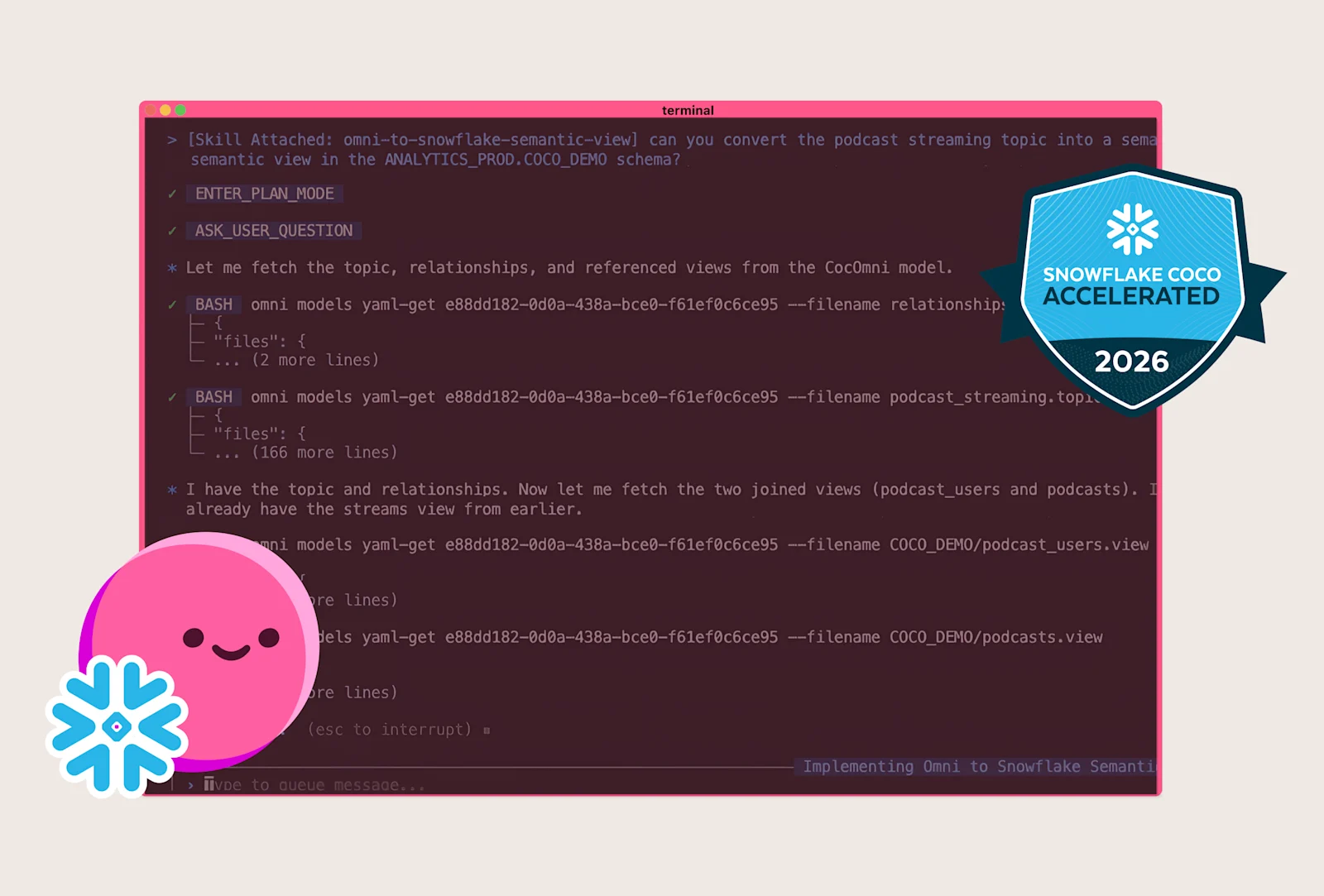
As a result of this workflow, I’m proud to share that Omni earned the Snowflake CoCo Accelerated Badge for bringing more AI coding capabilities to our customers. And with that, I’ll tell you how they all work together because that’s where it gets pretty cool.
Zero to dashboard, one CLI session #
In the demo below, you can see how these skills help you go from zero data to a modeled environment with dashboards built on the same definitions across Omni and Snowflake. I run the full loop to generate data in Snowflake, refresh the Omni schema, model in a branch, build content, push the Omni Topic back as a Snowflake Semantic View, and see it land in Cortex Analyst.
Here are the exact steps I took:
Generate data: Prompt CoCo to create a synthetic streaming dataset. Three tables land in Snowflake:
podcast,streams, andusers.Grant access: Tell it to grant select on those tables to the Omni role.
Refresh the schema:
omni-adminhits the Omni API to make the new tables discoverable.Model the data:
omni-model-buildercreates joins, measures, topics, and sample queries in a branch, with review before merge.Build a dashboard:
omni-content-buildergenerates an executive dashboard with KPI tiles, trends over time, and 14 charts.Push to Snowflake:
omni-to-snowflake-semantic-viewtranslates the Topic into a Semantic View and pushes it. After the push, the Semantic View shows up back in Omni's schema as a reference, so the same Topic that defined it now reads from it as a Snowflake-managed object.
The nine Omni Agent Skills for CoCo #
The beauty of these skills is the way they chain, with each step handing off to the next. This allows any number of workflows from a single CLI.
Skill | What it does |
| Browse the semantic layer: views, fields, joins, topics |
| Run queries via the Omni API, with filtering and chained analysis |
| Create views, topics, measures, joins, calculated fields |
| Find, search, and export dashboards and workbooks |
| Build dashboards and visualizations programmatically |
| Configure AI context, sample queries, and field descriptions for Blobby |
| Manage users, permissions, schedules, schema refreshes |
| Generate signed embed URLs and configure themes |
| Push an Omni Topic back to Snowflake as a Semantic View |
What these skills do for the workflow #
Data engineers stay in the terminal.
Load tables, grant access to the Omni role, ask omni-admin to refresh the schema, then call omni-model-builder. The model gets built in a branch so you can review and merge. No context switch into the Omni UI to make data usable downstream.
Analytics engineers prompt their way through the scaffolding.
omni-model-builder writes joins, measure definitions, Topic setup, labels, descriptions, drill fields, and AI context. It seeds sample queries that show up as starting points before anyone opens a workbook. The output is a branch you read like a pull request. Omni shines with a build-as-you-go workflow, and the skill matches that pattern: prompt, branch, review, merge.
The Omni-Snowflake loop closes from both sides.
Snowflake Semantic Views already sync into Omni. But before, the reverse direction was manual. omni-to-snowflake-semantic-view translates the Omni Topic into a Semantic View YAML and pushes it, so the same definition lands on both sides. It is a one-shot push, not a managed sync. The limitations section below covers what that means in practice.
The reverse sync: Omni Topic to Snowflake Semantic Views #
omni-to-snowflake-semantic-view is a six-prompt skill that pushes selected fields from an Omni Topic to a Snowflake Semantic View to help keep metric definitions in sync across your platforms. Users can build metrics in Omni, and then the skill hardens them in your Snowflake warehouse to limit metric drift and ensure consistent business logic.
To understand what this includes, let's talk about which Omni Topic elements get transferred in the sync:
Topic description
The joins it allows
Dimensions (each with labels, descriptions, synonyms, drill fields, and AI context)
Measures (including filtered ones built as
CASE WHENtier buckets)Topic-level AI context that an agent reads when interpreting questions
Pre-packaged sample queries
Here’s how these inputs translate to the Snowflake side: the omni-to-snowflake-semantic-view skill picks the Topic, confirms the schema, walks through the field map, generates the YAML, validates, and pushes.
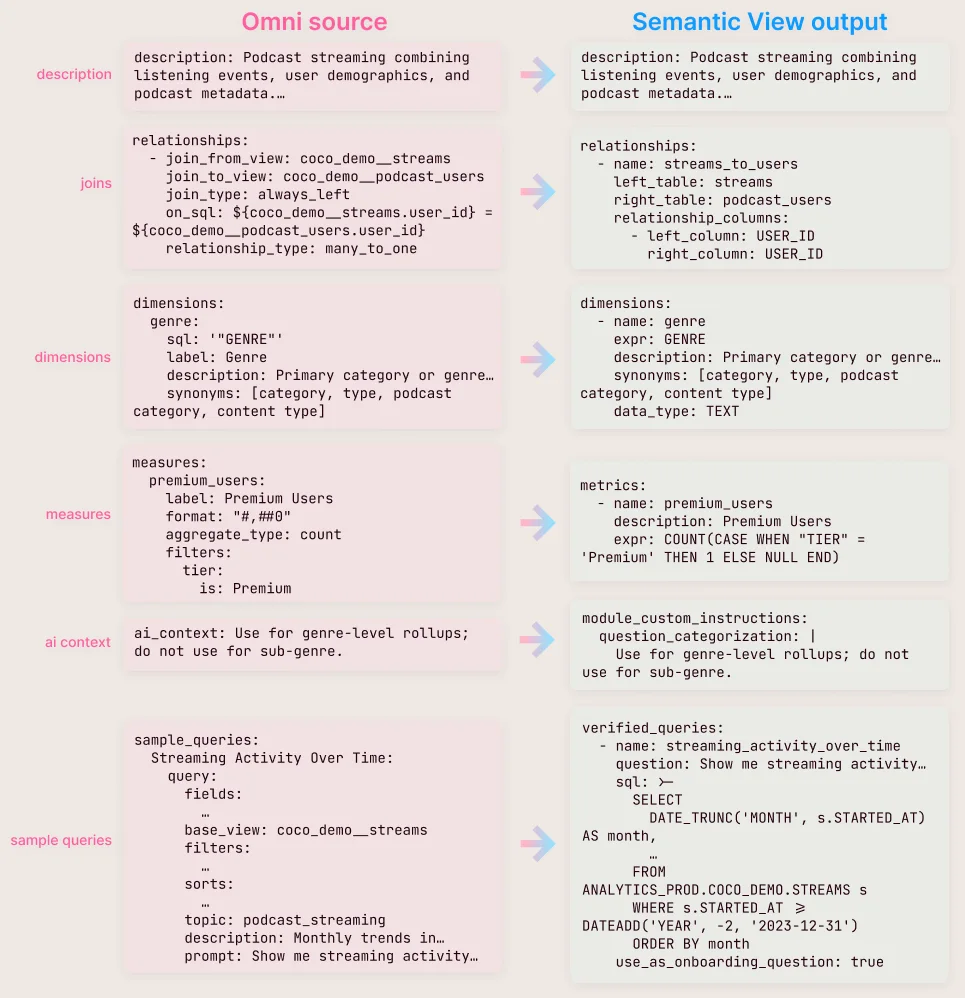
This goes beyond the API workflow we previously had for pushing definitions back, pulling the Topic-level AI context, and dropping it into module_custom_instructions > question_categorization. It parses filtered measures and translates them into the Semantic View's measure spec. It also pulls in sample queries and converts them into SQL for verified_queries, and maps bin and time dimensions to Semantic View dimensions.
Before pushing, the YAML is validated against Snowflake.
Once the Semantic View lands, a Cortex Analyst user gets the full payload that came from Omni. The AI context populates question categorization. Each table carries its descriptions, named filters land where filters were defined, and the relationships from the Omni model are intact. The verified queries give the agent known-good SQL to lean on. Define the Topic once in Omni, and every Snowflake-side agent (Cortex Analyst, Snowflake Intelligence, notebooks) gets the same governed context automatically.
What surprised me #
Two things surprised me.
The first was when CoCo generated a usable demo dataset from a single prompt. As someone who’s been building demo flows for years, this is a huge time saver. I’ve already used it multiple times since my first test.
The second was the first run of omni-model-builder on a fresh streaming dataset. It came back with view files, a relationships file, a full Topic with sample queries, and CASE WHEN tier measures, from a single prompt. Work that used to take me 30 to 45 minutes by hand on similar models was done in the time it took to type the question. That’s a personal benchmark on one dataset, not a controlled comparison, but the gap was wide enough to change how I scoped the rest of the build. The reverse sync started as a small reach goal on top of that, and ended up being the piece this post is built around.
Where this fits #
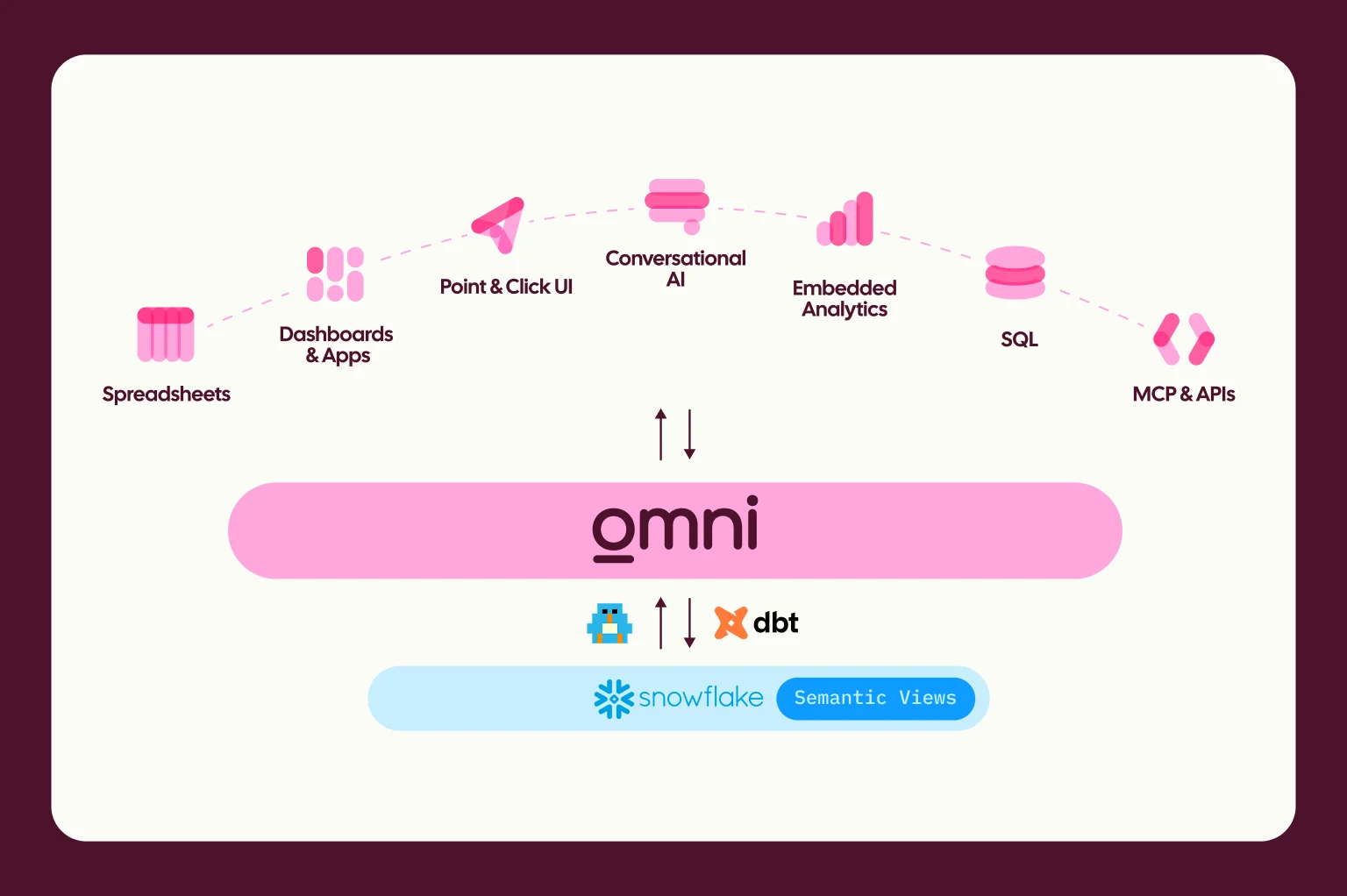
This aligns with our core thesis: help everyone work better with trusted data, however they prefer. We’ve just opened up CoCo as the next surface. Snowflake recently wrote about how Omni brings Snowflake Semantic Views to life; this skill closes the same loop in the other direction.
The shape of pushing semantic definitions back to the warehouse isn’t new. Other tools in the modeling space have warehouse-export paths. What this skill does differently is map Topic-level AI context into module_custom_instructions > question_categorization, so every agent downstream of the Snowflake Semantic View (Cortex Analyst, Snowflake Intelligence, notebooks, anything that reads a Semantic View) inherits the same interpretive layer the Omni model carries. The mechanical export was the table-stakes part, but the AI-context translation is the part that actually changes what the downstream agent knows.
Gotchas to consider #
As you get started, it's important to remember that omni-to-snowflake-semantic-view is a one-shot push, not a managed sync.
Complex joins, i.e., one-to-many, many-to-many, and self-joins, can't be translated and will be ignored
Sample-query SQL is rewritten by the agent, not lifted verbatim from Omni's executed SQL
Topic-level AI context maps cleanly. Field-level AI context maps partially. We only translate descriptions and synonyms as AI context to Snowflake Semantic Views fields, no field-level AI_context parameter
Dynamic fields inheriting filter-only fields will be ignored unless they have a default value
Level of detail fields will be ignored (Snowflake Semantic Views support coming soon)
Row + Column level security will not be carried over to Snowflake Semantic Views. Access Filters and Access Grants will be ignored, and ensure proper security measures are in place in Snowflake to replicate
Treat the push as authoritative from Omni out, not as a two-way merge.
Get started #
Cortex Code can load these skills directly as custom skill folders. For the CLI, copy one or more folders from this repo's skills/ directory into project-local .cortex/skills/ or user-level ~/.snowflake/cortex/skills/. In Snowsight workspaces, you can upload the same skill folders directly.
Personal API key: Omni → Account Settings → API Keys
Org API key (required for admin operations): Omni → Admin → API Keys
Check out the full workflow in this demo video, and feel free to reach out to me if you have questions or built something cool you want to share.