We are excited to announce that Omni’s ChatGPT app is now live.
Omni guides ChatGPT to understand your metrics, respect your permissions, and stay grounded in the context your team has already defined. We've also built an open-sourced a library of Omni skills to help you go further with repeatable workflows for data modeling, embedding, administration, and more.
With ChatGPT as your control pane, use Omni to bring governed data into all of your work. For example:
Draft a HubSpot campaign and pull the contact list based on order volume with a few prompts
Improve documentation by asking Omni to look at the structure of your data, and then use Figma to create an ERD to drop in and help new users learn
Build a strategy Google doc for your team by connecting your internal ideas and plans to your metrics and goal tracking in Omni
Why ChatGPT needs a semantic data layer #
ChatGPT is where most of your business already happens — docs, emails, planning, decisions. The problem is that AI has no idea how your business actually works. It doesn't know what "ARR" means to your finance team, which accounts are strategic, or who is allowed to see what.
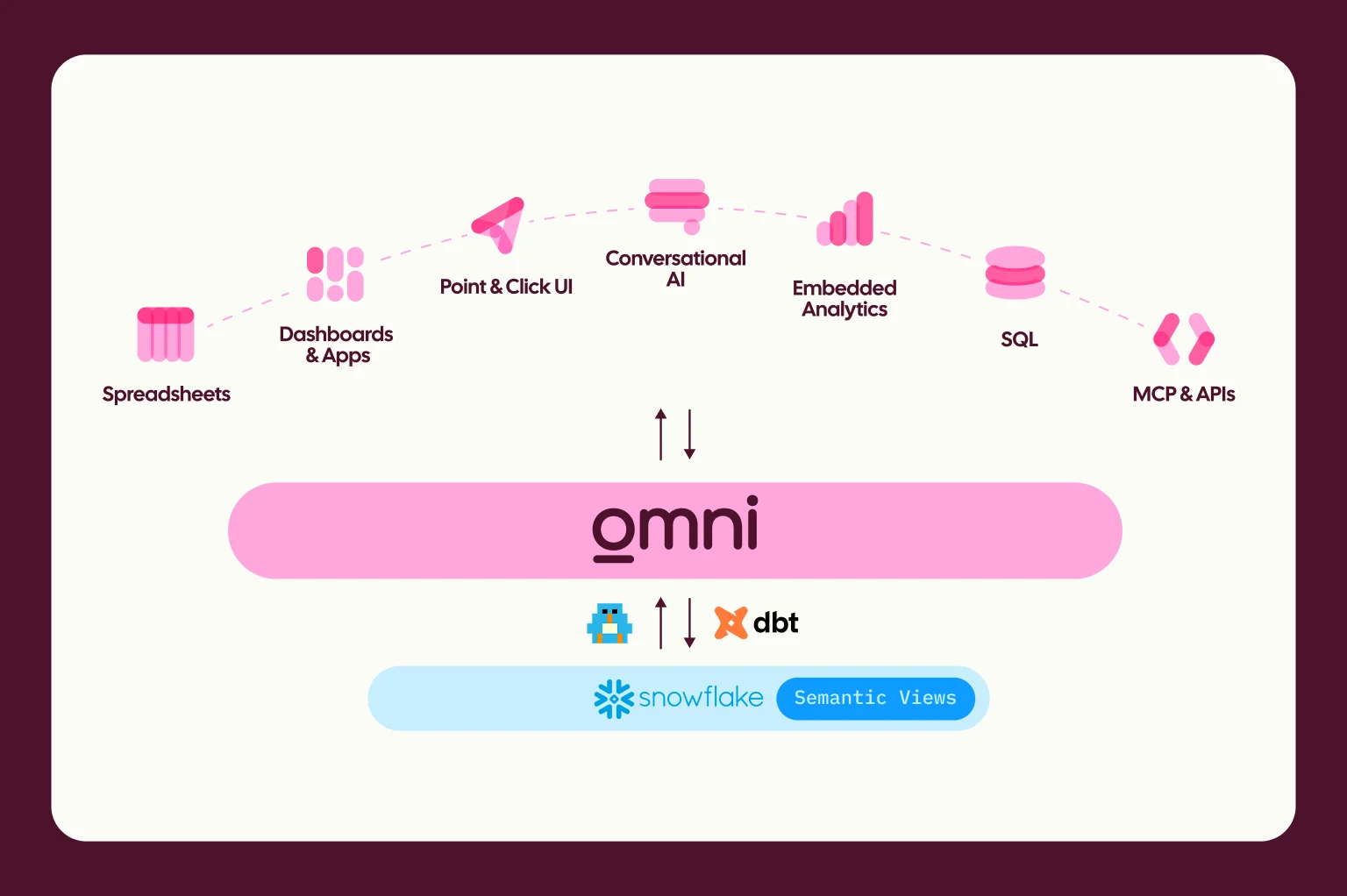
Omni fixes this. By routing ChatGPT's requests through Omni's semantic layer, you bind the AI to your company's governed business context. ChatGPT handles the natural language reasoning, and Omni ensures the definitions for your metrics and permissions are strictly applied.
Self-service today is no longer about forcing people to learn a BI tool, it's about making the tool learn about the business.
Get started in seconds #
Bringing data governed by Omni into ChatGPT takes just a couple clicks:
Navigate to the ChatGPT app in the ChatGPT apps list.
Click Connect and authenticate* with your Omni account.
Start asking ChatGPT questions about your metrics.
*Authentication is handled securely via OAuth in MCP, so it's automatically tied to your specific user permissions. For this to work, Personal Access Tokens (PATs) must be active for your organization. You can enable this via Settings > API Access > Personal Tokens and flipping the toggle. See our authentication docs for more details.
Because ChatGPT operates across multiple tools, you can combine the Omni connector with other integrations to automate complex workflows without switching context. Let’s take a look at what you can do 👇
Example use case: From data to diagram in one conversation #
Say you want to understand how your website's entry points differ between first-time and returning visitors to help your marketing team map the user journey to their content strategy. You've done the analysis. Now comes the part that often feels the most challenging: clearly communicating what they should take away from your findings.
The problem is that building something to present usually means bouncing between tools, reformatting tables, and losing momentum somewhere between the insight and the visual. And almost no one has time to spend perfecting formatting.
With Omni connected to ChatGPT, that whole chain stays in one conversation.
Start by pulling your top landing pages for first sessions from Omni Analytics (use the @ operator, like Slack), then follow up to grab the same data for returning visitors. The results come back as clean tables directly in the thread.
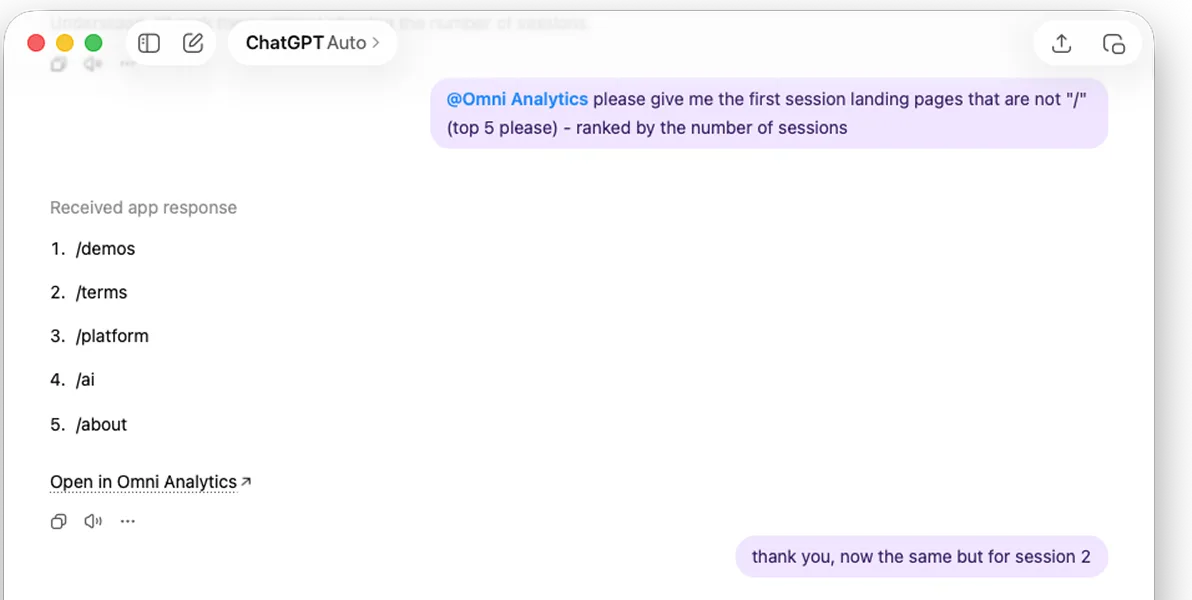
Next, ask Figma to turn that data into a diagram that provides the clarity and polish your marketing team expects, without all the deck work.
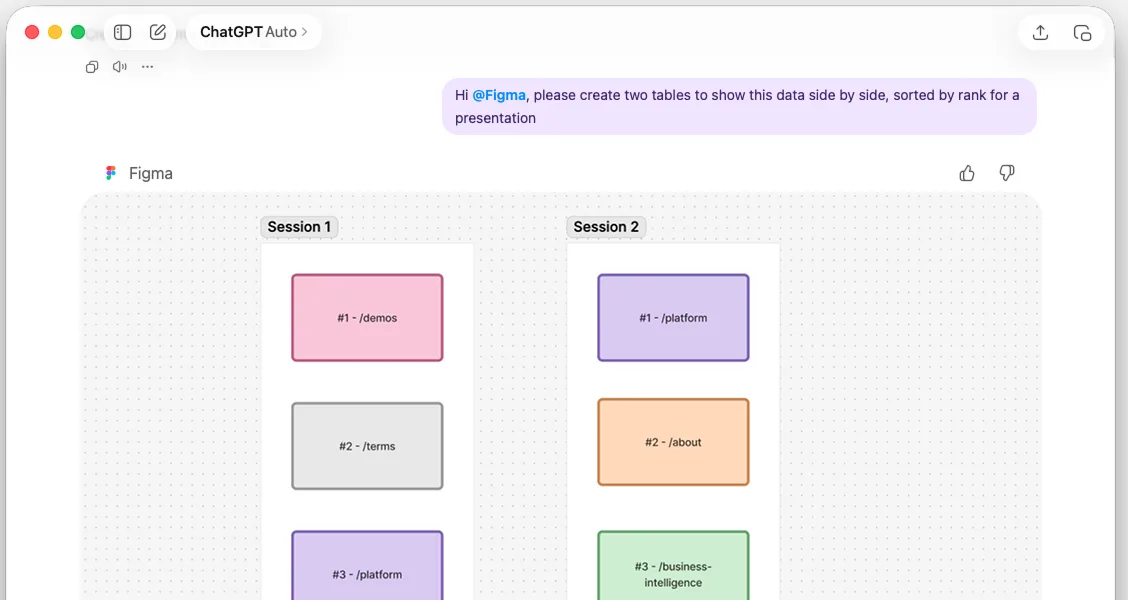
From there, you can continue to iterate within ChatGPT to refine and communicate your findings — without hopping between tools or hours of formatting adjustments.
One conversation, no context switching.
Modeling and managing your data with Omni’s Codex skills #
The Omni ChatGPT app gives you governed data access inside the chat, but what about repeatable admin and modeling workflows? That's where agent skills come in.
Think of the app as the recipe book and skills as the individual recipes. The app gives ChatGPT the ability to talk to Omni. Skills tell it exactly how to handle specific tasks — step by step, every time.
No re-explaining your preferences, processes or domain context in every conversation. With skills, you teach once then just reuse. It's the best kind of lazy, and they're especially good at orchestrating multi-step administrative processes.
To help you get started, we've built and open-sourced a library of Omni Codex skills so you can use these skills to manage your Omni instance 👇
Skill | Description |
|---|---|
omni-model-explorer | Discover and inspect models, topics, views, fields, and relationships. Includes field impact analysis |
omni-model-builder | Create and edit views, topics, dimensions, measures, and relationships in YAML |
omni-query | Run queries against Omni's semantic layer and interpret results |
omni-content-explorer | Find, browse, and organize dashboards, workbooks, and folders |
omni-content-builder | Create, update, and manage documents and dashboards programmatically — lifecycle, tiles, filters, layouts |
omni-ai-optimizer | Optimize your Omni model for Blobby (Omni's AI assistant) |
omni-admin | Manage connections, users, groups, permissions, schedules, and token security |
omni-embed | Embed dashboards in external applications — URL signing, custom themes, iframe events |
To get started today, you can head over to the ChatGPT app marketplace to install the Omni connector and try it yourself. You can also check out our open-source skills repository on GitHub to explore the code and build your own skills.
And if you'd like to get more ideas of example workflows using Omni + AI-native engineering workflows, join our upcoming webinar. Our team will walk through using Claude to explore, modify, and query Omni's semantic model.