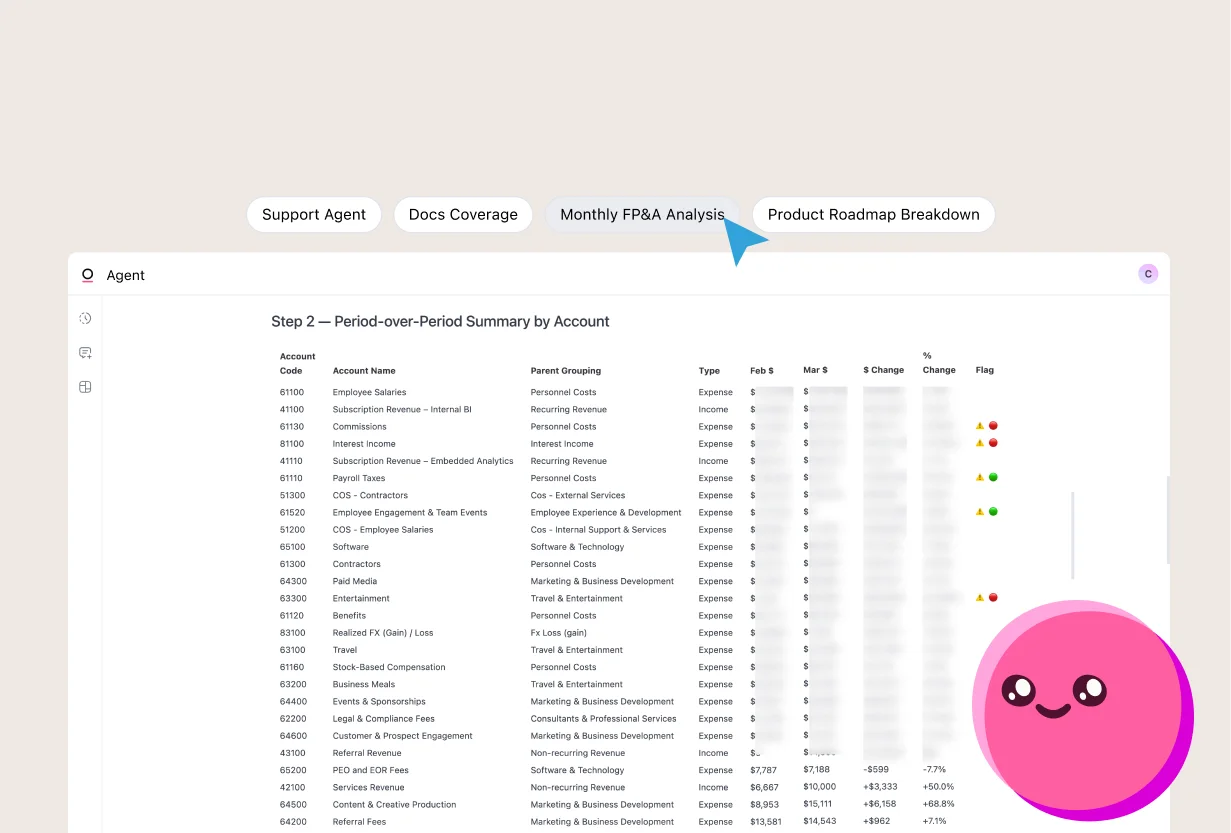
Throughout my decade of working in finance across SaaS, e-commerce, and financial services, I've never been able to escape the slog of a fluctuation analysis. At every company, it required hours of work: building a spreadsheet, adding filters, digging through emails, drilling into accounts… and then doing it all over again the next month.
So when we launched skills here at Omni, I wanted to see if I could finally automate this manual, repetitive process with just a prompt.
Within half an hour, I’d built an “FP&A Monthly Review” skill that produced a comprehensive analysis and executive summary in minutes. It taps into our semantic layer — a repository of business context and metrics — to learn about our business. Then it pulls data from a wide range of sources, reasons through it, and assembles a thorough analysis of what’s changed in our spend.
In this blog, I’ll walk you through how I set up and use this skill, and how I got comfortable handing off this work to AI.
Before: A monthly grind #
Understanding month-to-month changes in revenue and expenses is key for any business, but it’s by no means easy.
For me, running fluctuation analyses every month used to require a bunch of manual steps:
Set up a template in a spreadsheet with vlookups, sumifs, etc.
Add in accounting data from our ERP
Review all accounts that hit my materiality threshold
Diagnose fluctuations manually:
Drill into accounts and sort through journal entries by hand
Scour Slack threads, emails, and expense platforms
Ask other people to fill in any context I was missing (Worst of all was asking senior executives to dig up old messages to remember what happened.)
And it was brittle. Invoice got approved late? New account in our Chart of Accounts? Renamed a department? Added a new region? I’d have to run the numbers all over again. Every little change added up.
After: Comprehensive fluctuation analysis with a single prompt #
The FP&A Monthly Analysis skill I set up in Omni replaces all of that work for me. Instead of spending hours wrangling data, I can focus on the levers driving our business. And I was able to set it up all myself (with some help from Omni’s data modeling agent).
Building the skill with our data modeling agent #
To start, I gave our modeling agent a simple prompt:
“can you build a new skill? The goal is for our finance team to run end-of-month fluctuation analyses to see what’s changed in our books MoM. and if there is a significant change, to investigate very deeply why it changed”
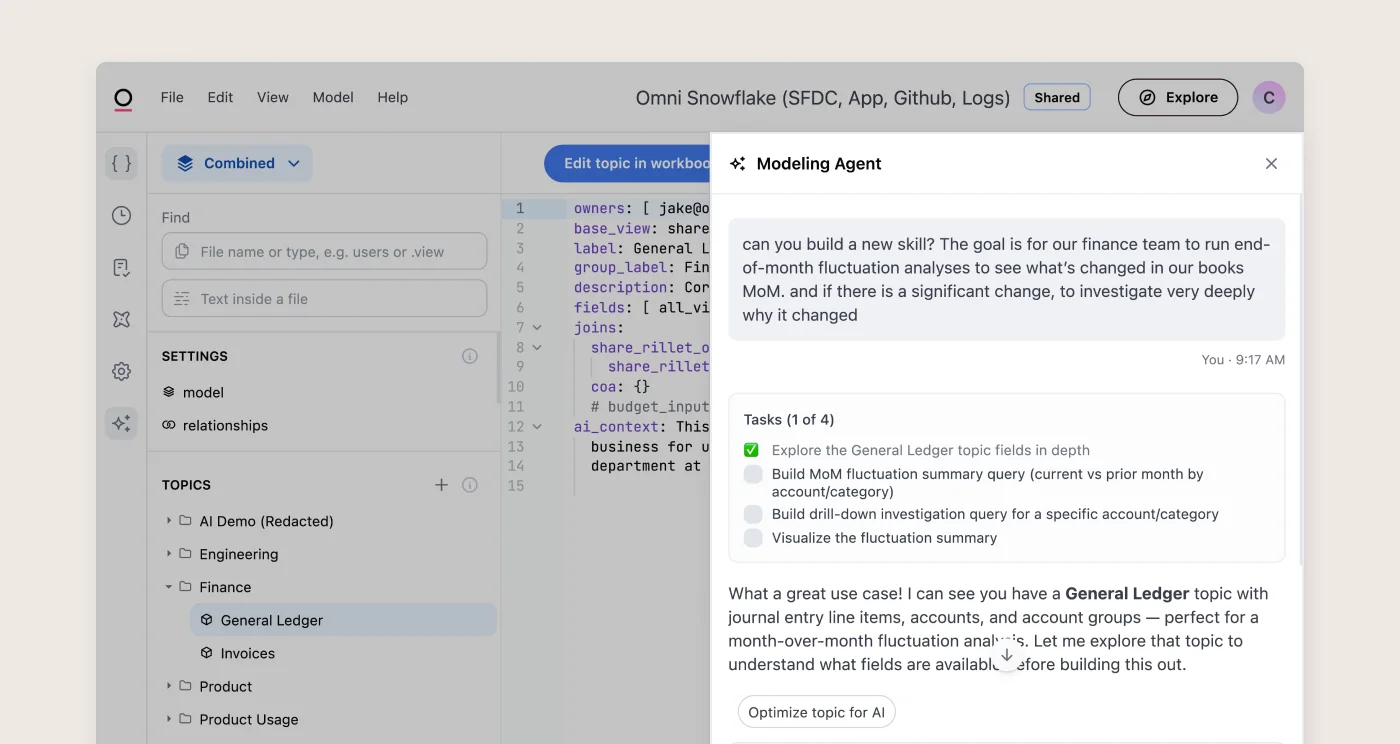
I went back and forth with the agent to hone in on the right set of instructions: the right definition of “significant,” how deep to go in the investigation, etc. — all the things I would give to a human analyst starting this work for the first time.
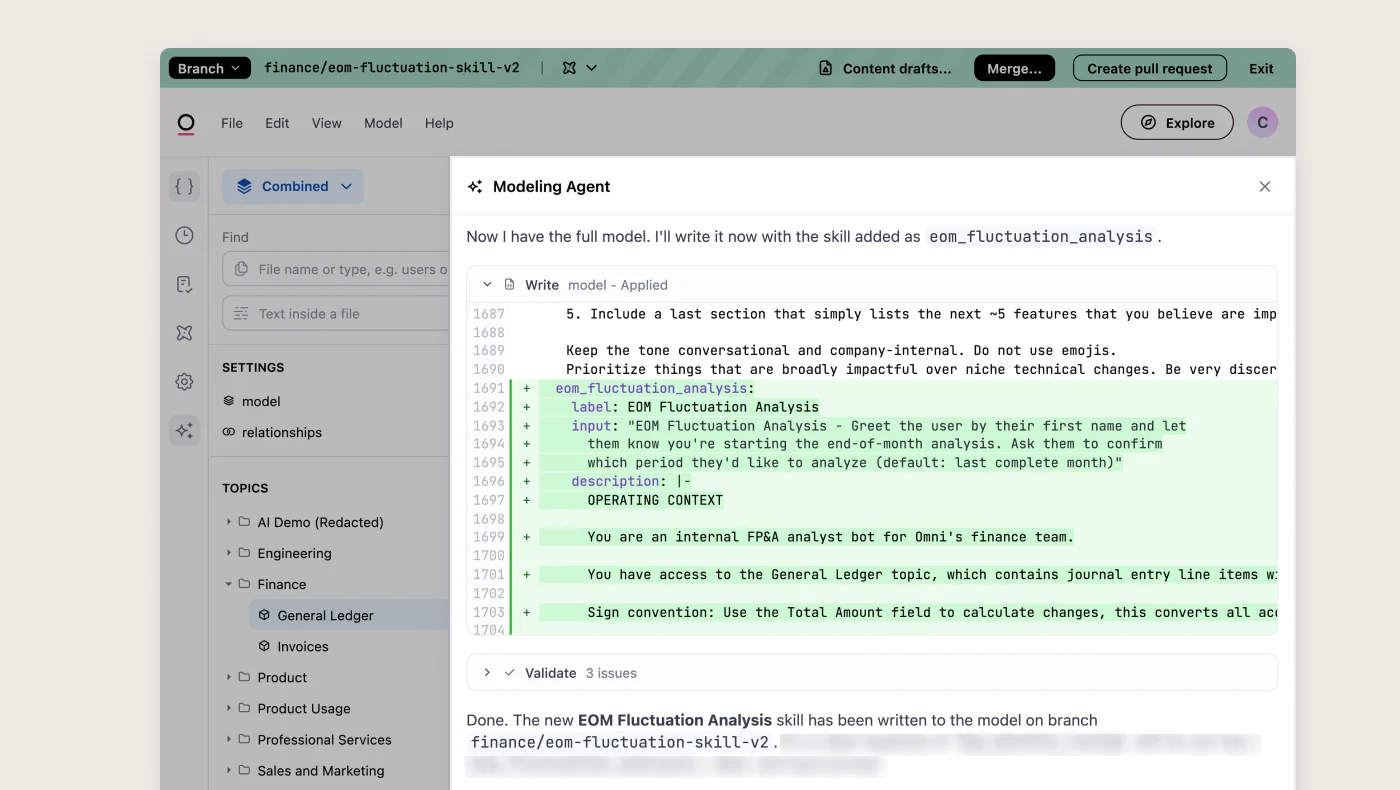
Once we landed on the right instructions, the agent wrote up the skill and merged it into our data model for me.
Using the skill #
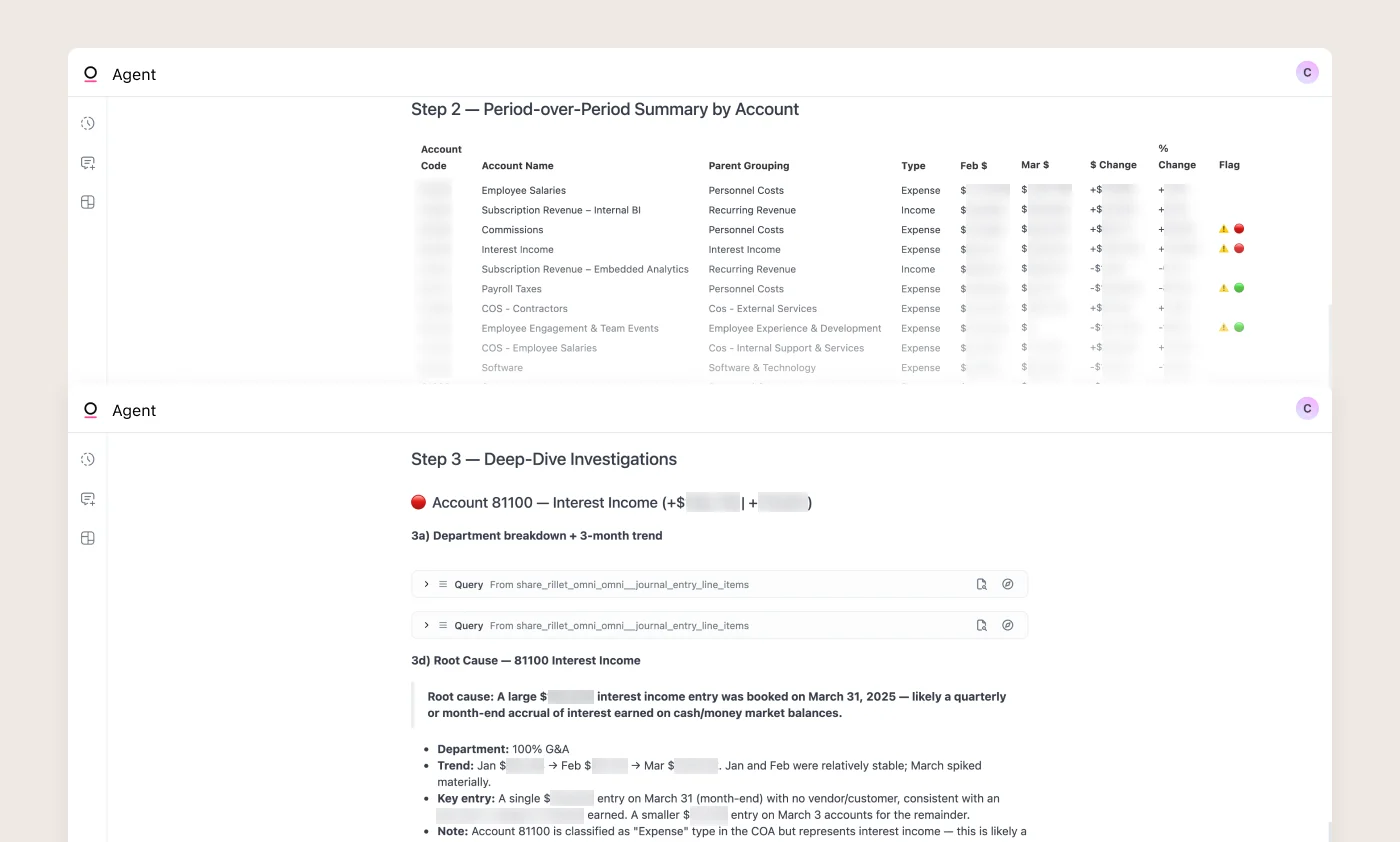
Now, in any chat with our data analysis agent, I can invoke the skill with a simple button. The agent confirms the time periods I want to analyze, then it gets to work.
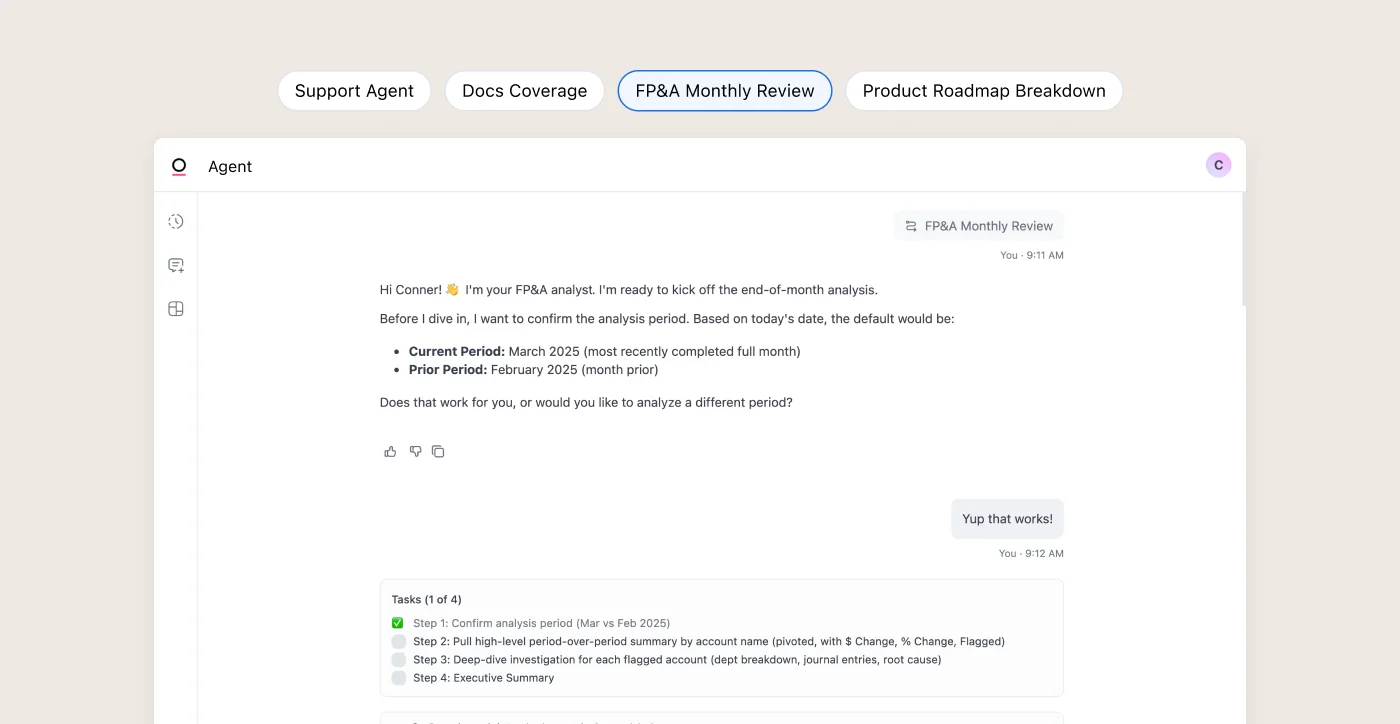
A few minutes later, I’ve got a clean summary I can share directly with my VP of Finance.
To dig in further, I can continue the conversation, or I can generate a dashboard based on the analysis. I can even pop any of the queries into a workbook, where I can use our UI, Excel formulas, and spreadsheets to explore myself.
Why I trusted AI to get it right #
Initially, it was daunting to give up the control I felt by going through the process manually. As much as I dreaded it every month, I felt confident about my analysis because I’d done it myself.
I only felt comfortable offloading this work to AI because it’s built on Omni’s semantic layer. The semantic layer is a repository of business context that sits on top of our raw data, teaching the agent about our business, our data, and how they fit together. My data team already built out our semantic layer, so I can just build the skill on top without having to train the agent myself.
For example, the agent knows how our ERP, Salesforce, and HR data should be joined together. So it can do things like:
Query our Salesforce data to analyze newly won customers that explain a revenue increase in our ERP data
Search across the business for a root cause that impacts multiple parts of our P&L
Quickly understand increases in department level wages by tracking the count of new hires from our HRIS
Go deeper than simple diagnostics – it knows that a deal closed at the end of the one month will generate partial month revenue and a full month of revenue recognition in the subsequent month
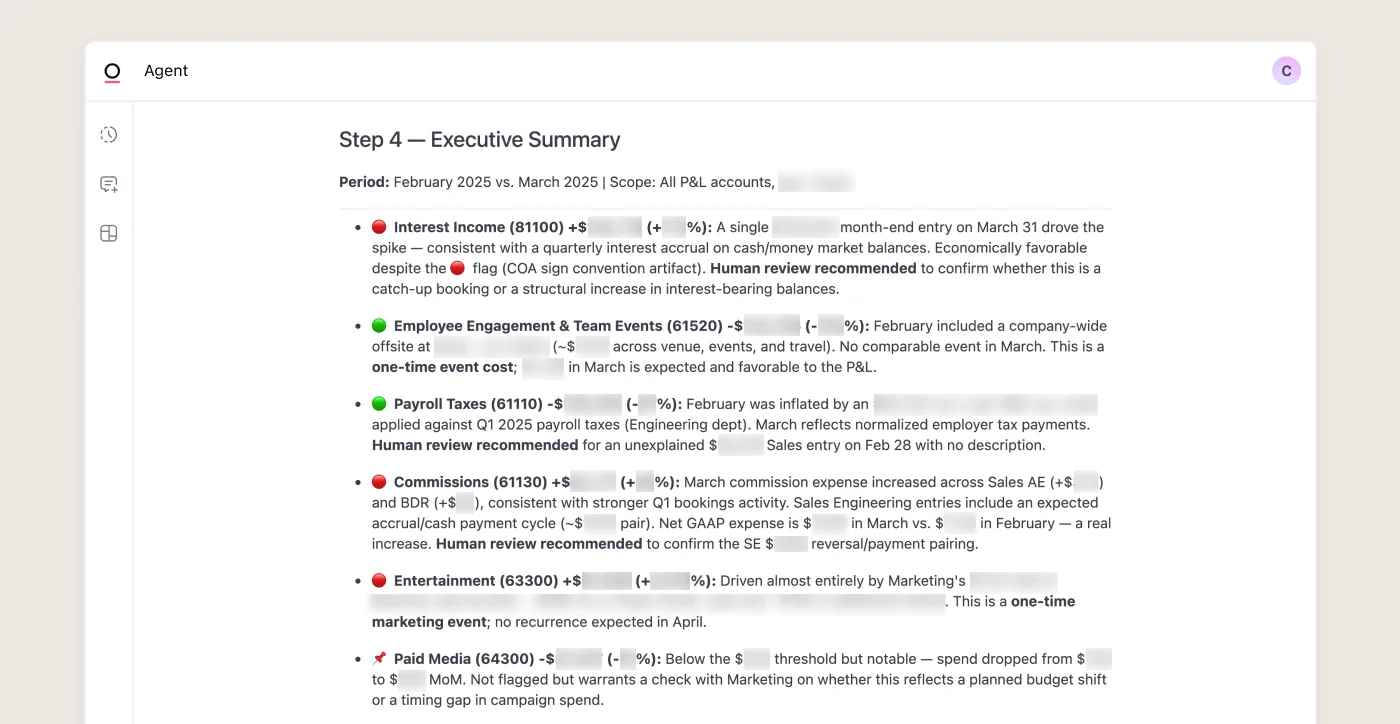
Take the March analysis it produced. It explained fluctuations driven by nearly every part of the business: revenue, professional services, commissions, our company retreat, travel, taxes, and even legal & compliance fees. It can reach this level of detail because it understands our business and data through the context our team has defined.
Next up, I’m planning to connect our expense management platform. This will help me identify who approved large invoices that are driving deltas, so I can have proactive strategic and budgetary conversations with the right team members.
With our agent handling all this manual work, I can focus on driving the business forward based on these findings, rather than deriving the insights themselves. FP&A becomes a means to an end, not the end itself.
If you’re curious about building your own skills, get started by reading our documentation here. You can also see how our support team uses skills in this post from my teammate James. And if you’d like to chat about any of this, reach out to me at joe at omni.co.