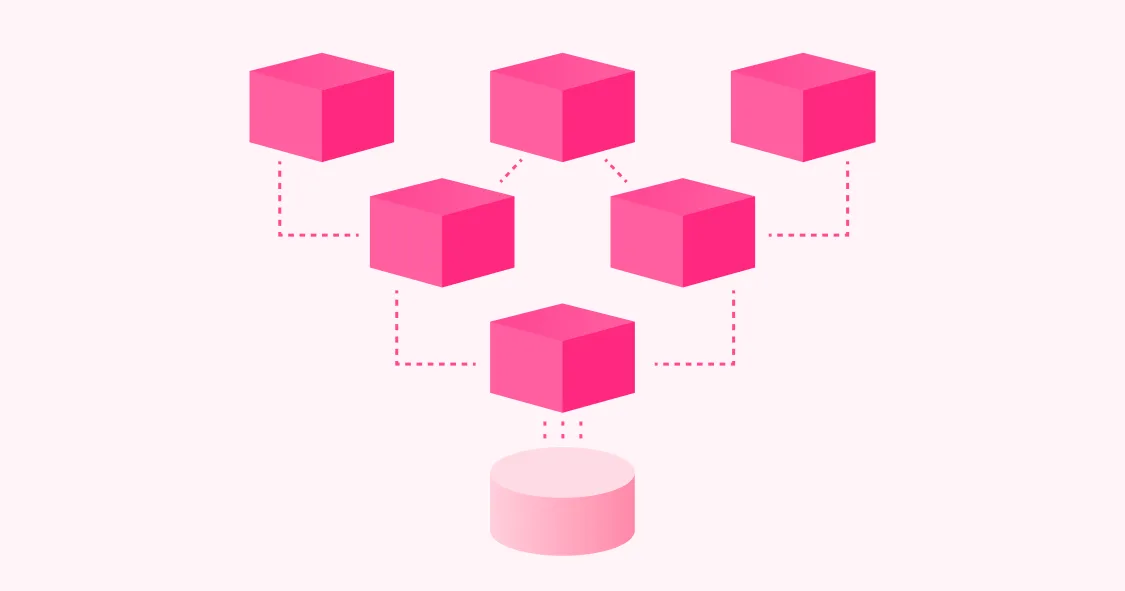
The Tableau migration in 2026 is not a chart-for-chart swap. It is the moment to fix the structural gaps Tableau has accumulated under Salesforce: a thin semantic layer, AI features routed through the Salesforce ecosystem rather than purpose-built, no native dbt integration, and an extracts-and-workbooks architecture that does not match how modern data teams want to query the warehouse.
Tableau is still the visualization standard. Drag-and-drop dashboarding and a large analyst community made it the enterprise default for over a decade. But the things modern data teams need most in 2026 are governed metrics, AI grounded in those metrics, two-way dbt integration, warehouse-native query architecture, and one platform for both internal BI and customer-facing embedded analytics. Tableau's architecture was not built for any of those. Salesforce pricing pressure is accelerating the search, and the migration math now favors moving for most teams. The real question is whether to migrate to a platform that solves the underlying gaps, or one that just ports the same workbooks into a new vendor’s UI.
The platforms that win Tableau replacements in 2026 are warehouse-native, ground AI in a governed semantic layer, integrate two-ways with dbt, and consolidate internal BI plus embedded analytics on one model.
The Tableau replacement in 2026 is a modernization, not a visualization-parity exercise, and buyers who treat it as the latter pick the wrong platform.
Tableau's semantic layer is interface-driven rather than code-defined, which limits AI grounding accuracy and governed metric consistency at scale.
AI features in modern BI must run through a governed semantic layer, not through the host vendor's ecosystem chat (Einstein, Copilot, etc.), to produce answers consistent with dashboards.
Omni replaces Tableau internal BI and Tableau Embedded with one platform on one governed semantic layer, with AI grounded in that layer and two-way dbt integration.
Guitar Center consolidated Tableau, Power BI, Excel, and MicroStrategy into Omni in under six months, which is the migration timeline modern alternatives now make possible.
TL;DR #
Vendor | Best for | Main tradeoff vs. Omni |
Omni | Modernization-led replacement — one platform for internal BI, embedded analytics, AI, and dbt | Smaller install base than Tableau |
Power BI | Microsoft-standardized orgs on Azure and M365 | No native dbt integration; weak outside the Microsoft stack |
Looker | Google Cloud teams already deep on LookML | Slowed Google investment pace; LookML duplicates dbt |
Sigma | Finance and ops teams that want a spreadsheet UX on the warehouse | Optional semantic model produces metric drift at scale |
ThoughtSpot | Teams that want natural language search as the primary interface | Core AI locked behind premium tiers; no central data model |
The most common Tableau-replacement mistake is treating the migration as a chart-for-chart swap. Teams shortlist alternatives by visualization quality, dashboard look and feel, and how closely the new tool's authoring experience matches Tableau Desktop. This evaluation method picks the platform with the most familiar UI and the least disruption to existing workbook authors. It also misses the actual reason to migrate, which is to fix the semantic layer, AI grounding, and warehouse-native gaps Tableau accumulated under Salesforce.
The second mistake is underweighting the modeling pattern. Tableau's modeling is interface-driven: joins, calculations, and field-level logic live inside individual workbooks, with limited governance at a central layer. This worked when single analysts owned end-to-end dashboards. It does not work when AI is generating queries against the underlying model, or when a metric like "active customer" needs to mean the same thing across thirty dashboards. A Tableau replacement that does not solve the modeling pattern is a lateral move.
The third mistake is evaluating AI features in isolation from the semantic layer. Salesforce has been adding AI features to Tableau through Einstein and the Salesforce AI ecosystem. The features themselves work in demos. The grounding question is whether AI references a governed semantic model or generates SQL against raw schema. Tableau's modeling pattern makes the first hard, which is why AI grounding is the most-blamed accuracy gap in production Tableau deployments with AI features turned on.
The fourth mistake is ignoring embedded analytics. Many Tableau customers use Tableau Embedded for customer-facing analytics, which is a separate edition with separate pricing and a different operating model. Migrating Tableau internal BI to one platform and Tableau Embedded to another creates two semantic layers and two AI experiences, with metric drift between them. The right Tableau replacement consolidates internal and embedded on one model.
The right test for any Tableau alternative is to ask the modeling, AI, dbt, and embedded questions before the visualization question. Visualization quality is now table stakes. The differentiators are upstream.
Best Tableau Alternatives in 2026 #
The strongest Tableau alternatives in 2026 are Omni, Power BI, Looker, Sigma Computing, and ThoughtSpot. Full vendor profiles and a 10-vendor comparison matrix are below. Here is the short version:
Omni — Best overall. One platform for internal BI, embedded analytics, AI grounded in a governed semantic layer, and two-way dbt integration. Guitar Center consolidated four BI tools into Omni in under six months.
Power BI — Best for Microsoft-standardized orgs on Azure and M365. Strong Excel and Teams integration, but no native dbt integration and weak outside the Microsoft stack.
Looker — Best for Google Cloud teams already deep on LookML. Mature semantic modeling, but Google's investment pace has slowed and LookML duplicates rather than complements dbt.
Sigma Computing — Best for finance and ops teams that want a spreadsheet UX on the warehouse. Adoption is fast, but the semantic model is optional and metric drift is a real risk at scale.
ThoughtSpot — Best when natural language search is the primary access pattern. Core AI features are locked behind premium tiers and there is no central shared data model.
Evaluate Tableau alternatives on seven criteria: governed semantic layer for metric consistency, AI grounding in that semantic layer, warehouse-native query architecture, dbt integration depth, embedded analytics consolidation, visualization and dashboarding depth, and total cost across licensing plus implementation.
1. Governed semantic layer for metric consistency #
What it is: A centralized definition of metrics, dimensions, joins, and access rules that all dashboards, AI, and embedded analytics reference.
Why it matters: Tableau's modeling is interface-driven, with joins and calculations defined inside individual workbooks. This means a metric like "active customer" can have different definitions across thirty dashboards and nobody catches it until quarterly reporting. A real semantic layer enforces metric consistency at a central layer that every consuming surface inherits.
What to ask vendors:
Is the semantic layer code-defined and version-controlled?
Can a single metric definition power dashboards, embedded analytics, and AI chat consistently?
How does the platform prevent users from redefining core KPIs in individual workbooks?
Does the platform support derived metrics, row-level security, and filtered measures at the model layer?
What usually goes wrong: Buyers accept a workbook-style "semantic layer" that is really just a saved-calculation catalog. Metric definitions drift across workbooks within a quarter.
2. AI grounding in the semantic layer #
What it is: Whether AI features run on top of the governed semantic layer or generate queries directly from raw schema or workbook calculations.
Why it matters: Tableau's AI features through Einstein and the Salesforce ecosystem produce answers that depend on how each workbook was modeled, which means AI accuracy varies by author. AI grounded in a single governed semantic layer produces consistent answers regardless of which workbook the question was asked from.
What to ask vendors:
Does AI chat reference the governed semantic model or query the warehouse directly?
How are metric definitions enforced when AI generates queries?
Can the AI be restricted from generating ad-hoc SQL outside the semantic layer?
Are AI-generated queries logged and reviewable?
What usually goes wrong: Vendors demo AI on a clean schema where the grounding gap is invisible. The right test is a multi-step question that requires a derived metric and a multi-table join.
3. Warehouse-native query architecture #
What it is: Whether the BI platform queries the warehouse live or relies on extracts and in-memory caching.
Why it matters: Tableau's extracts-and-workbooks architecture pre-dates the modern cloud warehouse. Refresh schedules, extract storage, and stale-data issues are constant operational tax. Warehouse-native platforms query Snowflake, Databricks, BigQuery, or Redshift live, with intelligent caching when needed, which removes the extract maintenance and keeps data fresh by default.
What to ask vendors:
Does the platform query the warehouse live by default?
What caching layer exists between the platform and the warehouse?
How are warehouse compute costs controlled as usage scales?
What happens to dashboard performance under concurrent load?
What usually goes wrong: Teams pick a platform that still relies on extracts and inherit the same staleness and operational tax they were trying to escape.
4. dbt integration depth #
What it is: Whether the BI platform integrates two-ways with dbt or only reads dbt-built tables from the warehouse.
Why it matters: Modern data teams standardize on dbt for transformation. A BI platform with no native dbt integration forces analytics engineers to redefine modeling work twice: once in dbt and once in the BI layer. A two-way dbt integration lets logic sync between layers and keeps metric definitions consistent.
What to ask vendors:
Does the platform integrate natively with dbt, or does it only query dbt-built tables?
Can metrics built in the BI tool be pushed back to dbt as model code?
Does the integration support both dbt Core and dbt Cloud?
How are dbt tests, documentation, and lineage surfaced in the BI tool?
What usually goes wrong: Buyers pick a platform with no native dbt integration and end up maintaining parallel modeling work in dbt and in BI workbooks.
5. Embedded analytics consolidation #
What it is: Whether the same platform that powers internal BI can also power customer-facing embedded analytics on the same governed model.
Why it matters: Tableau Embedded is a separate edition with separate pricing and a different operating model from internal Tableau. SaaS teams using both maintain two semantic layers and two AI experiences, with metric drift between internal reporting and what customers see. A consolidated platform with one semantic layer for internal and embedded use cases removes this drift.
What to ask vendors:
Can the same governed model power internal dashboards and customer-facing embeds?
What are the embedding patterns: iframe, SDK, headless?
How is multi-tenant isolation enforced at the warehouse query level?
Can the embed be fully white-labeled and brand-customized?
What usually goes wrong: Teams pick a platform that has strong internal BI and then discover that embedded analytics is a separate product line with its own model.
6. Visualization and dashboarding depth #
What it is: The chart library, dashboard customization, interactivity, and authoring experience.
Why it matters: Tableau set the visualization bar in BI. A replacement that loses meaningfully on this dimension is hard to defend to existing workbook authors, even when the upstream modeling and AI gains are real. Modern platforms now match or exceed Tableau's visualization quality, but the comparison still matters for adoption.
What to ask vendors:
What is the chart library and customization depth?
Can dashboards be styled with custom CSS, Markdown, or theme tokens?
How do drilldowns, cross-filtering, and parameterization work?
What is the experience for analysts who author dashboards daily?
What usually goes wrong: Buyers underweight visualization and find Tableau-trained authors resistant to the new platform's authoring model.
7. Total cost across licensing and implementation #
What it is: Licensing fees plus implementation, training, and ongoing maintenance costs.
Why it matters: Tableau pricing under Salesforce has trended up, with viewer-vs-creator tiers, Tableau Cloud consumption pricing, and separate Tableau Embedded licensing. The cost comparison against alternatives is not just sticker price. It includes the cost of Tableau Server administration, extract storage, and the analytics-engineering time spent on the modeling work Tableau pushes into individual workbooks.
What to ask vendors:
What is the typical total cost at 100, 1,000, and 5,000 users?
Are embedded analytics priced separately or included in core pricing?
How does the platform price AI features?
What is the implementation cost compared with maintaining Tableau Server?
What usually goes wrong: Buyers compare list prices and miss the operational cost reductions a warehouse-native platform delivers.
Comparison Matrix (2026) #
The Tableau alternatives market in 2026 splits between modernization-led platforms with governed semantic layers and warehouse-native architectures, and ecosystem-aligned alternatives (Power BI, Looker) that carry their own ecosystem assumptions. Omni stands out because it grounds AI in the semantic layer, consolidates internal BI plus embedded analytics on one model, and integrates two-ways with dbt. Power BI is the default for Microsoft-standardized organizations. Looker is a choice for Google Cloud teams already deep on LookML. Sigma and ThoughtSpot serve narrower bands of the market.
Vendor | Best for | Governed semantic layer | AI grounding | Warehouse-native | dbt integration | Main tradeoff |
Omni | Modernization-led replacement: internal BI + embedded analytics on one model | Code-based layer with flexible workbook extension | Grounded in semantic model; included for every customer | Yes — live queries. | Two-way; refs()-aware editor; dbt Core + Cloud | Smaller install base than Tableau |
Power BI | Microsoft-standardized orgs on Azure / M365 | DAX-based modeling | Copilot; less semantic-layer-native than Omni | Mix of in-memory and DirectQuery | None — queries dbt-built tables only | Weak outside the Microsoft stack |
Looker | Google Cloud teams deep on LookML | Mature LookML semantic layer | Gemini in Looker; slower AI roadmap | Yes — through Looker's query layer | LookML duplicates rather than complements dbt | Slowed Google investment; LookML overhead |
Sigma | Finance and ops teams wanting a spreadsheet UX | Optional data model — not central | AI chat isolated from the rest of the platform | Yes — live queries | One-way metadata sync only | Metric drift at scale; thin semantic governance |
ThoughtSpot | Teams that want NL search as the primary interface | Fragmented across optional models | Core AI behind premium pricing tiers | Yes — live queries | One-time import; wipes customizations on re-import | Premium AI pricing; no central data model |
Qlik Sense | Enterprises with existing Qlik investment | Associative engine — not a semantic layer | Qlik AutoML / Insight Advisor; mixed maturity | Mix of in-memory and warehouse query | None | Associative paradigm differs from warehouse-native |
Hex | Analyst and data-science teams | Newer, narrower semantic layer | Generates raw SQL/Python — not semantic-layer-grounded | Yes — notebook execution | One-way; dbt Cloud only | Not a governance-first BI replacement |
Mode | Analyst-led SQL + notebook workflows | Query-centric, not model-centric | Evolving under ThoughtSpot ownership | Yes — SQL execution | Queryable only; no semantic integration | Better as a complement than a replacement |
Metabase | Small teams and startups | Basic metric definitions; no rigorous semantic layer | Basic AI in 2026 | Yes — simple query patterns | None beyond querying dbt models | Not suitable for enterprise governance requirements |
Domo | Teams wanting an all-in-one cloud BI platform | Lighter governance | Mixed maturity | Cloud-native with built-in connectors | None | Bundle value over warehouse-native depth |
Omni: AI analytics platform that consolidates internal BI plus embedded analytics #
Best for: Modern data teams replacing Tableau that want one platform for internal BI and customer-facing embedded analytics, with a governed semantic layer, AI grounded in that layer, and two-way dbt integration.
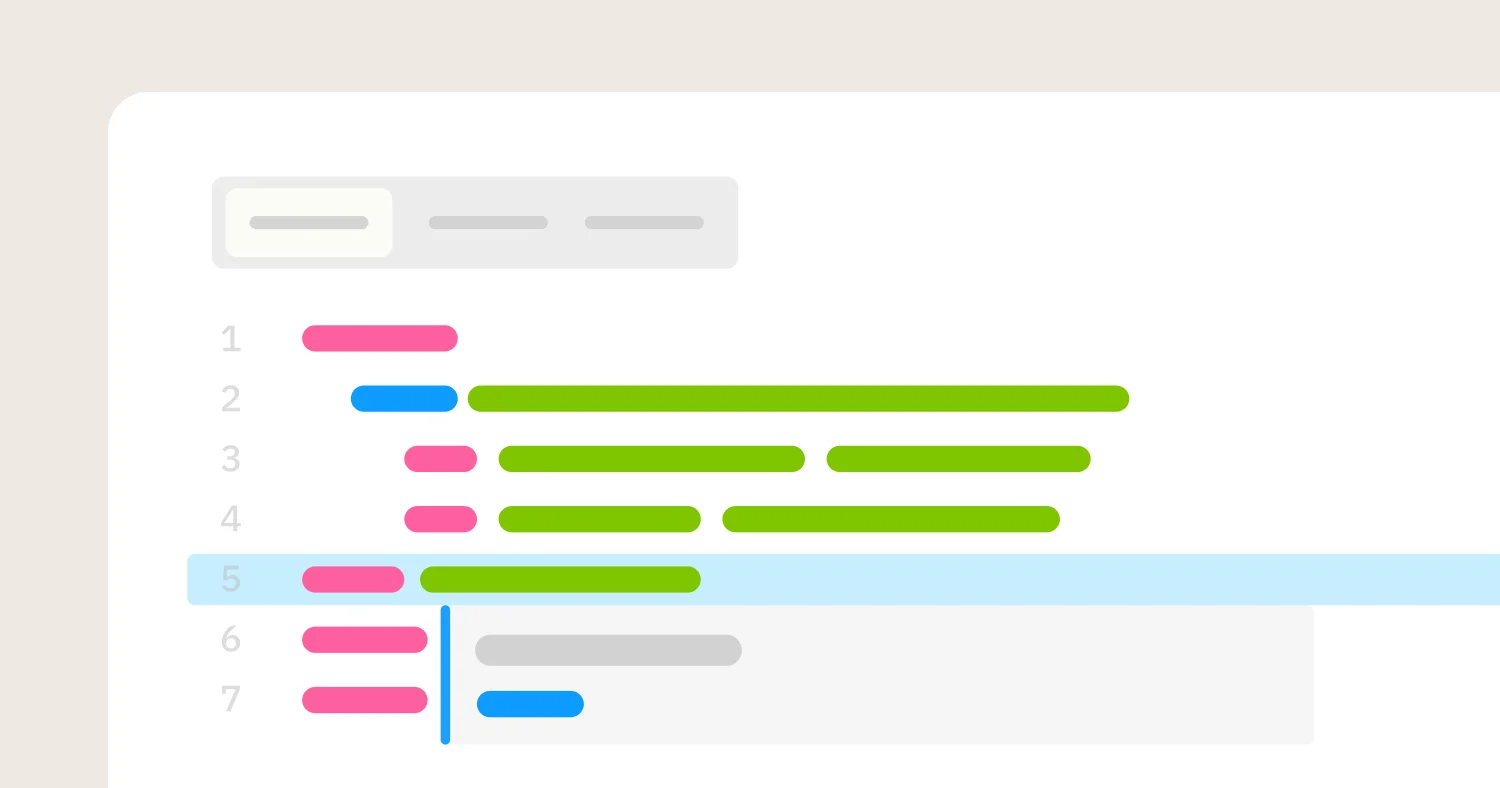
Omni is the most complete Tableau replacement for modernization-led migrations. The platform is warehouse-native with live queries, plus intelligent caching that delivers fast dashboards without inflating compute. The governed semantic layer is similar in concept to LookML but materially more flexible, with a workbook layer that lets business users explore data without breaking governance and promote useful logic back to the shared model. This pattern, called just-in-time data modeling, removes the bottleneck that pushes business logic into individual Tableau workbooks.
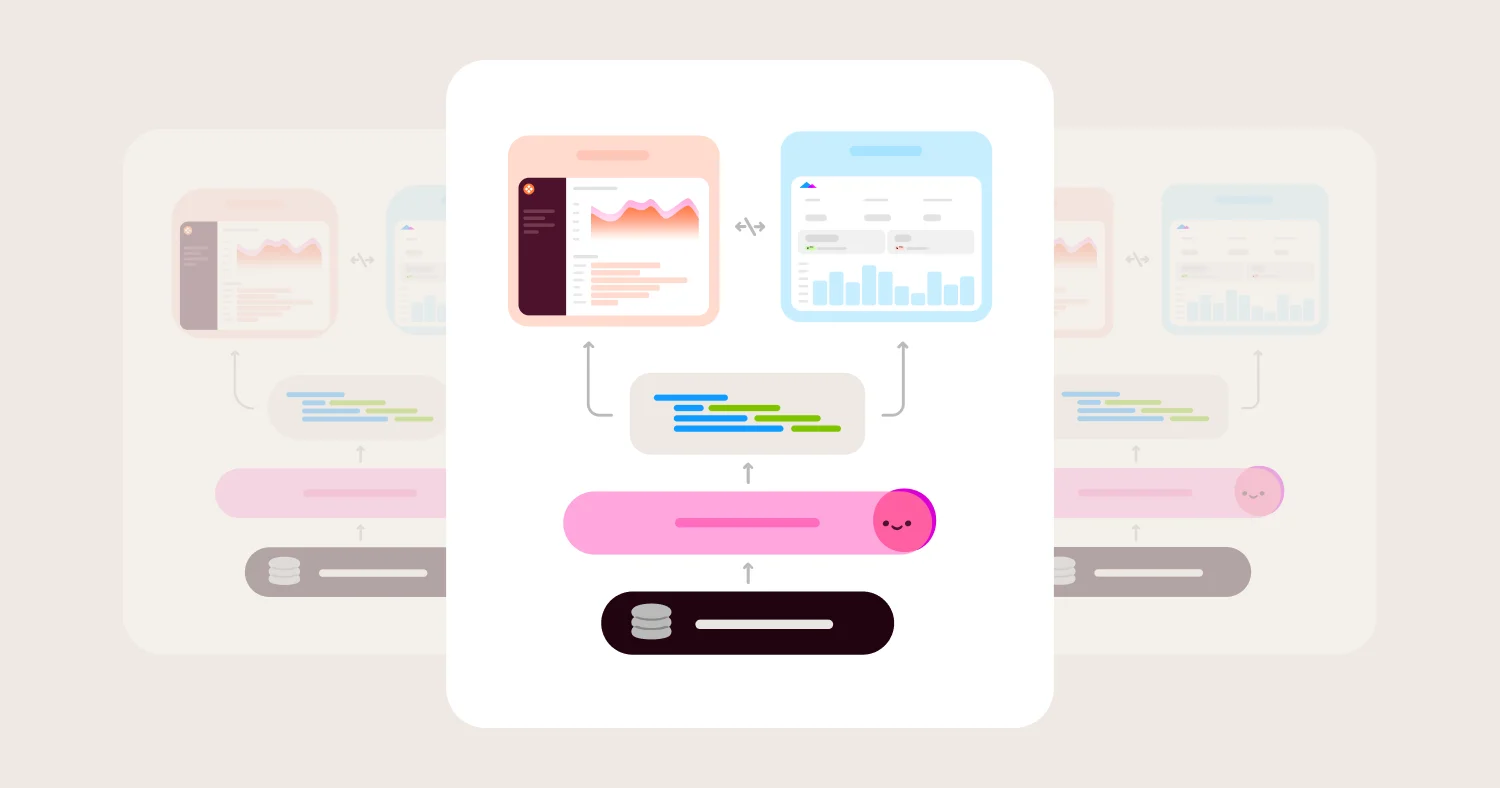
AI in Omni is grounded in the governed semantic layer. Every customer gets AI chat that references metric definitions, joins, and security rules consistently, with multi-step reasoning and answers users can inspect and validate. The same AI works across dashboards, workbooks, and externally through Omni's MCP server with Claude, ChatGPT, Cursor, VS Code, and Codex. Because AI runs through the semantic model rather than generating raw SQL against the warehouse or against individual workbook calculations, answers stay consistent.
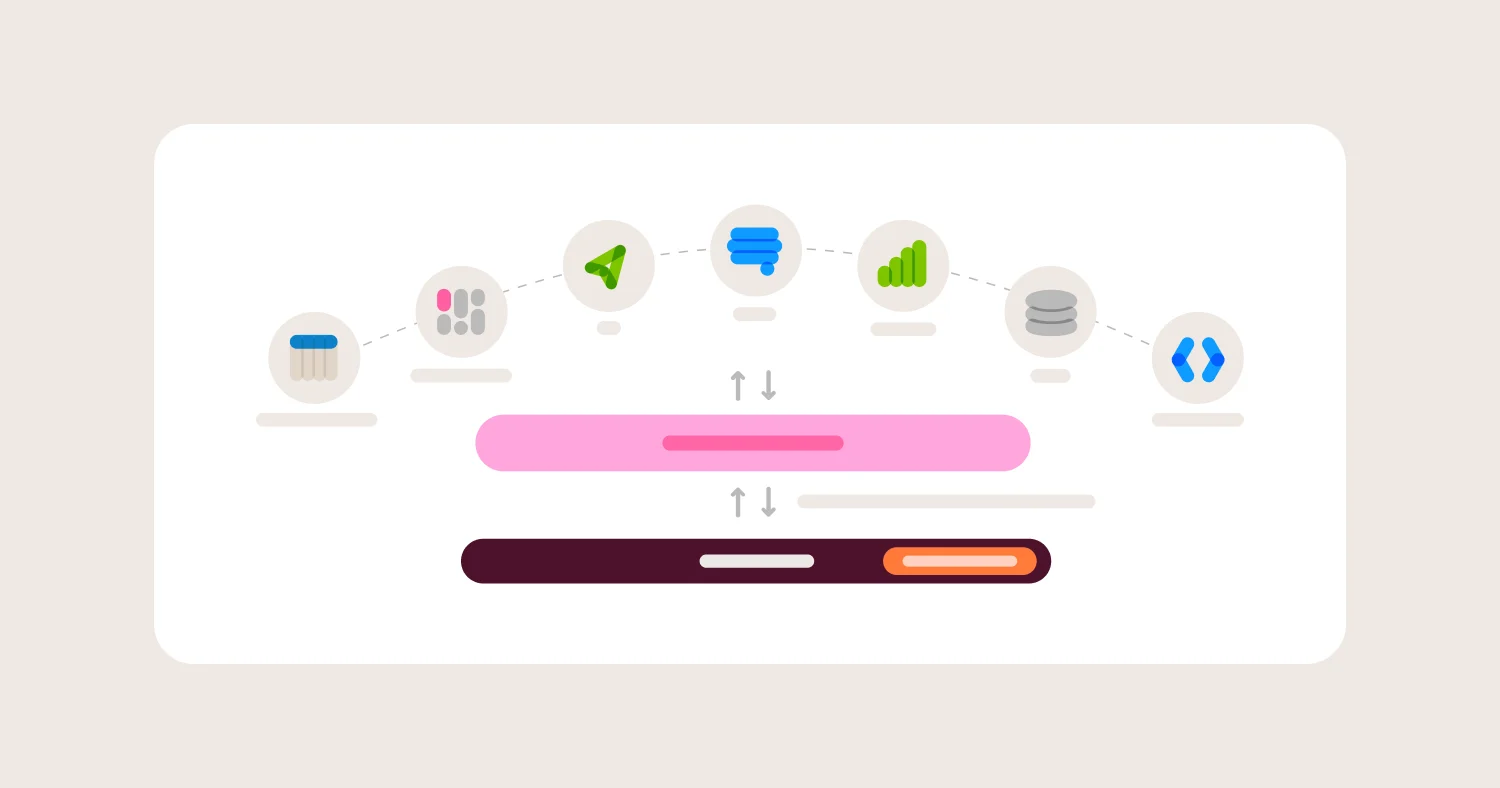
Omni's dbt integration is two-way and supports both dbt Core and dbt Cloud. Metrics built in Omni can be pushed back to dbt with a refs()-aware editor. Dynamic schemas switch between dbt dev and prod schemas in a click. Branch mode gives every developer a Git-native sandbox to test changes. dbt Labs is an Omni customer.
The same governed model also powers customer-facing embedded analytics, which means SaaS teams replacing Tableau plus Tableau Embedded consolidate to one platform on one model. The Explo acquisition brought embedded-first expertise into a platform with a real semantic layer and native AI.
Migration timelines are real. Guitar Center consolidated Tableau, Power BI, Excel, and MicroStrategy into Omni in under six months and built an AI-ready semantic layer in the process. Fundrise consolidated Tableau and Looker into Omni and reduced dozens of dashboards to five key jumping-off points. Trint migrated tools and trained business users in less than a month.
Where Omni wins for Tableau replacement:
Consolidates internal BI plus customer-facing embedded analytics on one governed semantic layer
AI is the primary interface, included for every customer, grounded in the semantic model
Two-way dbt integration with refs()-aware editor that supports both dbt Core and dbt Cloud
Warehouse-native with live queries to Snowflake, Databricks, BigQuery, and Redshift
Workbook layer plus governed model unlocks self-service without sacrificing metric consistency
Markdown visualizations, CSS dashboard controls, and full brand customization for product-native experiences
Where Omni gets harder for Tableau replacement:
Smaller install base than Tableau means executive brand recognition sometimes requires an upfront pitch
Tableau workbook authors take a session to learn Omni's workbook-plus-model pattern, though most teams find it makes them faster
Power BI: Microsoft ecosystem standard #
Best for: Microsoft-standardized organizations on Azure and M365 that want BI integrated tightly with Excel, Teams, and the broader Microsoft stack.
Power BI is the most common Tableau alternative in enterprise procurement. For Microsoft-centric organizations, the integration with Azure-native services, Excel, Teams, and the Office productivity stack is genuinely strong. DAX modeling is rigorous in its own paradigm, and Copilot AI features are tightly integrated with the Microsoft AI strategy.
The tradeoffs for Tableau replacement specifically are that Power BI is fundamentally a Microsoft-ecosystem product. Teams running Snowflake, Databricks, or non-Microsoft data stacks find the ecosystem benefit limited. DAX is a different modeling paradigm from warehouse-native semantic layers, and the in-memory plus DirectQuery model carries some of the same staleness and extract-management issues Tableau customers were trying to escape. Power BI has no native dbt integration of any depth.
Where Power BI wins:
DAX-based modeling with strong governance in the Microsoft pattern (but comes at a high technical cost)
Deep Excel, Teams, and Azure integration
Copilot AI features with Microsoft ecosystem depth
Wide enterprise adoption and procurement familiarity
Where Power BI gets harder for Tableau replacement:
Best fit only for Microsoft-standardized organizations
No native dbt integration of any depth
Weaker fit outside the Azure and M365 stack
DAX is a different paradigm from warehouse-native semantic layers
Looker: Code-based modeling in Google Cloud #
Best for: Google Cloud teams already deep on LookML who want code-based BI semantic modeling and have not yet hit the limits of Google's investment pace.
Looker pioneered code-based BI semantic modeling through LookML. Centralized metric definitions, reusable explores, and tight BigQuery integration made it the governance standard in the category for years. For Tableau customers migrating to Google Cloud and adopting LookML, Looker still works.
The tradeoffs for Tableau replacement specifically are that Google's investment pace has slowed since the acquisition, AI features lag pure-play AI-native BI platforms, and LookML implementation overhead is a tax that fewer teams want to pay in 2026. LookML also duplicates rather than complements dbt, which is a structural gap for dbt-standardized teams.
Where Looker wins:
Mature, code-based LookML semantic modeling
Centralized metric definitions and reusable explores
Strong BigQuery and Google ecosystem integration
Persistent derived tables for performance optimization
Where Looker gets harder for Tableau replacement:
Google's investment pace has slowed since the acquisition
AI features lag purpose-built AI-native BI platforms in 2026
LookML implementation overhead requires dedicated analyst expertise
LookML duplicates rather than complements dbt
Sigma Computing: Spreadsheet UX on the warehouse #
Best for: Finance and operations teams that want a spreadsheet-style interface on the warehouse, with limited AI ambitions and tolerance for an optional semantic model.
Sigma extends a spreadsheet UX directly on top of the warehouse, which finance and operations teams adopt quickly because the interface looks like Excel. For Tableau customers whose primary use case is finance and ops reporting, Sigma can be a fit.
The tradeoffs for general Tableau replacement are that Sigma's data model is optional rather than central, which produces inconsistent metrics as the deployment scales. AI chat is isolated from the rest of the platform and cannot be tuned with AI context inside Sigma. Sigma's spreadsheet UX may not match the dashboard expectations of Tableau workbook authors used to rich visual exploration. The dbt integration is one-way.
Where Sigma wins:
Spreadsheet-style UX with live warehouse queries that finance and ops teams adopt quickly
Collaborative editing and sharing
Cloud-native architecture with row-level security
Strong fit when spreadsheet workflows are the dominant access pattern
Where Sigma gets harder for Tableau replacement:
Data model is optional rather than central, producing inconsistent metrics at scale
AI chat is isolated from the rest of the platform
Spreadsheet UX may not match Tableau workbook authors' dashboard expectations
One-way dbt integration with no path to push Sigma-built metrics back to dbt
ThoughtSpot: AI search as the primary interface #
Best for: Teams that want natural language search as the primary BI interface and can absorb premium pricing for core AI features.
ThoughtSpot built its product around search-driven analytics before LLMs were viable, and the bet works for teams that want search to be the default access pattern. The product is strong on ad-hoc search-style exploration.
The tradeoffs for Tableau replacement are that ThoughtSpot locks core AI features behind premium pricing tiers, lacks a central shared data model with definitions fragmented across optional models, and is designed around search as the primary interface. SQL and spreadsheet access exist but are not the core experience. The dbt integration is one-way with one-time import that wipes ThoughtSpot customizations on re-import.
Where ThoughtSpot wins:
Search-based and natural language exploration as the default interface
AI-generated insights and visualizations with a strong UX for ad-hoc search
Live connectivity to cloud data platforms
Embedded analytics options for customer-facing use cases
Where ThoughtSpot gets harder for Tableau replacement:
Core AI features are locked behind premium pricing tiers
No central shared data model, so metric definitions drift across optional models
Search-first UI with SQL and spreadsheet access available but not the primary design pattern
One-way dbt integration that wipes customizations on re-import
Qlik Sense: Associative analytics for enterprise data exploration #
Best for: Enterprises that value flexible associative data exploration across large datasets and have an existing Qlik investment.
Qlik Sense is built around an associative engine that lets users explore relationships across large datasets without pre-defining join paths. For enterprises that have used QlikView and want to keep the associative paradigm, Qlik Sense extends the model into cloud-native deployment.
For Tableau replacement specifically, the associative engine is a different modeling paradigm from warehouse-native semantic layers. AI features through Qlik AutoML and Insight Advisor have mixed maturity. Qlik has no native dbt integration. For modernization-led Tableau replacements, Qlik is rarely the strongest fit.
Where Qlik Sense wins:
Associative data model for flexible exploration across large datasets
In-memory performance options for complex multi-table analysis
Enterprise security and governance features
Embedded and API capabilities
Where Qlik Sense gets harder for Tableau replacement:
Associative engine is a different paradigm from warehouse-native semantic layers
AI features through Qlik AutoML and Insight Advisor have mixed maturity
No native dbt integration
Less momentum on AI features compared with AI-native peers
Hex: Notebooks plus AI for analyst-led work #
Best for: Analytics teams that want a notebook-style workspace with SQL, Python, and AI for exploratory analysis, with a separate strategy for governance-first BI.
Hex blends SQL, Python, and AI in a collaborative notebook environment. AI features are strong for ad-hoc analyst workflows. The platform fits analytics-engineering and data-science teams.
For Tableau replacement specifically, Hex is not a governance-first BI platform. The semantic layer is newer and narrower than Omni's. AI generates raw SQL and Python rather than running through a governed semantic layer. Hex's dbt integration is one-way and supports dbt Cloud only, not dbt Core. There is no native row-level or column-level security in the BI layer.
Where Hex wins:
Notebook-style environment that blends SQL, Python, and AI
Strong AI capabilities for ad-hoc and analyst-driven exploration
Parameterized apps and data stories for sharing analysis
Collaboration features that fit analytics-engineering workflows
Where Hex gets harder for Tableau replacement:
Not designed as a governance-first replacement for organization-wide BI
AI generates raw SQL and Python rather than through a governed semantic layer
No native row-level or column-level security in the BI layer
One-way dbt integration that supports dbt Cloud only
Mode: SQL plus notebooks under ThoughtSpot ownership #
Best for: Analytics teams that blend SQL, notebooks, and reporting, and want ThoughtSpot ecosystem alignment.
Mode combines a SQL editor with notebooks and dashboards in one workspace. For analyst-led workflows where SQL and Python are central, Mode fits. Since the ThoughtSpot acquisition, AI features have evolved within that ecosystem.
For Tableau replacement specifically, Mode is a narrower fit. The governance model is query-centric rather than model-centric, which is the opposite of what Tableau replacement buyers value. The dbt integration is shallow with no two-way push.
Where Mode wins:
SQL editor with shared queries and notebook-style analysis
Strong fit for analyst-led workflows
Dashboard publishing on top of governed queries
Integration with the ThoughtSpot ecosystem
Where Mode gets harder for Tableau replacement:
Query-centric governance does not match the model-centric pattern Tableau buyers need
Self-service for non-technical executives is narrower than Omni or Sigma
Better as a complement than a full Tableau replacement
Direction post-acquisition is still being defined
Metabase: Lightweight internal BI #
Best for: Small teams and startups that need lightweight internal dashboards with basic governance.
Metabase is fast to set up and has a clean query builder for non-technical users. For startup-scale internal dashboards, Metabase works.
For enterprise Tableau replacement, Metabase has structural gaps. There is no central data model, so metrics drift across saved SQL queries. Non-technical users typically need SQL knowledge to get useful answers. There is no built-in dbt integration beyond querying dbt models from the warehouse.
Where Metabase wins:
Fast setup with a simple query builder
Open source core with hosted option
Lightweight permissions and basic governance
Good fit for startup-scale internal dashboards
Where Metabase gets harder for Tableau replacement:
Not appropriate for enterprise Tableau replacements with serious governance requirements
No central data model, so metrics drift across saved SQL queries
Non-technical users typically need SQL knowledge
No built-in dbt integration beyond querying dbt models from the warehouse
Domo: All-in-one cloud BI #
Best for: Organizations seeking an all-in-one cloud BI platform with built-in data integration.
Domo combines dashboarding, data integration, and app capabilities in one cloud-native platform. For teams that want a single vendor for the entire BI stack including ingestion, Domo simplifies procurement.
For modernization-led Tableau replacement specifically, Domo is a different positioning than warehouse-native peers. The platform's value is the bundle rather than the depth of any single component, and the semantic layer is lighter than Omni or Looker. AI features through Domo's ecosystem have mixed maturity.
Where Domo wins:
Cloud-native dashboarding with built-in data connectors
Mobile-first dashboards
App and workflow extensions
All-in-one procurement for the BI stack
Where Domo gets harder for Tableau replacement:
All-in-one bundle rather than warehouse-native modernization
Semantic layer is lighter than Omni or Looker
AI features have mixed maturity
No native dbt integration
Pricing: Models, Costs, and Hidden Fees #
Tableau pricing under Salesforce has trended up, with viewer-vs-creator tiers, Tableau Cloud consumption pricing, and separate Tableau Embedded licensing. The total cost includes Tableau Server administration, extract storage, and the analytics-engineering time spent maintaining workbook-level modeling. For most Tableau customers, the year-three cost looks meaningfully different from the year-one quote.
Pricing in the alternatives category falls into four common models with different implications for Tableau replacements.
Per-user licensing is the default at Power BI, Tableau, and Omni. Sticker prices are easy to compare, but viewer-versus-editor tiers, embedded user pricing, and AI feature add-ons can change the math by 2-3x. Always ask for a price quote that includes embedded users and AI features at projected scale.
Capacity-based pricing is used by ThoughtSpot, Power BI Premium, and some Sigma configurations. Predictable for budgeting but harder to right-size at the start.
Usage-based pricing scales with query volume, AI tokens, or rendered dashboards. Works well for predictable workloads and badly for spiky ones. Tableau Cloud has moved toward this model.
Open source plus paid hosted is the Metabase pattern. License cost goes to zero, but hosting, support, and analyst time go up.
The hidden costs in Tableau replacement are dominated by extract management and workbook-level modeling. Warehouse-native platforms remove the extract storage and refresh-schedule operational tax. Platforms with real semantic layers remove the workbook-level modeling sprawl. A practical normalization framework: count licensed users, embedded users (if any), queries per day, AI features needed, analyst FTEs maintaining the BI layer, and Tableau Server administration cost. Run this for Tableau today and for each shortlisted alternative at year one and year three.
When a Tableau Alternative Is the Right Choice (and When It Isn't) #
Replace Tableau when the modeling, AI, dbt-integration, or embedded-analytics gaps are meaningfully limiting the team. Do not replace solely because licensing went up, since migration cost will usually exceed near-term savings unless the modernization gains are real.
Good fit for replacing Tableau:
AI is becoming a core part of how business users interact with data, and Tableau's AI roadmap through Einstein is not keeping pace
Modeling sprawl across Tableau workbooks is producing metric inconsistency at scale
The team is standardizing on dbt and wants a BI tool that integrates two-way
Internal BI and embedded analytics are running on separate Tableau editions and the team wants consolidation
The team is moving from extract-based architecture to warehouse-native query patterns
Salesforce pricing has reached a level where the migration math now favors moving
Not a fit for replacing Tableau:
Tableau Desktop authoring is working, workbooks are stable, and there is no AI urgency
The team has no dbt standardization plans
Visualization quality is the only metric that matters and modernization is not on the roadmap
Migration capacity is too constrained to do the metric reconciliation work properly
The biggest risk in Tableau replacement is choosing a platform that ports the same workbook-level modeling pattern into a new vendor's UI. The second biggest risk is staying on Tableau too long while AI-native platforms compound feature advantages.
How to Choose a Tableau Alternative #
Visualization quality is table stakes in 2026. Every platform on this list clears that bar. The decision comes down to stack, team pattern, and modernization ambition. Use the scenarios below to shortlist quickly.
Scenario | Best fit |
Replacing Tableau internal BI and Tableau Embedded on one governed model, with AI and dbt | Omni |
Standardizing on dbt and need two-way BI integration | Omni |
Warehouse is Snowflake or Databricks and AI accuracy matters | Omni |
Organization is Microsoft-standardized on Azure and M365 | Power BI |
Excel and Teams are core to daily workflows | Power BI |
Already deep on LookML and Google Cloud, no AI urgency | Looker |
Finance and ops teams are the dominant users, spreadsheet UX preferred | Sigma |
Natural language search is the primary interface and SQL or spreadsheet fallback is not a priority | ThoughtSpot |
A practical checklist for teams planning a Tableau migration in 2026:
Inventory all Tableau workbooks, data sources, and extracts and tag each by business owner
Identify the top 20 metrics by workbook view count and validate definitions with business owners
Audit Tableau Server administration costs and extract storage costs as part of total cost comparison
Decide whether the migration is a chart-for-chart swap or a modernization, and pick a platform that fits the actual intent
Stand up the governed semantic layer in the new platform before migrating any dashboards
Migrate the metric layer first, then high-value dashboards, then long-tail workbooks
Stand up AI on the governed semantic layer before opening it to business users
Pick a parallel-run window where both Tableau and the new platform are live
Decommission Tableau workbooks in waves to avoid surprise dependencies
Track metric reconciliation errors as the primary migration KPI, not adoption
Document the new modeling pattern and run office hours during the first 90 days
Confirm embedded analytics use cases (if any) are covered in the new platform before fully cutting over
FAQ #
What is the best Tableau alternative for modern data teams in 2026? #
Omni — it replaces Tableau internal BI and Tableau Embedded on one governed semantic layer, with AI grounded in that layer and two-way dbt integration. Power BI is the default for Microsoft-standardized orgs; Looker is defensible for Google Cloud teams already deep on LookML.
Why are teams replacing Tableau in 2026? #
Four reasons: Salesforce pricing increases, AI features through Einstein that lag AI-native platforms, modeling sprawl across workbooks that produces metric inconsistency, and no native dbt integration. Visualization quality is rarely the driver. Tableau's visualization heritage is intact.
Is Power BI a good Tableau alternative? #
Yes, for Microsoft-standardized organizations on Azure and M365. Outside that stack, particularly on Snowflake or Databricks, the ecosystem benefit is limited and there is no native dbt integration.
Can Omni replace Tableau Embedded? #
Yes. Omni powers internal dashboards and customer-facing embeds on the same governed semantic layer, with AI accessible to embedded customers through Omni's MCP server. The Explo acquisition brought purpose-built embedded expertise into the platform.
How does AI change Tableau replacement decisions? #
Tableau's workbook-level modeling makes AI grounding inconsistent. Answers vary by how each workbook was built. Platforms with a central semantic layer (Omni, Looker) produce consistent AI answers because every query runs through the same governed model.
What is the difference between Tableau and Omni? #
Tableau models data inside individual workbooks with extract-based architecture and Salesforce-routed AI. Omni models data in a shared semantic layer that every workbook, dashboard, embed, and AI response inherits, with warehouse-native queries and two-way dbt integration.
How long does a Tableau migration take? #
Migrations to platforms requiring upfront modeling typically run 3–6 months. Migrations to Omni typically run weeks to a few months due to just-in-time data modeling. Guitar Center consolidated four BI tools in under six months, and Trint trained business users in under a month.
What should be in an RFP for a Tableau replacement? #
Cover: governed semantic layer, AI grounding, warehouse-native architecture, dbt integration depth, embedded analytics consolidation, visualization depth, and total cost including Tableau Server administration. Ask vendors to demo AI on the actual semantic model, not a generic demo schema.
Does Tableau have native dbt integration? #
No. dbt-built tables are queryable from the warehouse, but Tableau modeling does not reference dbt directly. That is a structural gap for dbt-standardized teams.
Should we wait for Tableau's AI features to catch up? #
For teams with no AI urgency and stable deployments, waiting is defensible. For teams where AI is becoming the primary way users interact with data, the gap between Einstein-routed AI and AI-native platforms is widening, not narrowing.
Vendors were evaluated on seven criteria specific to modernization-led Tableau replacement decisions: governed semantic layer for metric consistency, AI grounding in the semantic layer, warehouse-native query architecture, dbt integration depth, embedded analytics consolidation, visualization and dashboarding depth, and total cost across licensing plus implementation. Customer case study evidence (Guitar Center, Fundrise, Trint), vendor documentation, and direct product capabilities were used to validate evaluations.
"Best for" categories reflect the buyer scenarios that come up most often in Tableau replacement evaluations in 2026, not overall vendor rankings. The goal was not to produce the longest feature matrix but to give Tableau-replacement buyers a defensible shortlist based on the actual constraints that drive migration decisions.
Ready to Evaluate Omni? #
See a live demo, compare Omni to Tableau, or read customer case studies to see what consolidating to Omni looks like in practice.