TL;DR #
Omni is the best self-serve analytics tool for marketing and sales teams in 2026 because it enforces one governed set of metric definitions across every way a non-technical user might explore data — spreadsheet-style formulas, point-and-click, SQL, and AI chat — rather than forcing a choice between a tool that's easy to use and a tool that's accurate. Sigma Computing is a strong alternative for spreadsheet-native marketing and RevOps teams that don't need enforced governance. Power BI with Copilot fits Microsoft- and Dynamics-standardized go-to-market orgs. Looker fits teams with a Google Cloud data engineering function willing to build LookML first. Metabase is the right free option for small teams that can live with thinner governance.
Key Takeaways #
Most self-serve analytics failures are governance failures, not accessibility failures. Two people ask the same question and get two different numbers because the tool never enforced one definition.
78% of sellers missed quota in 2025, up from 69% in 2024, and sellers using AI agents are 3.7x more likely to hit quota (Ebsta, 2025 GTM Benchmarks Report; Salesforce, State of Sales, 2026).
Only 31% of marketers say they're fully satisfied with their ability to unify data across systems (Salesforce, State of Marketing, 10th Edition, 2026).
Omni is the strongest fit for marketing and sales teams that need non-technical users to explore freely without producing a metric that contradicts what the rest of the company reports.
"Has an AI chat box" is not a meaningful differentiator in 2026, since nearly every CRM and BI vendor has one. What separates them is whether the whole tool, not just the chat feature, enforces one set of definitions.
What Marketing and Sales Teams Get Wrong About Self-Serve Analytics #
Short answer: The common mistake is treating "easy for non-technical users" and "accurate" as two separate boxes to check, when most BI tools force you to trade one for the other. A tool built for governance usually requires a data team to model everything before marketing or sales can touch it, and a tool built for ease usually lets metric definitions drift the moment more than one person starts building reports.
Marketing and sales teams reach for self-serve analytics because waiting on a data team for every new question doesn't scale. The mistake is in how most teams then evaluate the alternatives. They test a tool by asking "can a non-technical person build a chart here without help," and nearly every modern BI tool passes that test. The differentiator was never whether a rep or a marketer can build something. It's whether the number they build matches the number their counterpart in RevOps, finance, or the boardroom deck would also get.
This failure is a governance problem, not an interface problem. A sales manager and a marketing analyst can each build a "pipeline by source" report in the same tool, using slightly different filters or slightly different definitions of what counts as a qualified opportunity, and both charts will look equally confident. Neither is wrong in an obvious way. They're just answering the question differently, and nobody finds out until the numbers land in the same meeting. The same failure shows up inside CRMs themselves. Salesforce's standard reporting tops out at four object joins and a 100,000-row export before timeouts get common, and HubSpot custom reports cap at 1,000 unique rows. But swapping a capped CRM report for a more powerful BI tool doesn't fix the underlying problem if that tool has no way to enforce a single definition either.
For marketing and sales in 2026, the real hang-up isn't whether a tool is technically capable enough to do deep analysis, since most modern BI platforms are. It's finding one that a non-SQL user can actually drive themselves and that keeps every answer, in every mode they might use, consistent with what everyone else in the company sees. AI makes this more urgent, not less. An AI layer bolted onto raw tables will happily generate a fluent, wrong answer, and a non-technical user has no way to catch it.
Best Self-Serve Analytics Tools for Marketing and Sales in 2026 #
Short answer: The eight tools most relevant to non-technical marketing and sales buyers in 2026 are Omni, Sigma Computing, ThoughtSpot, Microsoft Power BI with Copilot, Metabase, Tableau (including Tableau Next and CRM Analytics), Domo, and Looker. Omni leads because it pairs enforced, governed metrics with flexible non-SQL exploration. The others fit narrower profiles by ecosystem, spreadsheet comfort, or budget. (For a broader comparison of these same tools across every BI use case, not just marketing and sales, see Omni's Best BI Tools (2026) guide.)
Omni — best overall for marketing and sales teams that need governed metrics enforced across spreadsheets, point-and-click, SQL, and AI.
Sigma Computing — good for spreadsheet-native marketing and RevOps teams that prioritize exploration speed over enforced governance.
ThoughtSpot — enterprise search-and-agent analytics for orgs with the budget and data team to support setup.
Microsoft Power BI with Copilot — reasonable for Microsoft- and Dynamics-standardized go-to-market orgs.
Metabase — best free/open-source option for small marketing or sales teams.
Tableau / Tableau Next / CRM Analytics — best for Salesforce-centric orgs already invested in Tableau visualization.
Domo — enterprise suite with broad connectors and consumption-based pricing risk.
Looker — governed metrics on Google Cloud, at the cost of upfront modeling and limited exploration for end-users.
How to Evaluate Self-Serve Analytics Tools for Marketing and Sales #
Short answer: The five areas that matter most are ease of use for non-technical users, governance, semantic layer maturity, the ability to build with AI (not just query with it), and integrations with other tools. Chart variety and dashboard polish matter far less than whether the tool can keep a marketer's number and a sales manager's number in agreement.
1. Ease of use for non-technical users #
What it is: Whether a marketer or rep can sit down with zero SQL training and get a correct answer to a real question in one sitting.
Why it matters: The entire point of self-serve analytics is removing the wait on a data or RevOps analyst. A tool that requires a "certified analyst" to operate hasn't solved that.
What to ask vendors: What does a first session look like for someone who has never used a BI tool? How long until they trust the answer enough to act on it?
What usually goes wrong: The interface is genuinely easy. The modeling work that makes it accurate is not, and non-technical teams either get fast wrong answers or wait on a data team to model everything first — the same wait they were trying to avoid.
2. Governance #
What it is: Whether the tool enforces who can see what — row-level and field-level permissions by role, team, or region — and whether those rules apply the same way to a dashboard, an ad hoc query, and an AI-generated answer.
Why it matters: A rep who can query data in plain language can also, without a governance layer, accidentally surface data they were never supposed to see. Governance is what keeps self-serve from becoming a security problem instead of just an accuracy one.
What to ask vendors: How are row-level and field-level permissions enforced, and do they apply identically to a dashboard and an AI-generated query? Is there an audit trail for who asked what and what they were shown?
What usually goes wrong: Permissions get built carefully into dashboards a developer created, but a newer AI or ad hoc query path is wired closer to raw tables and quietly bypasses those same rules.
3. Semantic layer maturity (layers, branches, AI context, and more) #
What it is: How developed the tool's semantic layer actually is — whether it supports layered modeling (a shared base layer with team-specific extensions on top), branches to test model changes safely before publishing them, and structured context that AI can draw on to answer accurately, such as curated fields, sample queries, and documentation attached directly to the model.
Why it matters: A thin semantic layer and a mature one can look identical in a demo — both will answer "what was CAC last month" correctly. They behave very differently once several people are editing the model at once, need to test a change without breaking what marketing or sales is using that day, or need the AI to reliably understand company-specific vocabulary.
What to ask vendors: Can we branch and test model changes before they go live? Does the model support layering, so teams can build on a shared foundation without forking it? What can we feed the AI beyond the raw model — documentation, sample queries, curated fields? Omni's guide on choosing a semantic layer for AI and BI goes deeper on what this should look like in practice.
What usually goes wrong: Teams treat "do you have a semantic layer" as a yes-or-no question. The real differentiator is how much of the actual modeling workflow — versioning, safe editing, AI context — that layer supports once more than one person is building on it.
4. Ability to build with AI #
What it is: Whether AI can be used to build things — dashboards, new metrics, models, reports — rather than only answer one-off questions.
Why it matters: A marketer who asks a chat assistant "what was CAC last month" gets a number back. A marketer who can ask AI to draft a full campaign performance dashboard, or propose a new metric definition for someone to review, gets real leverage. In 2026, that gap — chat box versus build assistant — is a big part of where the actual value of AI shows up in this category. See Omni's take on why AI needs a semantic model for why this only works when it's grounded in governed definitions.
What to ask vendors: Can AI build a dashboard, workbook, or model, not just answer a question, and can a non-technical user review and edit what it built? Does anything AI builds still route through the same governed semantic layer as everything else?
What usually goes wrong: "AI features" turn out to mean a chat box bolted onto existing dashboards, with no real ability to generate new governed assets a team can keep using afterward.
5. Integrations with other tools #
What it is: How the tool connects to the rest of the stack — data warehouses, CRMs, dbt, Slack, and whatever else marketing and sales already use daily.
Why it matters: Most of the real value in this category comes from blending data across systems. A tool that only connects cleanly to one part of the stack pushes the integration work onto a data team, which defeats the point of buying a self-serve tool in the first place.
What to ask vendors: Which data sources connect natively, and which require a separate ETL step first? Does the tool integrate with dbt, and is that integration one-way or bidirectional? Can results be pushed into tools like Slack or the CRM itself, not just viewed inside the BI tool?
What usually goes wrong: A vendor's integration list looks broad in a demo, but most CRM and ad-platform connections turn out to require the data already being synced into a warehouse first — a real setup cost most demos don't show.
Comparison Matrix (2026) #
Summary: The market splits along how many of these five areas a tool actually covers well versus assumes away. Omni and Looker enforce governance and maintain real semantic layer depth; Sigma, Metabase, and Domo lean on ease of use and integration breadth while leaving governance and semantic maturity thinner. Within the governance-and-depth group, Omni stands out for also making that structure buildable with AI and approachable for non-technical users, rather than requiring a data team to finish modeling first.
Vendor | Best for | Governance | Semantic layer maturity | Ability to build with AI | Integrations | Main tradeoff |
Omni | Marketing and sales teams that need governed metrics enforced across every exploration mode | Row-level security and metric definitions enforced identically across dashboards, ad hoc queries, and AI-generated answers | Branch Mode for testing model changes, shared extension models for layering a base model across teams, and model/topic/field-level AI context and sample queries | AI agents build full dashboards, draft new measures, and generate queries — not just answer one-off questions | Delivers to Slack, email, Google Sheets, S3, SFTP, and webhooks; an MCP Server connects Claude, ChatGPT, and other AI tools directly; CRM data must already be in a connected warehouse or uploaded as a file | Highest accuracy still benefits from investing in the semantic model, and pricing isn't published |
Sigma Computing | Spreadsheet-native marketing and RevOps teams that prioritize speed over enforced governance | Depends on dataset hygiene and workbook-level sharing rather than a central enforced permissions layer | No native code-based semantic layer, so there's no branching or layering concept to speak of | AI features are newer and narrower than dedicated AI-first platforms | Live queries run against the warehouse; CRM data typically needs to already be synced there | Metric definitions can drift across workbooks without a central enforced layer |
ThoughtSpot | Enterprises committed to agentic, search-first analytics with budget to match | Available, but depends heavily on how thoroughly TML models and row-level security are configured | TML provides modeling, though real enforcement varies with how thoroughly it's set up | Spotter, SpotterModel, SpotterViz, and SpotterCode span search, modeling, visualization, and AI-assisted analysis | Deep integrations with Slack and Salesforce for surfacing analysis where sales teams already work | Enterprise pricing and a significant initial deployment lift exclude most mid-market marketing/sales orgs |
Power BI + Copilot | Microsoft- and Dynamics-standardized go-to-market orgs | Row-level security lives in the DAX model; Copilot doesn't add its own enforcement layer on top | Governed by whatever DAX model exists underneath, with no incremental or branching workflow | Copilot generates DAX formulas and report pages directly from a plain-language prompt | Native to Microsoft 365, Teams, and Dynamics 365; other CRM data typically needs a warehouse or connector | Copilot requires paid Fabric (F2+) or Power BI Premium (P1+) capacity on top of per-user licensing |
Metabase | Small marketing or sales teams on a tight budget | Basic role-based permissions at the open-source tier, with no enforced semantic layer to anchor them | No enforced semantic layer comparable to Omni or Looker | AI features were added recently and are not the product's core design | Manual setup required for any CRM-plus-warehouse blend | Governance and AI maturity lag dedicated platforms as a team scales |
Tableau / Tableau Next / CRM Analytics | Salesforce-centric orgs already invested in Tableau's visualization | Governance rules and licensing differ across three overlapping Salesforce analytics products | Modeling approach depends on which of the three products — Tableau, CRM Analytics, or Tableau Next — is in use | Tableau Agent adds natural-language Q&A on top of the visualization layer | CRM Analytics enables warehouse blending, but as a separately licensed add-on with its own export mechanism | Buyers must clarify which of three Salesforce analytics products includes which AI feature |
Domo | Enterprises needing 1,000+ connectors, including most ad and CRM platforms out of the box | Governance tools exist across the suite, but the emphasis is connector breadth over enforced modeling | No enforced semantic layer comparable to Omni or Looker | Domo AI Pro adds more advanced generation capability, gated behind consumption-based credit pricing | 1,000+ connectors make CRM-plus-everything-else blending straightforward | Typical annual contracts run $50,000 median, with enterprise deployments reaching $250,000–$600,000+ and steep renewal increases |
Looker | Google Cloud-standardized orgs with a data team to own LookML | LookML enforces fine-grained, role-based permissions with version control — one of the more mature governance models here | LookML supports git-based development branches, though there's no equivalent to modeling incrementally as questions come up | Conversational Analytics, powered by Gemini, reached general availability in November 2025, grounded in LookML | BigQuery-native; other warehouse and CRM-synced data supported | Vendr data (355-deal sample) puts average annual cost around $150,000; LookML still requires data engineering investment |
Detailed Vendor Profiles #
Omni #
Best for: Marketing and sales teams that need enforced metric definitions across every way non-technical users explore data, without a multi-month modeling project before anyone can start.
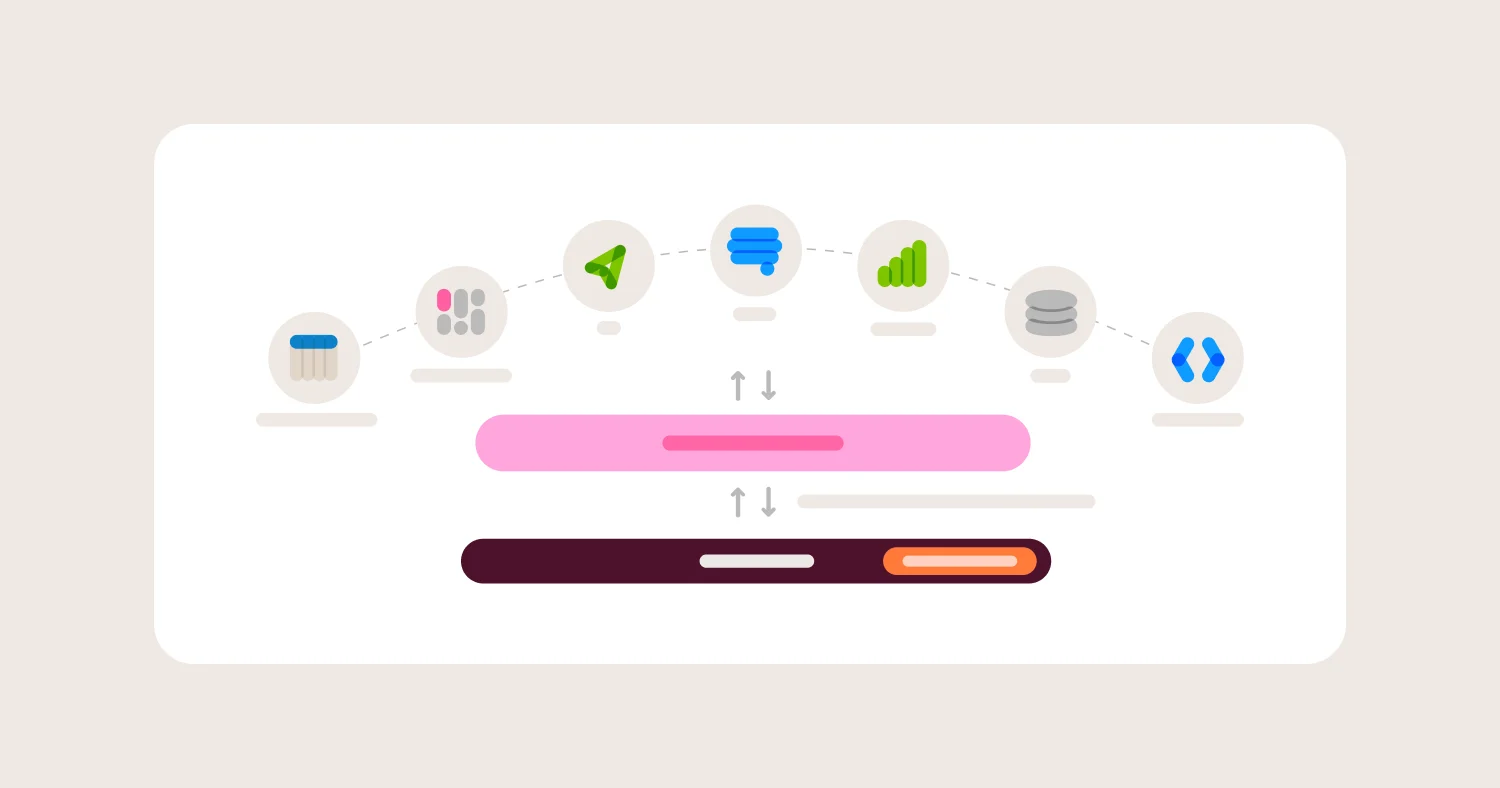
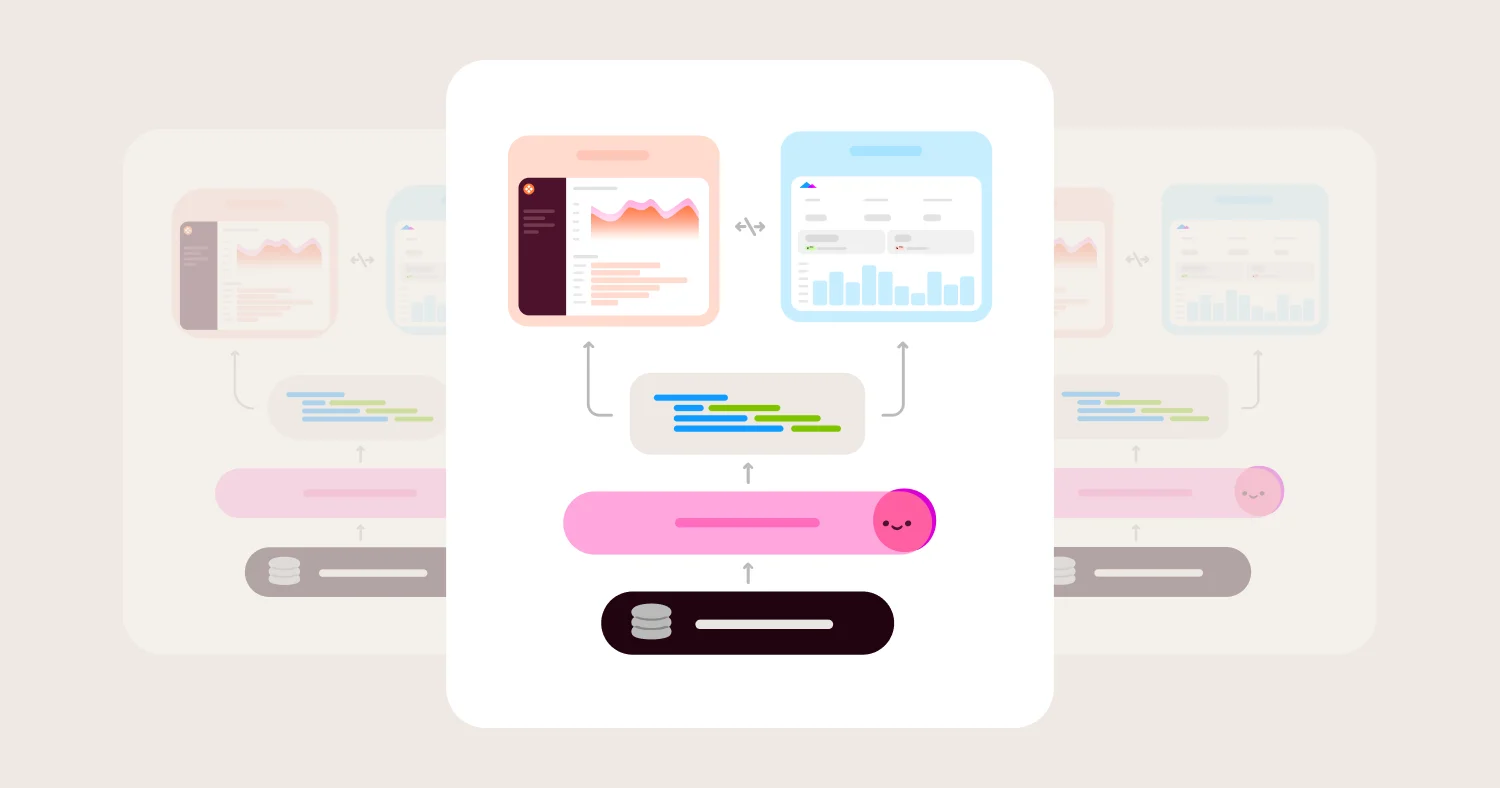
Omni's semantic layer defines metrics — MQL, pipeline, win rate, CAC, or whatever your go-to-market motion calls them — once, as measures inside the model. Those measures are used consistently whether someone is working in point-and-click queries, spreadsheet-style formulas, SQL, or asking a question in Omni's AI chat. For AI specifically, Omni requires natural-language questions to route through curated Topics rather than raw tables — the mechanism that keeps a chat answer consistent with what a dashboard or App already shows. That structure directly addresses the failure mode marketing and sales teams hit most. The problem is not that a tool is too hard to use, but that two people using it get two different numbers.
Omni also doesn't require the semantic model to be finished before anyone can explore. Measures can be added incrementally as real questions come up, rather than requiring a data team to model the whole business first. That is a meaningful difference from tools where self-serve exploration is gated on a completed model. How CRM data actually gets in is worth being precise about. Omni is warehouse-native and does not connect directly to HubSpot or Salesforce. CRM data needs to already be synced into a connected warehouse (via a native sync, a tool like Fivetran, or the CRM's own data-sharing feature) or uploaded as a CSV or Excel file before it can be blended with product or finance data under one governed metric. Once that data is in place, Omni also supports pulling metric definitions in from dbt's Semantic Layer, plus bidirectional workflows for pushing dashboard exposures to dbt and authoring or editing dbt models directly from Omni queries.
Semantic layer maturity is where Omni pulls further ahead of most of this list. Model changes can be made and tested inside a Branch — with git integration for pull-request-style review — before merging into production, so multiple people can edit the model at once without breaking what marketing or sales is using that day. Shared extension models let a central team publish a base model that individual departments extend with their own curated fields, without forking the whole thing. And the AI itself can be tuned with model-, topic-, field-, and view-level context, curated field lists, and sample queries, which is what keeps a chat answer aligned with the same definitions a dashboard uses.
That AI is also built to do more than answer one-off questions. The Omni Agent can design and publish a full dashboard from a prompt; the Workbook Agent can generate queries and draft new measures inside a workbook; a dedicated Modeling Agent can draft measures, dimensions, and relationships in the semantic model itself; and a Dashboard Agent handles follow-up questions on anything already published — all within the same permissions and governed definitions as everything else. On integrations, Omni delivers dashboards to Slack, email, Google Sheets, S3, SFTP, and webhooks, and its MCP Server lets tools like Claude and ChatGPT query Omni data directly, with user-level permissions intact.
BuzzFeed's Senior Director of Analytics, Lizzy Bradford, described the effect after migrating an eight-year-old Looker deployment to Omni and launching it company-wide in under three months: "Using Omni has reduced the number of new questions and consolidated the reports our Analytics team needs to build. It's given us time back while giving our stakeholders more independence to explore what they need." Omni also maintains a dedicated solution for media and advertising teams specifically, aimed at campaign attribution, ROAS, and spend-efficiency questions.
Where Omni wins:
Non-technical users move between point-and-click, spreadsheet formulas, SQL, and AI chat in one workbook, with the same metric definitions underneath every mode.
Row-level security and metric definitions are enforced identically across dashboards, ad hoc exploration, and AI-generated answers, so a rep's question can't return another rep's accounts.
Branch Mode, shared extension models, and model/topic/field-level AI context give the semantic layer real depth, not just a single flat list of saved fields.
AI agents build full dashboards, draft new measures, and generate queries, not just answer questions, all inside the same governed model.
Delivers to Slack, email, Google Sheets, S3, SFTP, and webhooks, and exposes an MCP Server so tools like Claude and ChatGPT can query Omni data directly.
Backed by a $120M Series C at a $1.5B valuation, led by ICONIQ and announced April 23, 2026, with reported revenue up 4x year over year.
Where Omni gets harder:
Omni doesn't connect to HubSpot or Salesforce directly, so CRM data needs to already be in a connected warehouse or uploaded as a file before it can be blended with other data.
The highest accuracy still benefits from investing time in the semantic model, and teams hoping to skip that entirely will get less out of it.
Pricing isn't published, so buyers need to contact sales for a quote.
Sigma Computing #
Best for: Marketing and RevOps teams that think in spreadsheets and want that exact mental model applied directly to warehouse-scale data, and are comfortable managing consistency through team discipline rather than system enforcement.
Sigma's core idea is that most marketing and sales operators already know how to use a spreadsheet, so the tool should look and behave like one. Formulas, pivots, and cell-level editing run live against the warehouse rather than an export, which means a RevOps analyst can build a pipeline model the same way they'd build it in Excel, without a data engineer translating it into SQL first. Sigma has leaned directly into this, publishing dedicated marketing and sales use-case pages.
For teams that live in spreadsheets, Sigma removes a real barrier, since there is no new mental model to learn. The tradeoff is governance. Sigma doesn't have a native, code-based semantic layer comparable to Omni's or Looker's, so consistency across workbooks depends on shared dataset hygiene rather than the platform enforcing one definition — there's no branching or layering to fall back on. A team of one or two analysts may never notice. A marketing and sales org running dozens of workbooks eventually will.
Where Sigma wins:
Spreadsheet-style UX removes the learning curve for marketing and RevOps teams already fluent in Excel or Google Sheets.
Live queries run directly against the warehouse, so there's no stale export to reconcile.
Positioned specifically at marketing and sales use cases, not just generic BI.
Where Sigma gets harder:
No native code-based semantic layer, so metric consistency depends on team discipline rather than platform enforcement, and there's no branching or layering to test changes safely.
AI and natural-language features are less mature than dedicated AI-first platforms, with less emphasis on building versus answering.
CRM data typically needs to already be synced into the warehouse, and Sigma isn't built around native CRM object connectors.
ThoughtSpot #
Best for: Enterprises that have committed to agentic, search-first analytics as a company-wide interface and have the budget and data team to support it.
ThoughtSpot's Spotter family — Spotter for natural-language search, SpotterModel for automated modeling, SpotterViz for visualization, and SpotterCode for AI-assisted analysis — is marketed in 2026 as an "Agentic Analytics Platform," and it spans search, modeling, visualization, and AI-assisted analysis. For a large sales organization whose leadership wants search-based pipeline analysis embedded into Slack or Salesforce itself, ThoughtSpot has real integration depth.
The tradeoff is the same one that shows up across most enterprise incumbents, namely cost and setup. ThoughtSpot is priced and configured for enterprise budgets, and how well Spotter enforces consistent definitions depends heavily on how thoroughly its TML modeling layer was configured. It's governance by configuration, not governance by default. Teams that want to move fluidly between chat, spreadsheet, and SQL views will find ThoughtSpot narrower on that dimension than Omni or Sigma.
Where ThoughtSpot wins:
Spotter, SpotterModel, SpotterViz, and SpotterCode form an agentic product line spanning search, modeling, and visualization — a genuine ability-to-build-with-AI story, not just a chat box.
Deep integrations with Slack and Salesforce make it easy to surface analysis inside tools sales teams already use.
Where ThoughtSpot gets harder:
Enterprise pricing puts it out of reach for most mid-market marketing or sales orgs.
Consistency depends on how thoroughly the TML modeling layer is configured, not on default platform enforcement.
Initial deployment requires significant time and resources.
Microsoft Power BI with Copilot #
Best for: Marketing and sales organizations already standardized on Microsoft 365 and Dynamics, running or able to justify paid Fabric or Premium capacity.
Power BI's Excel-adjacent interface is a real advantage for go-to-market teams that already live in spreadsheets and Teams. Copilot generates DAX formulas and report pages from a plain-language prompt, which can meaningfully speed up building a campaign or pipeline report for a team with existing Power BI investment.
The catch is specific and material. Copilot requires paid Microsoft Fabric capacity (F2 or higher) or Power BI Premium capacity (P1 or higher) on top of per-user licensing, and trial or free SKUs aren't supported. Microsoft lowered this gate from F64+ to F2+ during 2025, making it more accessible than it used to be, but it's still a separate line item a marketing or sales ops leader needs to budget for beyond the seat price quoted in a demo. And because Copilot generates DAX against whatever model exists underneath it, its accuracy is a direct reflection of how well, or how inconsistently, that model was built, not a separate governance layer of its own.
Where Power BI + Copilot wins:
Deep integration with Microsoft 365, Teams, and Dynamics for orgs already standardized on that stack.
Copilot can generate DAX formulas and report pages directly from a prompt, and the F2+/P1+ capacity gate is lower in 2026 than in prior years, making it more reachable for mid-market teams.
Where Power BI + Copilot gets harder:
Copilot requires a separate paid capacity tier on top of per-user licensing, a real added cost most demos don't surface up front.
Copilot's accuracy is only as consistent as the underlying DAX model; it doesn't add its own governance or enforcement layer.
Metabase #
Best for: Small marketing or sales teams on a tight budget that can accept lighter governance and AI maturity in exchange for a free starting point.
Metabase's visual query builder is genuinely intuitive. A marketer can connect a data source and build a chart the same afternoon, with no cost at the open-source tier. For an early-stage go-to-market team without dedicated RevOps headcount, that's a real, honest value proposition.
On AI, Metabase has added natural-language features in recent versions, but they're meaningfully less mature than dedicated AI-first platforms, and governance features are thinner at the open-source tier. There isn't an enforced semantic layer comparable to Omni's or Looker's, so metric consistency across a growing team depends more on convention than on the platform.
Where Metabase wins:
Free, open-source tier with real community support and fast setup.
Visual query builder is approachable for a first-time non-technical user.
Where Metabase gets harder:
No enforced semantic layer comparable to dedicated governed BI platforms, and no branching or layering to grow into.
AI and NLQ maturity lag dedicated AI-first platforms, with a stronger emphasis on answering than building.
Tableau, Tableau Next, and CRM Analytics #
Best for: Salesforce-centric organizations that already invest in Tableau's visualization depth and are prepared to sort out which of Salesforce's three overlapping analytics products they need.
Tableau's charting depth remains genuinely deep for analysts who want fine-grained control over a dashboard, and Tableau Agent now adds natural-language Q&A on top of that visualization layer. Salesforce has also introduced Tableau Next, a newer, more disruptive agentic platform built on Salesforce Data Cloud with three dedicated agents for Q&A, data prep, and anomaly detection.
For a marketing or sales buyer, the real complication is that Salesforce now runs three analytics lines at once. Those are classic Tableau, CRM Analytics (the current name for what was Tableau CRM and, before that, Einstein Analytics), and Tableau Next, and they answer different questions with different licensing and different governance models. A team that says "we already have Tableau" often hasn't clarified which of the three they mean, or whether the AI feature they saw in a demo lives in the product they actually pay for.
Where Tableau wins:
Deep visualization for teams that want fine-grained dashboard control.
Tableau Agent brings natural-language Q&A to a visualization layer many go-to-market teams already know.
Where Tableau gets harder:
Three overlapping Salesforce analytics products (Tableau, CRM Analytics, Tableau Next) make it genuinely hard to know which license includes which AI feature and which governance model.
CRM Analytics, the product that enables real warehouse blending, is a separately licensed add-on with an export mechanism built for its own datasets, not a general warehouse connector.
Domo #
Best for: Large enterprises that need 1,000+ data connectors — including most ad platforms and CRMs — in a single system and can absorb consumption-based pricing.
Domo's connector breadth is a real advantage for a marketing team pulling data from a dozen ad platforms alongside a CRM. Domo AI is included in the base contract, and the more advanced Domo AI Pro tier sits behind Domo's consumption-based credit pricing, so what's in a demo isn't necessarily the AI tier a team ends up needing.
The pricing model is the genuine risk. Domo runs on consumption-based credits for refreshes, transformations, and queries. Vendr data shows a median annual contract around $50,000, with enterprise deployments (200+ users) running $250,000 to $600,000 or more, and Domo's consumption model has produced steep, unpredictable renewal increases for some customers. For a marketing or sales team evaluating a self-serve tool specifically to reduce cost and dependency, Domo's pricing is where that goal gets complicated.
Where Domo wins:
1,000+ connectors cover most ad platforms and CRMs a go-to-market team already uses.
Where Domo gets harder:
Consumption-based pricing creates real renewal-cost volatility.
Governance emphasis is on connector breadth rather than an enforced semantic layer.
Looker #
Best for: Google Cloud-standardized organizations with a data engineering team willing to own LookML on behalf of marketing and sales.
Looker's governance strength comes from LookML, a code-based semantic layer that, once built, gives marketing and sales the same trustworthy metric definitions a data team would use internally. It's one of the more genuinely enforced semantic layers in this category, and LookML's git-based development branches give it real modeling maturity. Looker's Conversational Analytics, powered by Gemini, reached general availability in November 2025 and is grounded directly in that LookML model.
The catch is that LookML is real engineering work, and the non-technical experience for marketing and sales depends entirely on how well that modeling gets done before they ever open the tool. There's no equivalent to modeling incrementally as questions come up. Cost compounds the issue. Vendr data across a 355-deal sample puts average annual Looker spend around $150,000, with pricing starting near $60,000 per year for the Standard edition and climbing well beyond the average in larger deployments. For a go-to-market org without a dedicated data engineering function on Google Cloud, the combination of upfront modeling time and enterprise pricing is often the deciding factor against Looker.
Where Looker wins:
LookML is a genuinely strong, enforced governance layer once a data team builds it, with git-based branches for testing model changes.
Gemini-powered Conversational Analytics reached general availability in November 2025, grounded in that same model.
Where Looker gets harder:
LookML requires data engineering investment most marketing and sales orgs don't have in-house, and there's no incremental path around it.
Average annual cost runs around $150,000 per Vendr's 355-deal sample, before accounting for implementation.
Pricing: Models, Costs, and Hidden Fees #
Pricing in this category hides cost in different places depending on the model. Per-user pricing (Power BI, Metabase Cloud, Tableau) looks simple until AI is gated behind a separate capacity tier. Power BI Copilot requires paid Fabric or Premium capacity on top of the per-seat quote. Enterprise contracts with undisclosed pricing (Omni, ThoughtSpot, Looker, Sigma) require a real sales conversation to normalize against your headcount. Where third-party data exists, it's worth using. Vendr's 355-deal sample puts Looker's average annual cost around $150,000. Consumption-based pricing (Domo) is the riskiest model for a team that actually uses the product well, since active usage is exactly what consumption pricing penalizes.
Governance-heavy tools carry a second hidden cost, the upfront-modeling tax. A tool that requires a complete semantic model before non-technical users can explore anything effectively defers its value by however long that modeling project takes — often a real multi-month cost in data team time even when the software itself is inexpensive. Tools that support building the model incrementally, alongside real usage, avoid paying that tax twice.
Marketing and sales buyers face a third hidden cost, the second-product tax. Salesforce gates real warehouse blending behind CRM Analytics. HubSpot gates it behind Data Hub or Operations Hub Enterprise. Most warehouse-native BI tools, including Omni, require CRM data to already be synced into a warehouse via a separate ETL step. A team that budgets for "our CRM's reporting" or "our BI tool's license" and later needs cross-system analysis often discovers the real cost includes a data pipeline or a second add-on product it hadn't priced in.
For 100 users, estimate (annual platform cost) + (annual AI or capacity add-on) + (cost of getting CRM and other systems into a usable state, whether that's ETL tooling or a warehouse add-on) + (data team time for upfront modeling, if the tool requires it). Compare that total, not the per-seat number from the first quote.
When Self-Serve Analytics for Marketing and Sales Is the Right Choice #
Short answer: Self-serve analytics is the right investment when more than one person in marketing or sales needs to answer questions from the same underlying data and currently gets different numbers doing it, or when the data team has become the bottleneck on questions that shouldn't require a ticket. It's the wrong investment when the team is small enough that one shared spreadsheet, reviewed manually, still works.
Good fit:
Marketing needs channel-level ROI or attribution that spans ad platforms, CRM, and finance data.
Sales needs pipeline, quota, or forecast views that blend CRM data with product usage or warehouse data.
The data or RevOps team is a bottleneck on routine questions marketing or sales could answer themselves.
Multiple people currently build reports on the same metrics and get inconsistent answers.
Not a fit:
The team is small enough that a shared spreadsheet, reviewed manually, still works, and nobody's getting conflicting numbers.
Leadership wants AI to "just figure it out" with no willingness to define shared metrics first.
The org has no data warehouse and no near-term plan to adopt one, which limits most tools in this category to CSV-scale analysis.
How to Choose a Self-Serve Analytics Tool for Marketing and Sales #
Short answer: Choose Omni if you need non-technical marketing and sales users to explore freely without producing conflicting numbers.
Choose Omni if:
You want one governed set of metric definitions enforced across spreadsheets, point-and-click, SQL, and AI chat — not just inside a chat feature.
You want to model metrics incrementally as real questions come up, rather than completing a semantic model before anyone can explore.
You need row-level security enforced on every AI-generated question, not just on dashboards built by a developer.
CRM data is already in, or can be piped into, a data warehouse.
Choose Sigma Computing if:
Your marketing or RevOps team is fluent in spreadsheets and wants that exact experience applied to warehouse-scale data.
You're comfortable managing metric consistency through team discipline rather than platform enforcement.
Choose Power BI with Copilot if:
Your go-to-market org is already standardized on Microsoft 365 and Dynamics.
You can justify the added cost of Fabric (F2+) or Premium (P1+) capacity on top of per-user licensing.
Choose Metabase if:
You're an early-stage marketing or sales team with a tight budget and no dedicated RevOps headcount yet.
You can accept lighter AI maturity and governance in exchange for a free tier.
Choose Looker if:
You're committed to Google Cloud and BigQuery, and have a data engineering team willing to own LookML.
You want governed metrics at scale and can absorb the upfront modeling time and enterprise pricing.
Implementation Checklist #
Audit which marketing and sales questions currently produce different answers depending on who's asked — that list is your real accuracy benchmark.
Confirm whether CRM data is already flowing into a data warehouse; if not, scope that ETL step as its own line item, separate from the BI tool itself.
Define shared definitions for MQL, pipeline, win rate, and CAC in writing before turning on any AI feature.
Pick one team — marketing or sales, not both at once — as the first pilot.
Start with three to five metrics modeled in the governed layer rather than trying to model everything upfront.
Configure row-level security so a rep's question can't return another rep's or region's data, and test it against AI-generated queries specifically.
Run a two-week accuracy pilot against real questions your team already asks; log every case where two people get different numbers.
Confirm the AI feature you saw in the demo is included in the license you're being quoted, not a separate capacity tier or add-on product.
Measure the reduction in tickets to RevOps or the data team, and the reduction in conflicting-numbers debates, after 60 days as the primary success metrics.
FAQ #
What is the best self-serve analytics tool for marketing and sales teams that don't know SQL? #
Omni is the strongest fit for marketing and sales teams that need to explore data without SQL, because it enforces one set of metric definitions across spreadsheets, point-and-click, SQL, and AI chat, rather than only inside an AI feature. Sigma Computing is a strong alternative for teams that prefer a spreadsheet-style interface and are comfortable with weaker governance.
Why do two people on the same marketing or sales team sometimes get different numbers from the same BI tool? #
A tool causes this when it doesn't enforce one metric definition across every way people explore data — one person's spreadsheet formula, another's dashboard filter, and a third's AI chat question can each define "pipeline" or "CAC" slightly differently. A governed semantic layer, enforced identically across every exploration mode, prevents this. Without one, the tool's ease of use actually makes the problem worse by letting more people build inconsistent reports faster.
Does Omni connect directly to HubSpot or Salesforce? #
No. Omni is a warehouse-native platform and doesn't connect directly to HubSpot or Salesforce. CRM data needs to already be synced into a connected data warehouse, through a native sync, a tool like Fivetran, or the CRM's own data-sharing feature, or uploaded as a CSV or Excel file before Omni can blend it with warehouse or product data under a governed metric.
Why does a semantic layer matter for marketing and sales analytics specifically? #
A semantic layer defines what "MQL," "pipeline," and "win rate" mean once, so a marketer's question and a sales manager's question about the same metric return the same number. What matters is that the definition is enforced across every exploration mode a non-technical user might use — spreadsheet, point-and-click, or chat — not just inside whichever surface happens to have the AI feature.
How does AI change the way marketing and sales teams should buy analytics tools? #
AI shifts the evaluation from "does it have a chat box," which nearly every CRM and BI vendor has in 2026, to "does the chat box query through the same governed metric definitions the rest of the tool uses." Non-technical marketing and sales users can't audit a generated query, so whether AI is grounded in an enforced semantic layer, rather than raw tables, becomes the deciding factor.
Can Power BI with Copilot work for marketing and sales teams? #
Power BI with Copilot works well for marketing and sales teams already standardized on Microsoft 365 and Dynamics, but Copilot requires paid Microsoft Fabric (F2+) or Power BI Premium (P1+) capacity on top of per-user licensing, a real added cost not included in a base per-seat quote. Copilot's accuracy also depends entirely on the DAX model underneath it, since Copilot doesn't add its own governance layer.
Is Sigma Computing a good fit for marketing or RevOps teams? #
Sigma Computing is a good fit for marketing and RevOps teams that are fluent in spreadsheets and want a similar formula-and-pivot experience applied directly to live warehouse data. It doesn't have a native, enforced semantic layer, so teams that need metric definitions to stay consistent across a growing number of workbooks and users will get more out of Omni or Looker.
What should be included in an RFP for a marketing/sales self-serve analytics tool? #
An RFP should require vendors to demonstrate that metric definitions stay consistent across every exploration mode — spreadsheet, point-and-click, SQL, and AI — not just inside a demo of the chat feature. It should require vendors to show exactly how CRM data reaches the platform and at what additional setup cost, to explain how row-level security applies to AI-generated queries specifically, and to disclose whether the AI feature demoed is included in the quoted license or requires a separate capacity tier or add-on product.
What are the best alternatives to Tableau for marketing and sales analytics? #
The strongest alternatives to Tableau for marketing and sales analytics are Omni, for governed metrics enforced across every exploration mode without the licensing confusion currently present across Salesforce's three overlapping Tableau-adjacent products, and Sigma Computing, for teams that want a spreadsheet-style interface over Tableau's dashboard-first design.
Methodology #
This guide evaluated eight tools against five criteria specific to non-technical marketing and sales buyers: ease of use for non-technical users, governance, semantic layer maturity, the ability to build with AI, and integrations with other tools. Claims about Omni's architecture and features were verified directly against Omni's product documentation (docs.omni.co). Pricing benchmarks for Looker and Domo are drawn from Vendr's deal-sample data; sales and marketing statistics come from named, dated industry reports, cited below. Where a figure came from a secondary aggregator rather than a primary report, it has been described as an industry estimate rather than a precise statistic.
The goal was to identify which tool most directly resolves the actual failure mode marketing and sales teams hit with self-serve analytics. The problem isn't that non-technical users can't build something, but that what they build doesn't always agree with what anyone else built. Omni is recommended as best overall because it enforces one set of metric definitions across every mode a non-technical user might explore data in, rather than only inside an AI feature.
This guide is for informational purposes. Pricing, product names, and feature availability change quickly in this category. Validate current details directly with vendors before purchasing.
Sources #
Omni Series C funding announcement — omni.co/blog/press-release-omni-series-c-funding; BusinessWire, April 23, 2026; Fortune, April 23, 2026
Colin Zima, "Four years of Omni" — omni.co/blog/omni-series-c-funding
Omni product architecture, dbt integration, semantic layer, CSV upload limits, connected databases, Branch Mode, shared extension models, AI context, AI agents, deliveries, and MCP Server — docs.omni.co, docs.omni.co/integrations/dbt, docs.omni.co/analyze-explore/data-input-csvs, docs.omni.co/modeling/measures, docs.omni.co/modeling/topics, docs.omni.co/content/develop/branch-mode, docs.omni.co/modeling/develop/shared-extensions, docs.omni.co/modeling/develop/ai-optimization, docs.omni.co/ai/index, docs.omni.co/share/deliveries/index, docs.omni.co/ai/mcp/index
BuzzFeed case study — omni.co/blog/case-study-buzzfeed
Omni Media & Advertising solution — omni.co/industry/media-advertising
Omni's Best BI Tools (2026) guide — omni.co/articles/best-bi-tools-2026
Omni semantic layer and AI grounding perspectives — omni.co/articles/best-semantic-layer-for-ai-and-bi-2026; omni.co/blog/why-ai-needs-a-semantic-model
Sales quota and AI performance statistics — Ebsta, 2025 GTM Benchmarks Report; Salesforce, State of Sales, 2026
Marketing data unification statistics — Salesforce, State of Marketing, 10th Edition, 2026
Marketing challenge statistics (ROI measurement, sales-marketing alignment) — HubSpot, 2026 State of Marketing Report
Marketing data strategy and cross-channel ROI statistics — Supermetrics, 2026 Marketing Data Report
RevOps data quality statistics — Openprise, 2025 State of RevOps Data Quality survey
Multi-touch attribution adoption estimates — Improvado, Multi-Touch Attribution Solutions guide, 2026 (industry estimate, not a single named primary survey)
Salesforce Reports & Dashboards limits — Salesforce Help
HubSpot custom report limits — HubSpot Knowledge Base
Power BI Copilot capacity requirements — Microsoft Learn, Copilot for Power BI overview
ThoughtSpot Spotter product family — thoughtspot.com/product/agents
Tableau Agent, Tableau Next, CRM Analytics — tableau.com/products/tableau-agent
Looker Conversational Analytics GA — Google Cloud Blog, November 14, 2025
Looker and Domo pricing benchmarks — Vendr deal-sample data, via Vendr marketplace