The data team's job used to be to answer questions. Doing this typically meant building reports, maintaining dashboards, and fixing broken joins. When something went wrong, the broken thing was visible as a dashboard that didn't render or a report that didn't deliver.
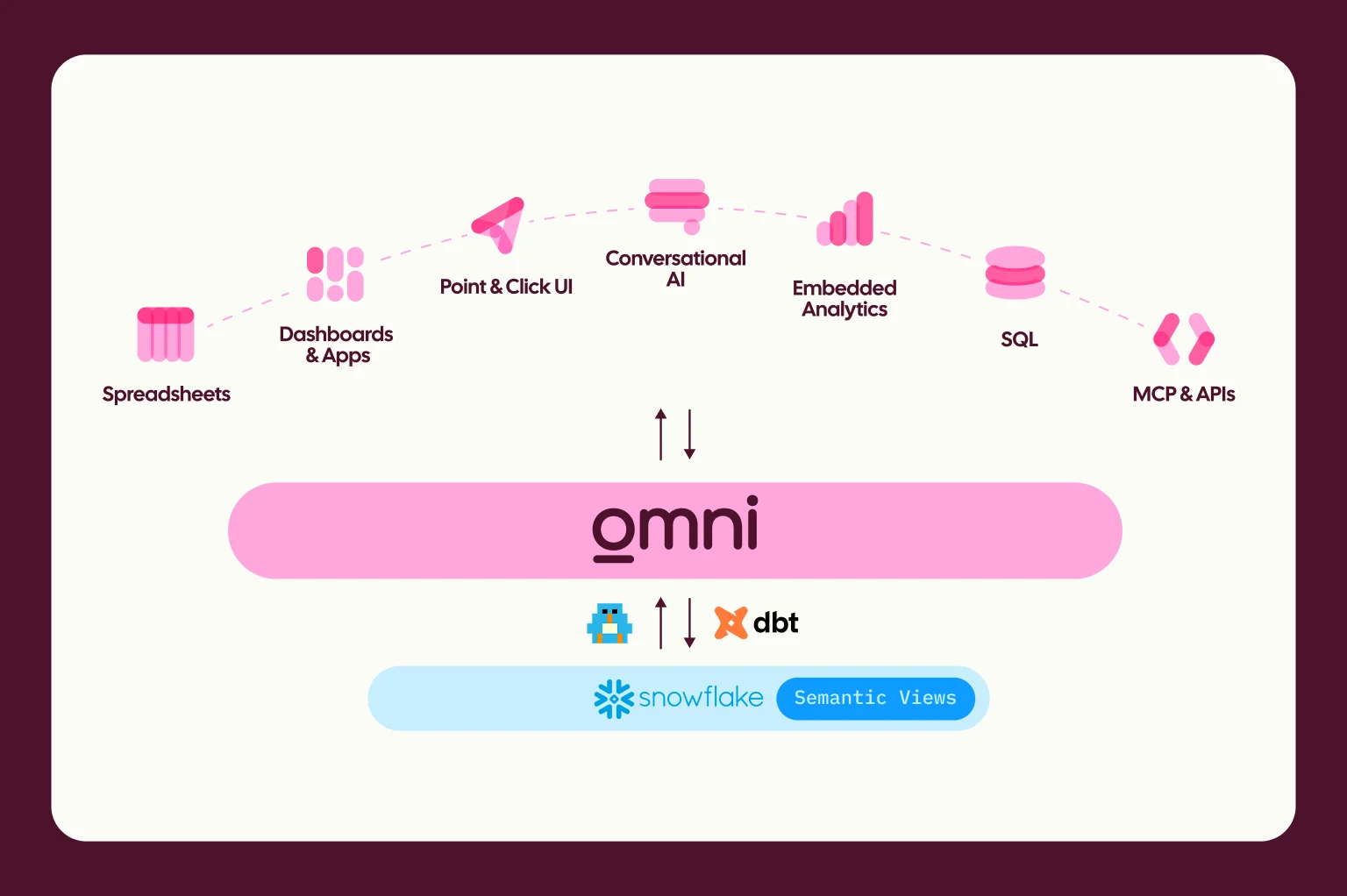
AI is shifting how data teams work. For our customers, this means questions now come through our various agents across the Omni app or externally from our MCP server, APIs, or Slack agent.
When the data team no longer gets every question, reliability gets harder to manage. To do this, you need new ways to see what people are asking, catch issues early, and improve the model to meet your user's needs.
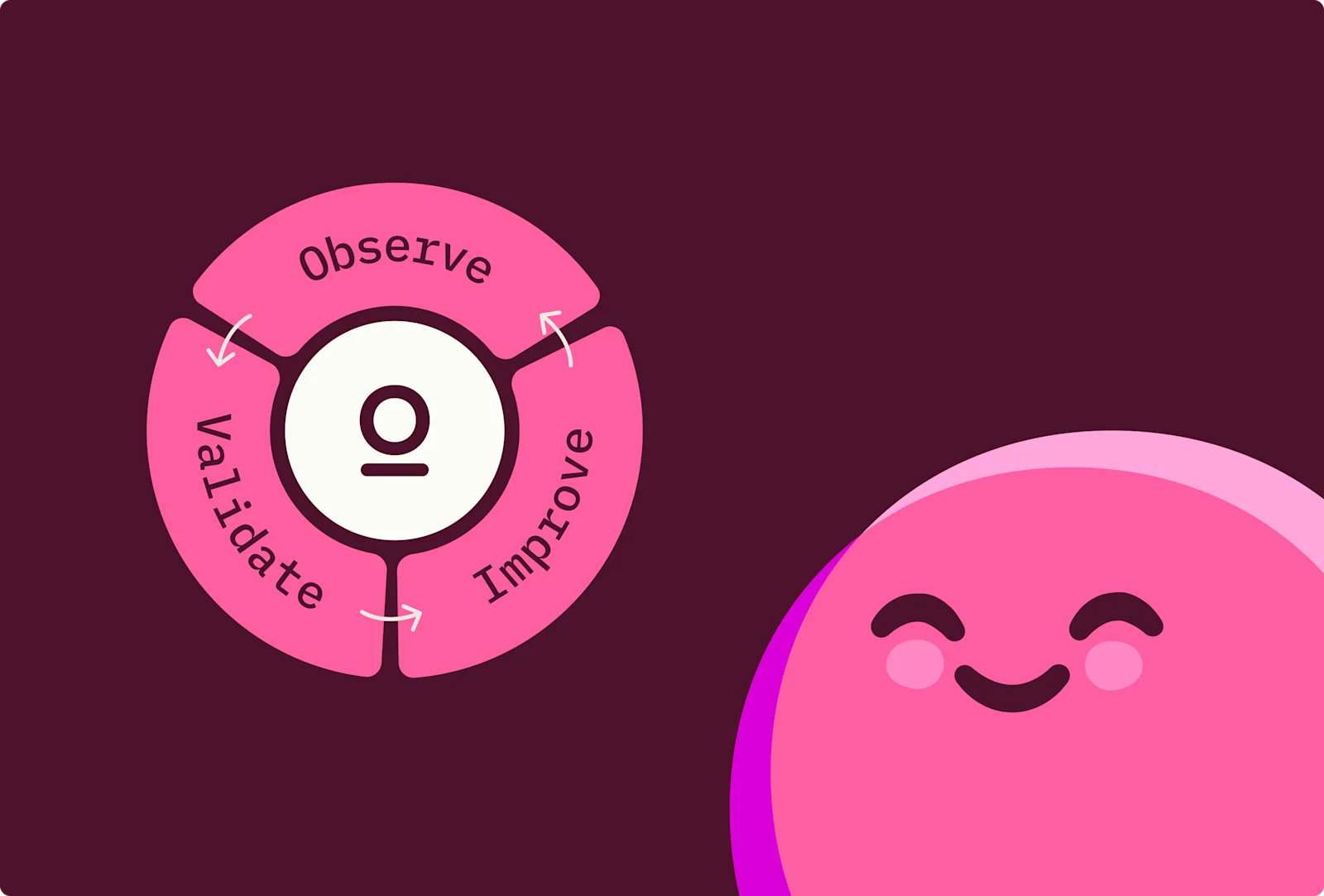
This is why we've launched AI Hub: a new AI command center in Omni. It gives teams one place to observe how AI is being used, improve the semantic model from usage, and validate changes before they ship to production.
The new job #
Data teams now own the model that powers every AI answer the business sees. That work takes a different shape than answering questions and building dashboards.
It's about managing context for humans and AI. This means deciding which Topics exist, documenting what each measure means, choosing which synonyms clarify business jargon, and selecting which sample queries earn a spot in the model.
This work is operational because you're running AI as a product. You need adoption metrics, quality scores, feedback loops, and a clear view into what users actually ask compared to what the model can reliably answer.
And finally, it requires governance, including guardrails for the questions you'll never see.
When a VP asks the Dashboard Agent for last quarter's net revenue retention and gets a number, the data team is responsible for that number, even if the request never came to them.
That last shift is the awkward one. The work is more important, but in many tools, data teams have even less visibility than they’re used to.
Our users are moving away from reports that they have built (or have been built for them) onto using AI as the starting point for analysis. This freedom for them is great, and we want to enable it as much as possible, but it makes it hard to track down the source of any rogue numbers, and what caused the issue. We need to guarantee quality answers to our users, which requires a new focus on observability and line of sight into what our users are being served.
Edward Mancey, Director of Data at Synthesia
How most data teams manage AI today #
Most data teams are doing one of three things to try to manage AI running on company data. None of these fit the work teams want to or have time to do.
Path 1: Wire up an LLM observability tool #
LangSmith, Langfuse, Helicone, Arize Phoenix. These are real, mature products with instrumentation and eval frameworks. The catch is they sit at the LLM layer. They see prompts, tokens, and latency. They don't know what ARR means at your company, which Topic a query routed through, or whether outdated information in the semantic model is the reason an answer was wrong. They tell you the LLM ran. They cannot tell you whether the answer was correct.
Path 2: Build it yourself in the warehouse #
Pipe the AI event log into your warehouse. Model it. Design and maintain complex evals. Build dashboards on top. The output is yours, the context is yours, the coverage is complete. The cost is a data engineering project layered on top of an already full-time admin job. Months to build, ongoing maintenance, and the dashboards never quite keep up with what the AI is doing this week.
Path 3: Fly blind #
This is where most teams are. You hear about bad answers in Slack, days after the fact. You receive questions about adoption from sales leadership, asking why their team isn't using the chat feature. You run quarterly reviews on the status of AI initiatives with anecdotes instead of data. The AI is a black box, and you only find out about problems from the people affected by them.
We built AI Hub because the people maintaining AI deserve a tool built to help them adapt and stay ahead, even as data work continues to evolve.
What you can do with AI Hub #
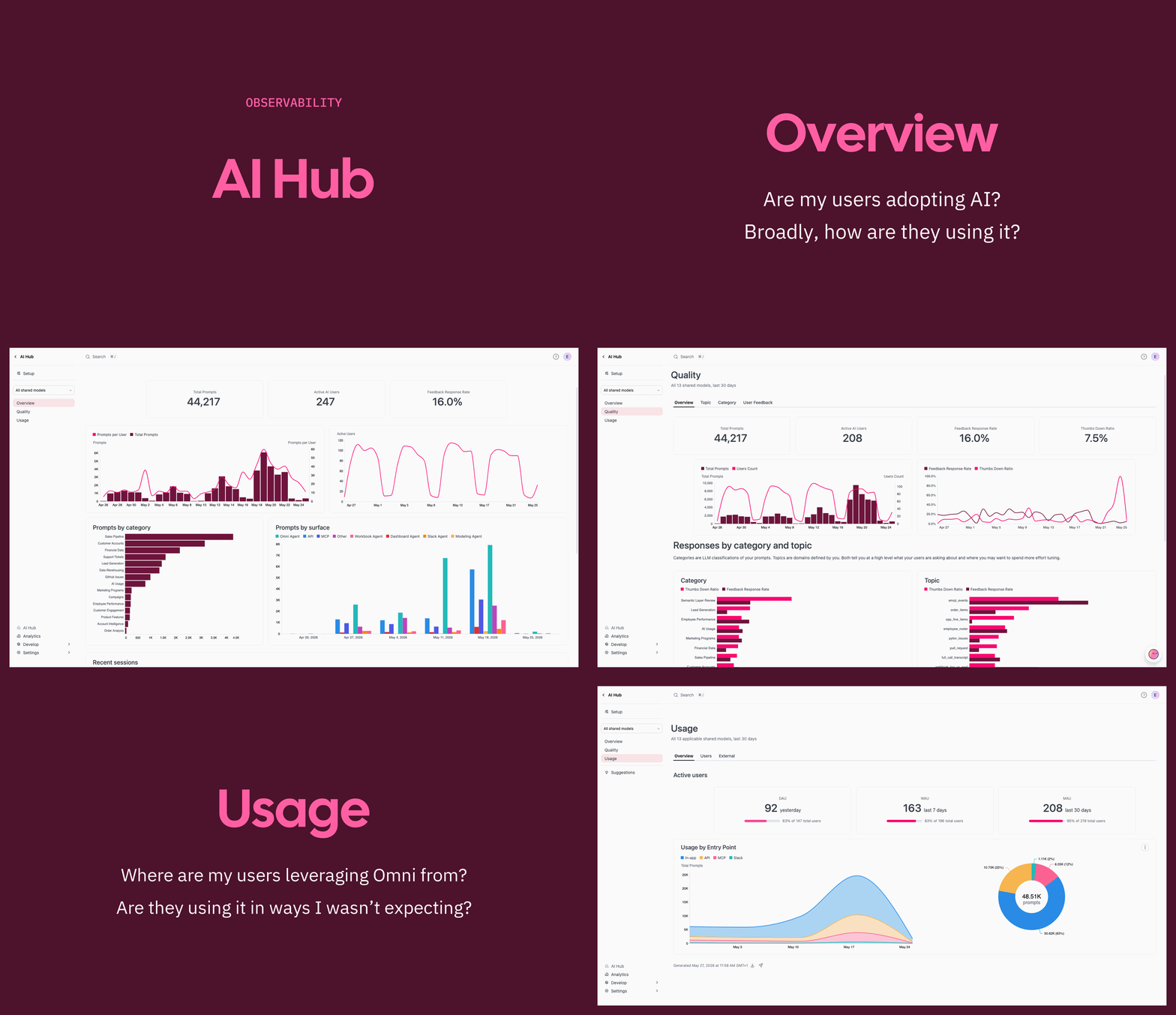
No more flying blind or piecing things together to try to understand what’s going on. It's one place to observe, improve, and validate.
Observe #
See exactly what AI is doing across your organization: Which surfaces are used, what categories of questions are asked, which models are answering them, how users are rating the answers, and where quality is drifting.
Improve #
Get specific, actionable suggestions for the semantic model based on real usage. This includes missing context on a field that keeps tripping up the agent, a weak Topic that's being asked questions it can't answer, or sample queries that would have rescued a failed prompt.
Validate #
Build prompt sets and run them against any branch of the model, then compare runs side by side. Prove that the change you just made actually improved the answers before it goes to production.
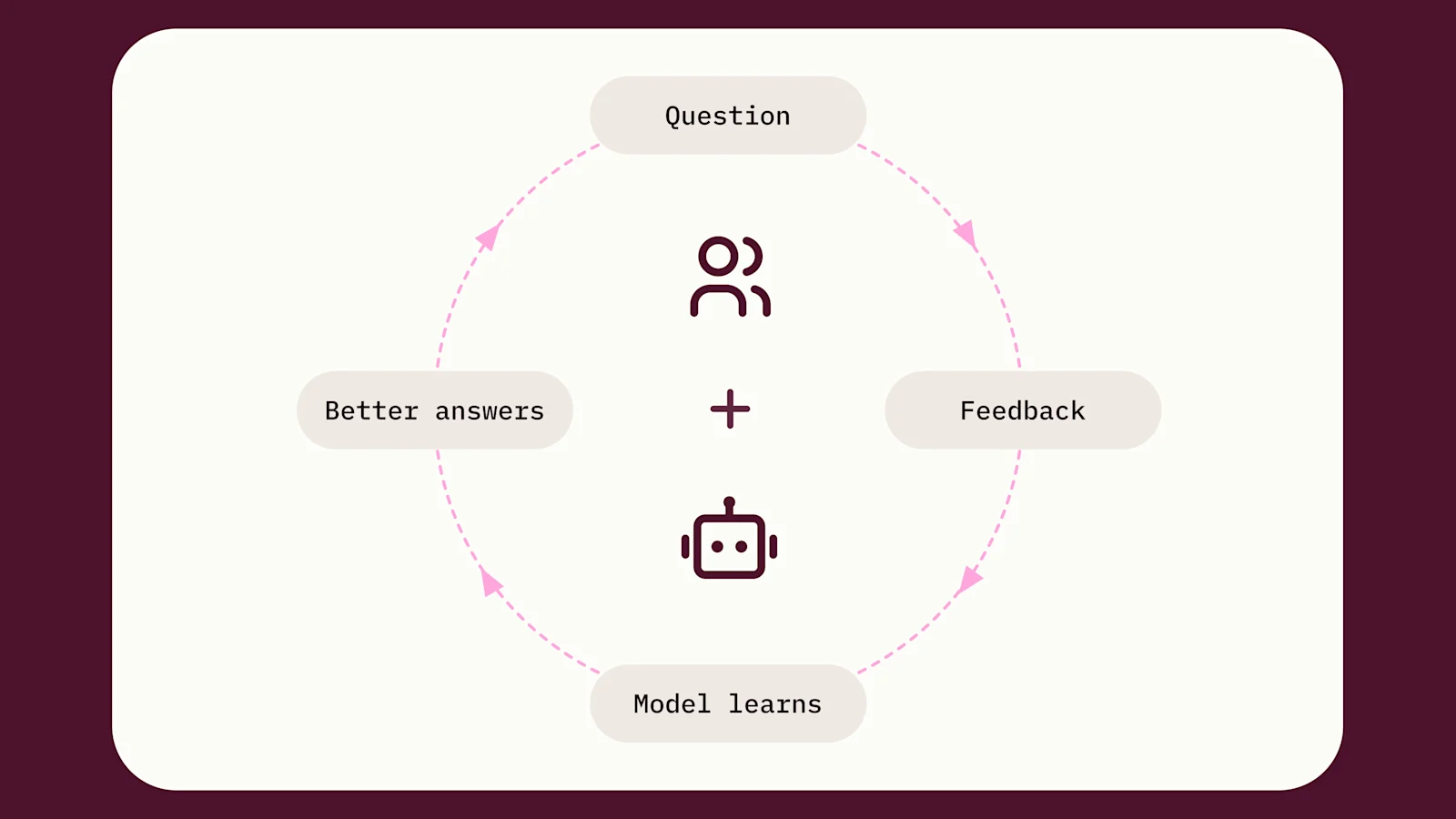
AI is a process, and the AI hub helps you manage the complete loop.
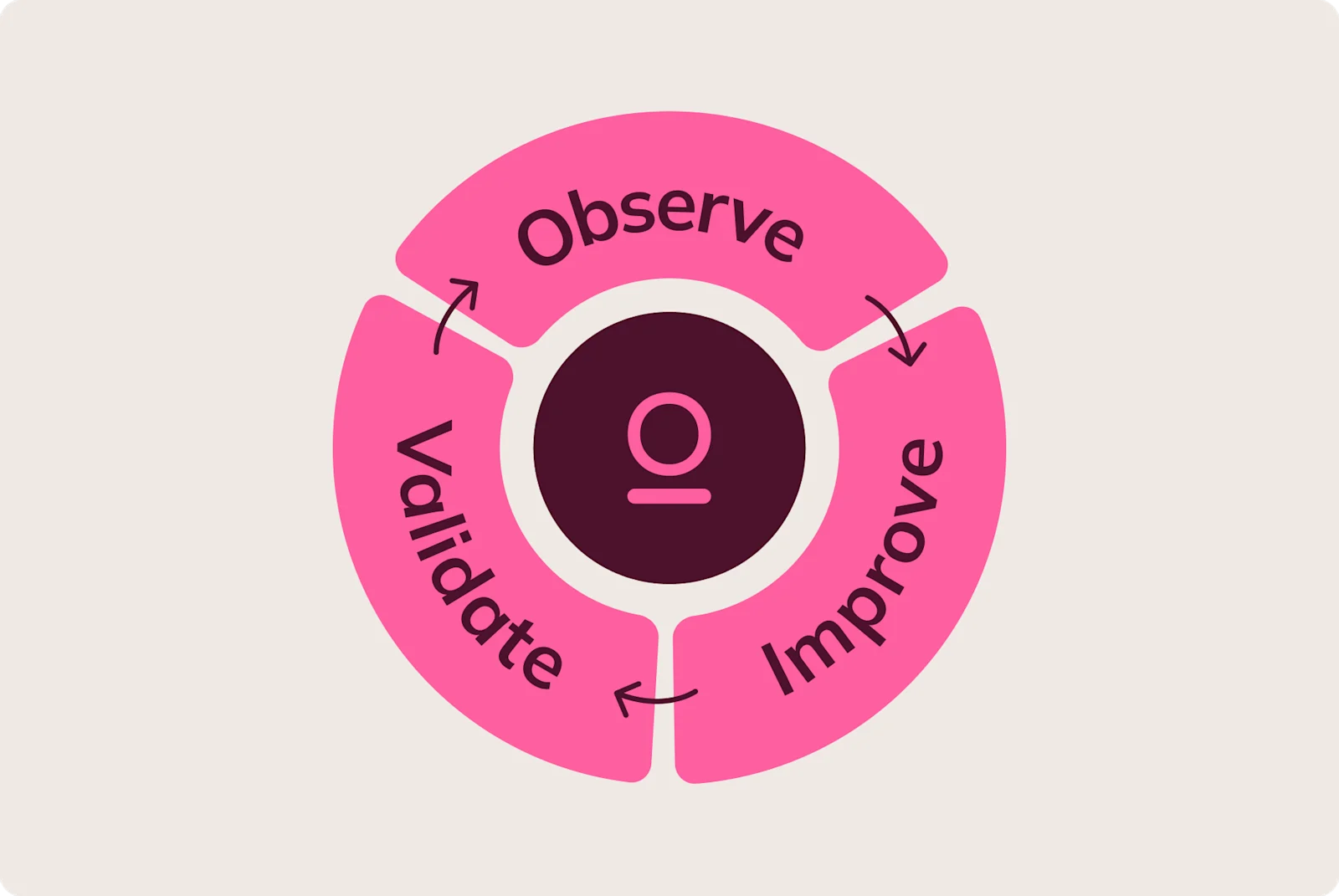
You can access the AI Hub from the main navigation menu in Omni. A model selector at the top scopes every dashboard to a single shared model or to all shared models across the instance. Setup sits at the top of the left rail. Three dashboards sit below it: Overview, Quality, and Usage.
The Overview dashboard: Is AI working? #
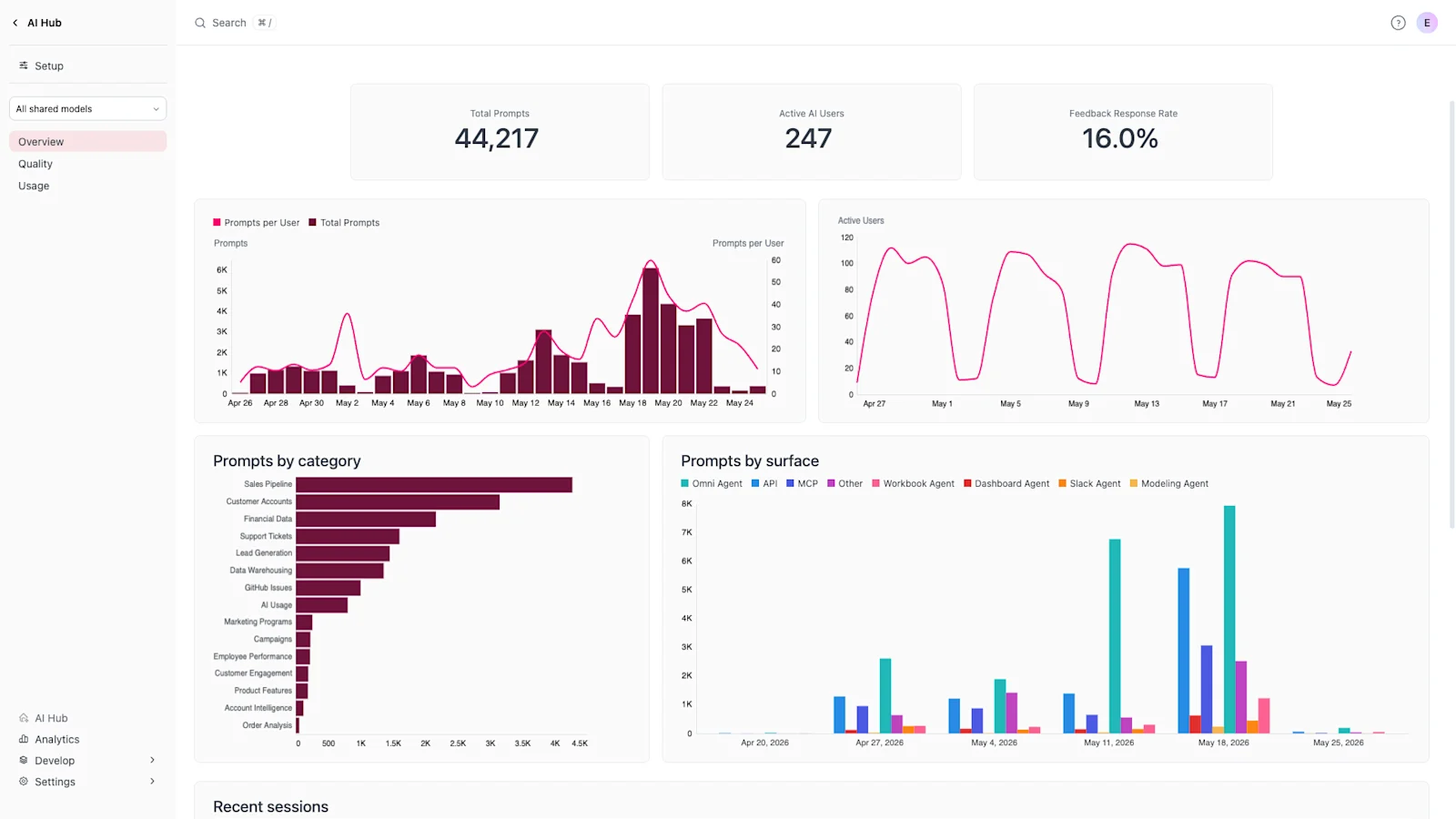
The Overview dashboard allows you to understand at a glance how well AI is being adopted, where it's being leveraged, what people are asking about, and view recent sessions.
The Quality dashboard: What's working, and what isn't #
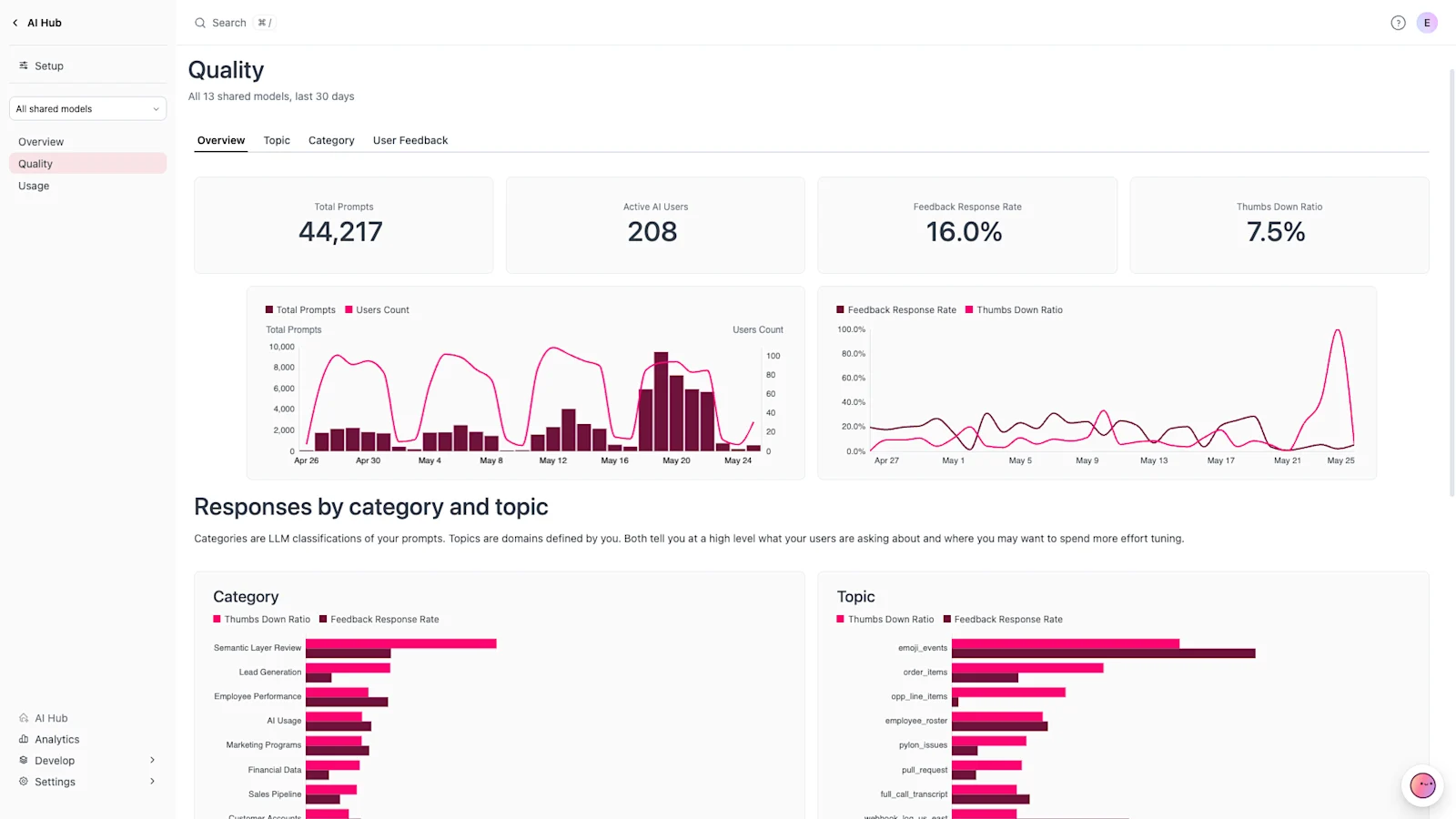
The Quality dashboard is the page you live in if you are responsible for building AI trust. It will help you understand if your users are having a good experience and dig into the specific sessions where they might be struggling.
Usage answers: Where AI lives in your business #
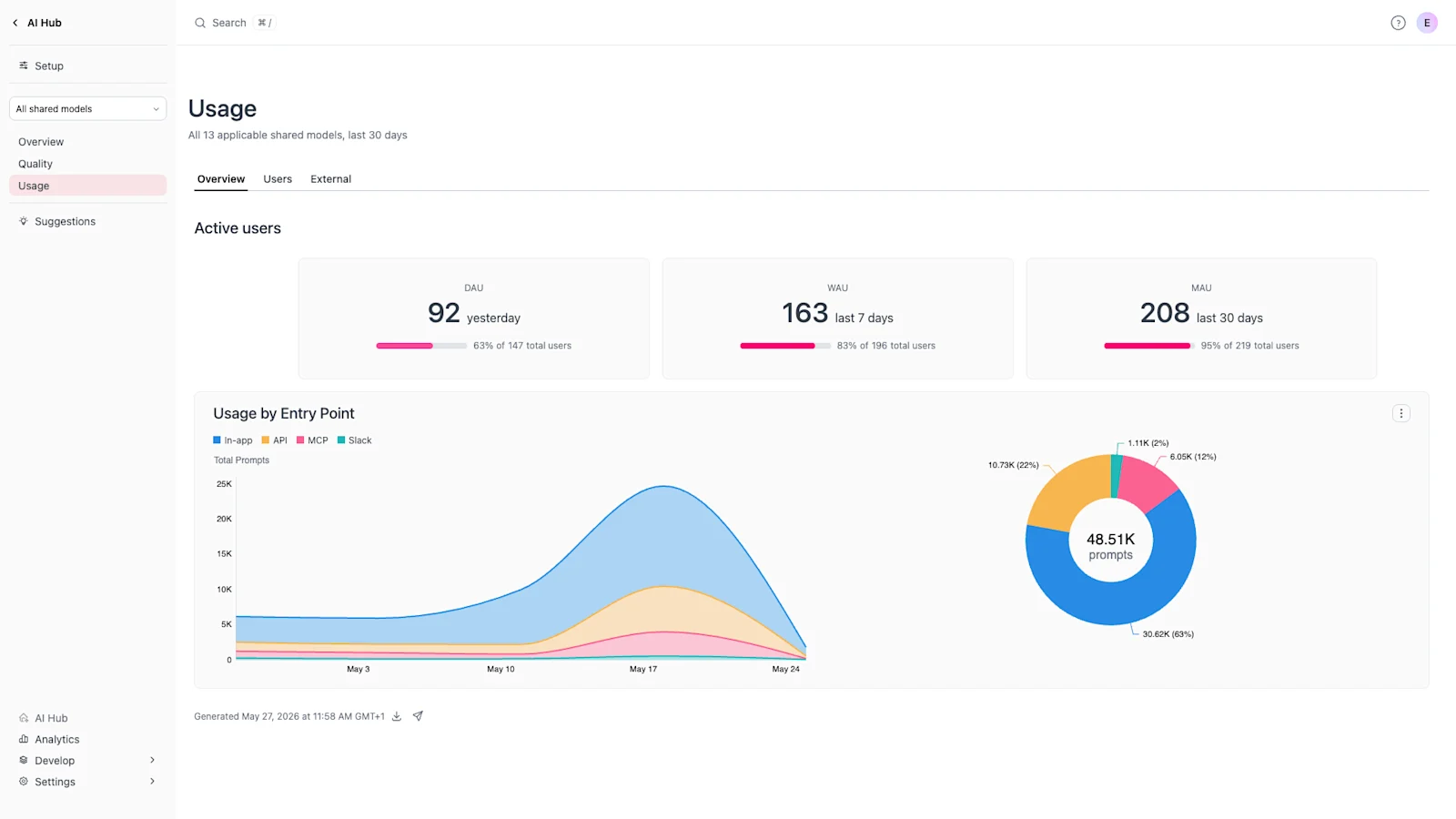
The Usage dashboard shows where AI is actually taking hold. You can track active users, see which surfaces drive the most prompts, and drill into top users to understand what they are doing.
The interesting answers here are usually the unexpected ones — the MCP server traffic that came out of nowhere last week because someone connected Omni to Claude or the Slack Agent that spiked when a CSM showed it to one customer team. Usage is where you find out your AI is being adopted in ways you didn't plan for.
One detail worth calling out: Categories #
The categories you see across all three dashboards aren't pre-defined. They're generated for your organization from your real prompts.
This matters because every business is different. A SaaS company's categories will look nothing like a retailer's. Pre-defined categories would have given everyone the same wrong answer.
Improve: Suggestions #
Suggestions translate real usage into specific, prioritized edits to the semantic model: a synonym to add, a Topic that needs more context, a description that's steering the AI wrong. Each comes with a written rationale, a priority, and the source conversations that triggered it.
Open a suggestion, read why it was raised, follow it back to the actual conversations, and apply it in one click. Omni stages the change in the Model IDE with that context attached, ready for you to review and commit, and nothing touches the model until you approve it. This is how every answer makes the next one better.
Validate: AI Evals #
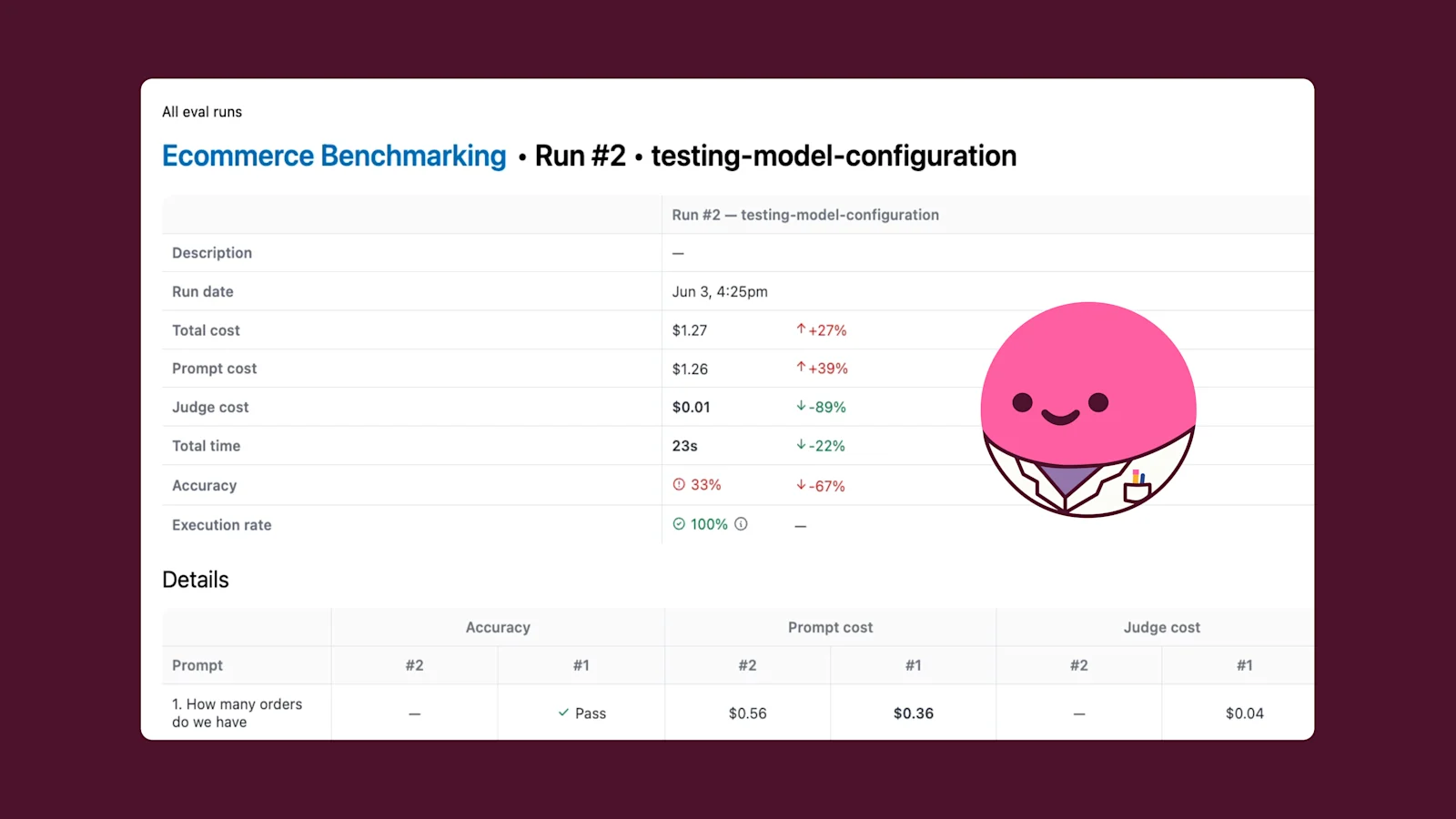
AI Evals let you curate a prompt set and run it against any branch of your shared model. Each run captures cost, speed, and a pass/fail result for every prompt, scored by an LLM judge with a confidence rating and a written rationale.
Run the set against main on the shared model, change a Topic definition on a branch, and run it again, to compare the two runs side by side. You see which prompts got better, which got worse, how long the each question took, and what it cost. This is what turns "I think the change helped" into "I can prove the change helped." See another demo here.
Observability shows you where to look, suggestions turn those patterns into model changes, and evals help you prove whether the change worked before it reaches production. AI Hub provides one place where you can run the full loop.
What this means for data teams #
The semantic model has been Omni's foundation since day zero.
What changed is that the model now does more work than the dashboards it once supported. Every AI answer that lands in a Slack thread, a Claude conversation, a Dashboard Agent reply, or an MCP call traces back to the same model your data team owns. What you build for great BI also powers great AI.
AI Hub is the workbench for that ownership. You can read more about AI Observability in the docs here. The rest is close behind.
If you're an Omni admin, AI Hub is in your nav now. If you aren't already on Omni and you're trying to figure out how to run AI on your company's data without flying blind or building a second product, we should talk.