I build data artifacts every day, but I'm not a software engineer. This is the story of how I used Cursor and Omni to build a complete demo environment for our sales team, covering everything from generating and modeling the data to building the app and writing it up in Omni.
If you've ever seen a BI demo, you've almost certainly explored a stale e-Commerce dataset. The data is fairly straightforward because almost everyone understands orders and transactions. The problem is that it’s less compelling when you’re not demoing to a retail company. It also gets repetitive when you run dozens of demos a week.
So, I decided it was time to upgrade our demo environment. The goal was to build something engaging - complete with a realistic SaaS dataset that stays current, plus an app that shows how Omni’s dashboards and AI work when embedded in a customer’s own product.
This app needed Python scripts to generate realistic, industry-specific data, dbt to transform it, Omni to model and build dashboards, and a React front end for the final customer-facing app. Even if I were an expert in each technology, context switching from Python development to data modeling to front-end design is difficult and time-consuming.
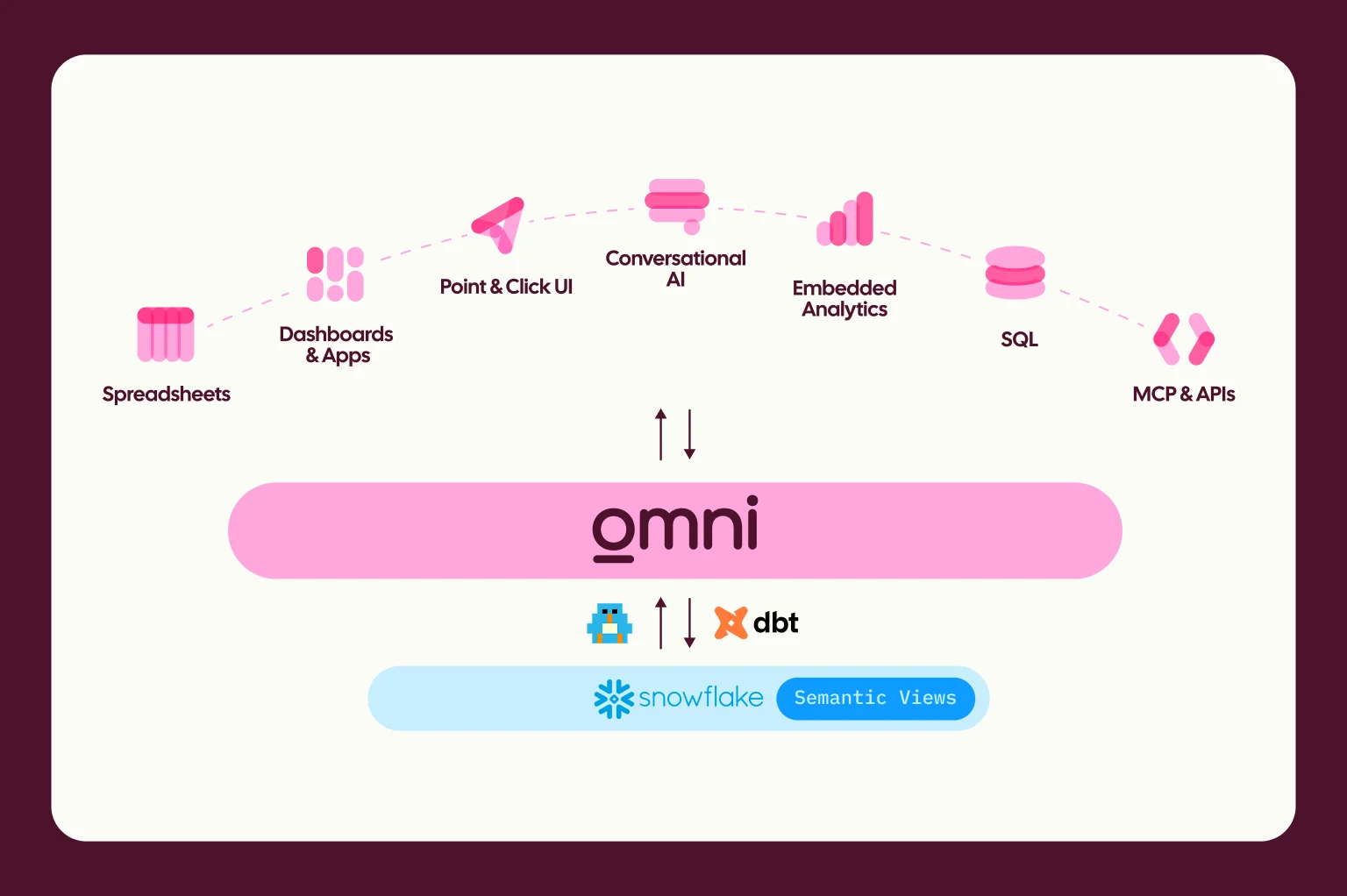
That is why this is a good job for Cursor, and why I was excited that Omni partnered with SpaceX Super Intelligence (aka SpaceXSI). Cursor provides flexibility to develop in Omni by allowing me to handle complex engineering tasks, switch LLM models, and reach third-party tools from one UI.
Here’s how I used Cursor and Omni to build a custom AI data app for our sales team to use in the field. I’ll cover the build from start to finish:
Generating realistic data
Using dbt to do “live” transformations
Modeling the data and adding AI context
Building the app
Wiring it up in Omni
Switching to plan mode #
Before getting started, I used Cursor to build a project plan. Since I had a good idea of what was needed at a high level, my prompt was simple:
“I am looking to build a fictional dataset for a fictional business intelligence SaaS company. It should have Salesforce data, events and session data from product usage, support ticket data, and Jira bug and FR tracking data. The dataset should span 4 complete years and I want to build a dbt project that transforms the data into being “live”. I then want to leverage the Omni skills we have installed to create the Omni model. And finally, we need to build a custom app to embed dashboards and api custom frontends to demo to potential Omni customers. Build me a plan.”
The agent asked me a few clarifying questions, then shared a detailed plan for us to build the app together. After reviewing the plan, I chose to augment the suggested data with some free-text note fields to simulate a customer call log and host the app in a different region. I updated the plan with a simple prompt, and we were ready to build.
Part one: Realistic data is hard #
The hardest part was building a realistic dataset. I wanted it deep enough to be interesting and broad enough to appeal to a variety of prospects.
I decided on a dataset for a fictional SaaS company, including Salesforce records, product usage data, support tickets, and Jira issues. Starting with an existing sales dataset full of gaps and anomalies, I built a three-page prompt outlining ideal improvements. I asked for specific use cases and customer details, so our sales team could explore and uncover realistic findings they might actually search for on a day-to-day basis. Examples included product usage, customer health score, and even specific technical requirements for API usage.
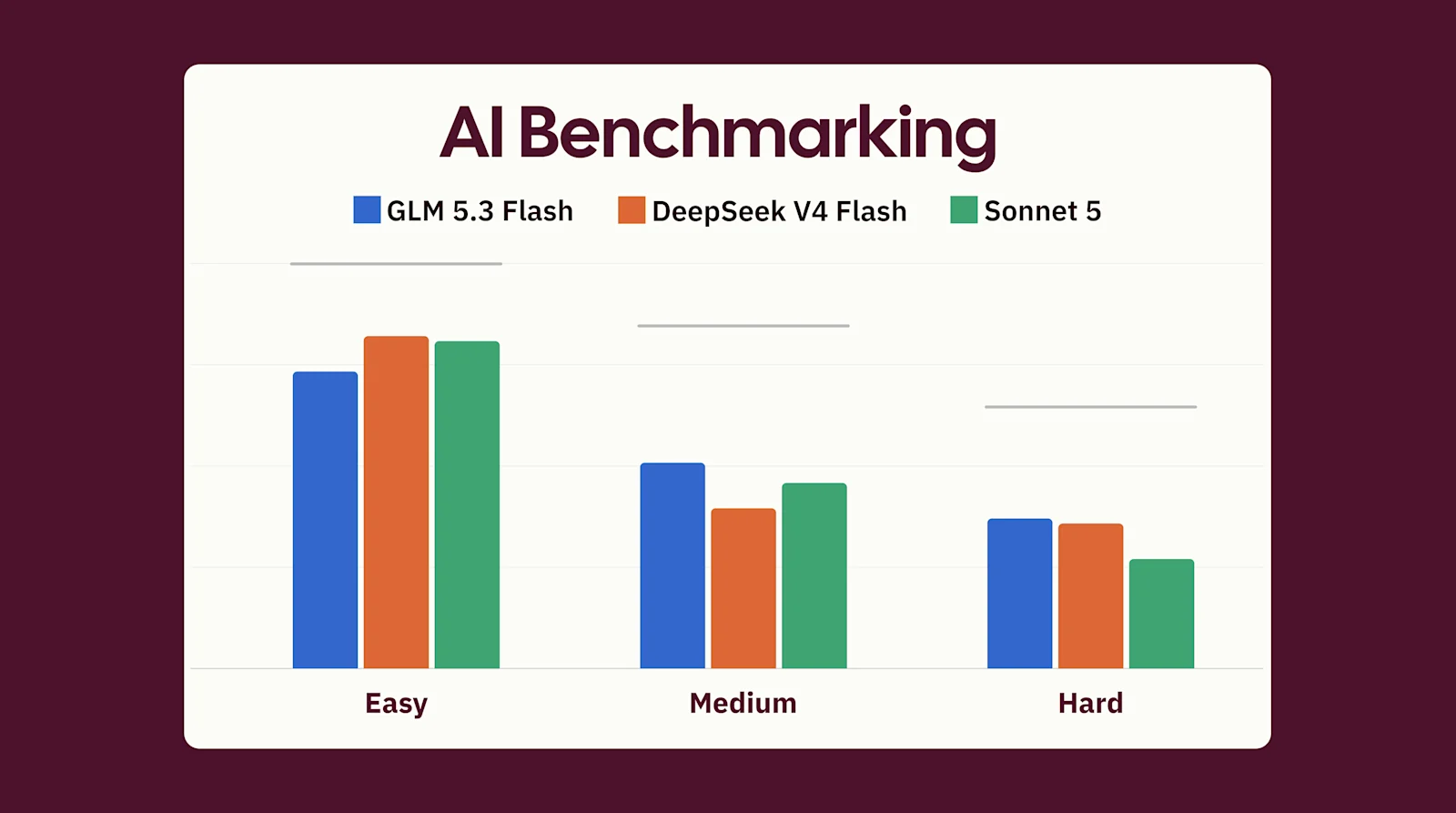
Since this was the most complex step in the plan, I found it helpful to switch models by task in Cursor. I saw significant improvements in the dataset generation once I switched to OpenAI GPT-5.5, as it built real trends and uniqueness across different “customers’” usage. One of my favorite parts of working with Cursor is this model agnosticism, which lets me choose the best model for each task.
Part two: “Live” transformations #
When running a demo, a dataset stuck in the past or set in the future breaks the illusion of being real.
dbt provides a perfect solution for this problem, as it can run and "refresh" that data daily. Since Cursor has a dbt plugin and Omni has a two-way dbt integration, it was an obvious choice to make this fictional dataset feel “live” in future demos.
We already had a dbt repo and a template project built for other demos, so Cursor's dbt plugin made quick work of building staging, intermediate, and mart models in the editor. The key, though, was that it merged the opportunity and account history tables with new current-state tables Cursor generated. This kept the data’s historical context while also keeping it up to date into the future.
While this may seem like a small step, having up-to-date data for each demo really helps keep the audience focused and makes the demo environment more engaging for me and my colleagues.
This was another place where toggling models in Cursor came in clutch. This step was less complex than the data creation, so dynamic model selection used a cheaper model automatically to save on credits, which is always a plus.
Part three: Modeling made easy #
Next came modeling in Omni. I installed our Omni Agent Skills from the Cursor plugin Library and started modeling the Salesforce and product usage data from my Cursor chat.
First, I gave a short brief on what our fictional SaaS company cares about:
sales metrics: iARR, open pipeline, and customer health scores
product usage: feature adoption rates, session length, retention rates
support issues: CSATs, average response time, resolution times
feature tracking issues: bugs filed and time spent on issues
Omni’s skill keeps developer best practices in mind, so the agent started developing in isolation via a Git branch. Within 10 minutes, we had an MVP: dimensions and measures with descriptions, ai_context, and drill fields. We built join relationships and four Topics specific to Sales Opportunities, Product Usage, Support Tickets, and Jira Issues. Each Topic included detailed ai_context and sample queries already baked in to set the stage for easy AI adoption.
With the basics set up, I pushed the modeling skill to create fact tables for opportunities and customer usage. It did an awesome job building and adding these query views in Omni with more complex metrics like DAU, MAU, and pipeline stage conversion rates.
Validation
Next, I opened Omni and went to the branch Cursor created for me to validate the work. I’ve spent 10+ years working with semantic layers, and I could feel a shift happening as I started exploring and building content: in 15-20 minutes, I accomplished what would previously have taken me hours to do manually. I only needed to do some validation and small tweaks from the UI, so I could focus on the fun parts of building, designing, and exploring insights from the data.
Part four: Building a data app #
One of my solutions engineering colleagues had built an app scaffold to embed Omni for another project, so I gave that to Cursor as the starting point. I gave Cursor my colleague’s repo, our data model, and my long wish list:
Custom homepage with custom visualizations backed by Omni’s query API
Sections for dashboards and AI to show a range of experiences
JavaScript events from the parent page that interact with our embedded app
Customizations managed by admins to show freemium vs. premium offerings, specific colors/themes, and the ability to add a prospect's logo
And a demo viewer toggle that would specifically call out all of the cool embedded features that we could show
Part five: Wiring it up in Omni #
Once the app had a framework, the next step was setting up our new embed secret for Omni’s single sign-on authentication so our custom app demo could show the full end user experience.
First, I generated an embed secret in my Omni settings. This secret is used to generate and authenticate embed URLs to ensure only authorized users can access data and content. For simplicity's sake, I used Omni’s standard SSO method. I shared Omni’s embed best practices doc with Cursor and used our embed skill to set up all the authentication. It was done in minutes. Then, I added my embed secret as an environment variable, and we were off.
Still trying to keep it simple, I started with the iframes and passed the parameters for my test user: Testy McTestface 🥸
Access controls
Omni has a few options for setting access controls depending on the complexity of your needs. Regardless of which setup you choose, this ensures users only see the data they’re supposed to, whether they’re filtering a dashboard or chatting with an agent.
For more complex setups, you can use our shared extension models, which are perfect for real-world multi-tenant environments. They allow teams to create specialized versions of a parent model. Everyone shares the parent model, and each customer can still have unique measures or ai_context, while all accessing the same piece of content embedded in your application.
But this felt like overkill for our demo environment, so I used access_filters and user attributes. I asked the Omni skill to add an access filter to our Topic, create a user attribute, and assign an account name to that user attribute in our embed testing.
These four lines inject the external user's account name into every SQL query, whether it runs through a dashboard, API, or AI. This ensures users see the right data while also allowing internal admins to step around the data access controls and run thorough tests.
API and JavaScript Events
Next, I had to shift out of my data comfort zone into more software engineering work. I’d never expected to do this before, but Cursor made it much easier. I used our API endpoints and JavaScript events to power custom interactions that we wouldn’t be able to get directly in Omni, including:
Custom visualizations on the homepage backed by our API (this can also be solved by our new apps, which can be embedded!)
Custom filter tab on the parent page that would update a dashboard in an iframe
Link selected in a data table that would kick off a workflow from the parent page
Custom download link from the parent page for a report
Ability to create custom metrics and save them back to the model
First, I started what I thought would be the easiest: custom visualizations with the API. Providing the docs to Cursor and giving it a design image of what I wanted worked like a charm. It wired up the following calls for custom visuals on the first try.
(This can now all be done even more easily with apps!)
Next, I set up dashboards to receive events from the parent page.
In the Omni dashboard settings, I turned off the filters for embedded dashboards so I wouldn’t confuse users with multiple filter options. Then I built a slider for my app with the exact same filters as my dashboard - just curated to show a couple of example values. Finally, I set up the postEvents from the filters to the dashboard; this happens instantly and doesn’t require a page refresh.
Then, I did the same with a postMessage to be received from the dashboard.
This one required a little more setup because we needed to wire its value as an embed event from the workbook in Omni. I went to the value I wanted to push as an event and changed the display option to “Embed event.” Then I labeled the embed event for the parent app with the payload name, giving the app true interactivity.
I built examples for the types of actions I would want to take when working with customers and prospects. These included selecting a user and sending them an invite to a beta program, requesting a call, or sending an email.
The last major change was the coolest, and it required changing our data model setup.
I wanted to demonstrate the elegance of our extension models, which allow customers to create custom metrics on a per user/customer basis. To bring this to life in the app, I set up a custom workflow for end users to create a benchmark for usage that would persist beyond a live session.
On the backend, we set up an API call that would take the inputs from a custom model screen and generate a brand new metric in the customer’s extension model.
Adding AI #
The final step was making sure the app had AI, since everyone expects it now 😅
Our chat agent, Blobby, just like our workbook and dashboard, can be embedded directly in an iframe. I also wanted to build a more custom experience to show a premium tier since you can set different levels of access and permissions across users.
Cursor helped me do this by spinning up the admin toggle inside the demo app to show additional options on the navigation menu when switched to premium. For this upgraded experience, I used Omni’s AI summary visualizations to give insights into specific event and session usage for given accounts, credit usage trends, and follow-up actions. It also calls out features used and associated Jira issues with detailed engineering plans to implement.
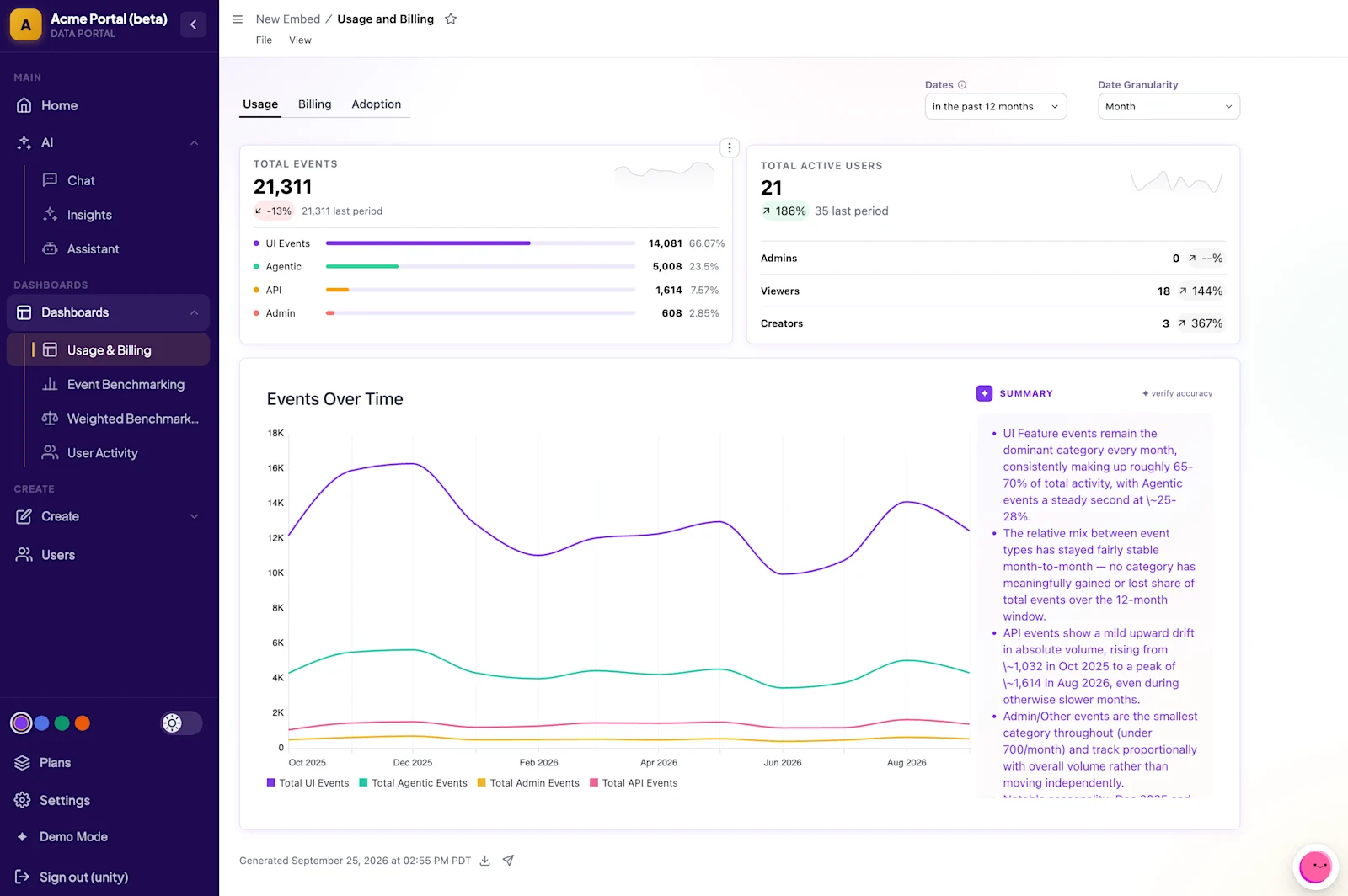
And finally, I added Blobby because I wanted to highlight the ability to ask AI questions and discuss deeper trends beyond the pre-built reports.
Part six: Making it demo-ready #
Building was one thing. Making sure it worked live on every prospect call was another. So I brought in the sales engineering team to pressure-test it.
I used Cursor’s Git integration to help me commit all this work and make it available to everyone. Within a week of my colleagues testing and contributing, we were satisfied with performance and used it on our first prospect-facing calls with great feedback!
End-to-end development made easy #
Within a few weeks of tinkering during my “free time,” I built a fully functional AI data app as a side project. I was able to use Omni directly in Cursor every step of the way. With our Omni Skills, I was sure everything followed our best practices, especially the embedded piece since that was the area I was least familiar with. Cursor’s plan mode and in-IDE browser made testing easy.
Leveraging all these different tools and languages is something I never thought I’d do before, but by integrating Cursor into my daily workflow, we have a much more relatable and engaging data app to show our prospects and customers.
To learn more about building with Omni, here are some of the resources I shared along the way: