Databricks has evolved into more than a lakehouse. The platform now ships its own semantic layer through Unity Catalog metric views, with Genie providing natural language access grounded in those metric views and AI/BI Dashboards rendering a native dashboarding surface alongside the data. Mosaic AI, Photon, and Unity Catalog row filters and column masks all sit underneath. The BI tool sitting on top of Databricks in 2026 has a more specific job than it had three years ago, and a narrower window to do it well.
The buying question for Databricks teams has shifted with the platform. It is no longer “which BI tool connects to Databricks,” because every BI tool connects to Databricks. The question is which BI tool composes with Databricks’ primitives instead of reinventing them. A BI tool that defines its own parallel semantic layer forces the data team to maintain two definitions of every metric. A BI tool that uses extracts breaks SQL warehouse auto-stop, sidesteps serverless scaling, and creates a second copy of governed data that drifts from Delta Lake. A BI tool without a rigorous user-level access model in its own semantic layer ends up duplicating Unity Catalog rules in fragile, hand-rolled application logic.
This guide evaluates the leading BI tools for Databricks teams in 2026 on criteria that predict success on a Databricks stack: Unity Catalog metric views integration, AI grounded in Unity Catalog metric views and the BI tool’s semantic layer, live SQL warehouse queries, SQL warehouse routing for workload isolation, per-user access governance, multi-tenant embedded analytics on Databricks Serverless SQL, and dbt-plus-Databricks stack alignment. Omni leads the shortlist because it integrates natively with Unity Catalog metric views, is a Databricks Ventures portfolio company, and ships governed AI querying plus embedded analytics on the same warehouse-native architecture.
Key Takeaways #
Unity Catalog metric views give Databricks its own governed semantic layer in 2026. The BI tool’s job is now to compose with that layer rather than duplicate it.
Warehouse-native query architecture is table stakes on Databricks; extract-based tools break SQL warehouse auto-stop, miss Serverless scaling, and inflate DBU consumption.
Omni is a Databricks Ventures portfolio company (the first business intelligence company in the Databricks Ventures portfolio) and integrates bi-directionally with Unity Catalog metric views.
AI grounding accuracy on Databricks depends on whether the BI tool’s AI references Unity Catalog metric views as the semantic layer or generates raw SQL against the catalog.
Tableau’s extract-based workflows are a major source of avoidable DBU consumption for organizations on Databricks.
Databricks AI/BI Genie has some BI functionality but does not replace a full BI tool. Genie has no spreadsheet UX, no multi-source coverage, and no workbook-extension semantic layer, though Unity Catalog metric views give AI/BI a governed, reusable modeling layer and AI/BI Dashboards support external embedding for customer-facing use cases. The right pattern is to run a BI tool alongside Genie, not in place of one.
TL;DR #
The best BI tool for Databricks teams in 2026 is Omni. Omni integrates natively with Unity Catalog metric views and Databricks’ identity and access model, leverages all of Databricks’s compute, while shipping a governed semantic layer, AI grounded in business logic, and multi-tenant embedded analytics on one warehouse-native platform. Sigma is a strong alternative for finance- and ops-led self-service. ThoughtSpot fits enterprises that want natural language search as the primary and default interface. Looker and Tableau remain defensible for narrower scenarios with specific tradeoffs that matter more on Databricks than on legacy stacks.
What Teams Get Wrong About BI Tools on Databricks #
A common Databricks BI mistake is treating Databricks as a data source rather than a platform. Buyers compare BI tools on chart quality, dashboard templates, and authoring polish. Months later they discover the tool cannot consume Unity Catalog metric views, cannot ground AI in the semantic layer, and routes every query through one shared SQL warehouse.
Integration depth is invisible in a demo. A sales engineer can build a polished dashboard against Databricks in any modern BI tool in an hour. The demo does not show whether the BI tool reads Unity Catalog metric views or redefines metrics in its own model, whether AI chat references Unity Catalog metric views and the BI tool’s semantic layer or generates raw SQL against the catalog, whether reporting workloads route to a dedicated Serverless SQL warehouse, and whether per-user access controls in the BI tool are rigorous enough to layer on top of Unity Catalog governance.
Buying on demo polish has predictable consequences on Databricks stacks. Semantic drift happens within a quarter when the BI tool defines metrics in parallel with Unity Catalog metric views. AI features ship and produce wrong answers when grounding is raw SQL rather than Unity Catalog metric views and the BI tool’s semantic layer. DBU consumption spikes when extract refreshes pull large datasets out of Databricks and the SQL warehouse cannot auto-stop. The subsequent costs and maintenance workloads can not be evaluated easily during a trial period.
Embedded analytics deployments stall because the tool routes every tenant’s query to one shared warehouse, missing Databricks Serverless concurrency.
The right evaluation for Databricks teams in 2026 starts from the Databricks platform and works outward. Ask which Databricks primitives the BI tool integrates with, how AI is grounded, where the semantic layer lives, and how multi-tenant workloads scale through Serverless SQL warehouses.
How Databricks Changed What BI Tools Have to Do #
Databricks shipped Unity Catalog metric views, Genie, AI/BI Dashboards, and Mosaic AI. The lakehouse now owns the semantic layer and the AI grounding surface. The BI tool’s role has sharpened, but it is not merely a presentation layer. A governed semantic layer in the BI tool, extensible to Unity Catalog metric views and transformation tools like dbt, remains essential for business-user self-service, AI grounding, embedded analytics, and developer workflows. The BI tool composes with Databricks’ primitives. It does not defer to them entirely.
Unity Catalog metric views define metric logic inside Databricks. A revenue metric, an active-customer dimension, or a row-level access rule can be modeled once in Unity Catalog and made available to any tool that integrates with metric views. Genie uses those definitions to ground natural language answers. AI/BI Dashboards expose grounded AI across the workspace.
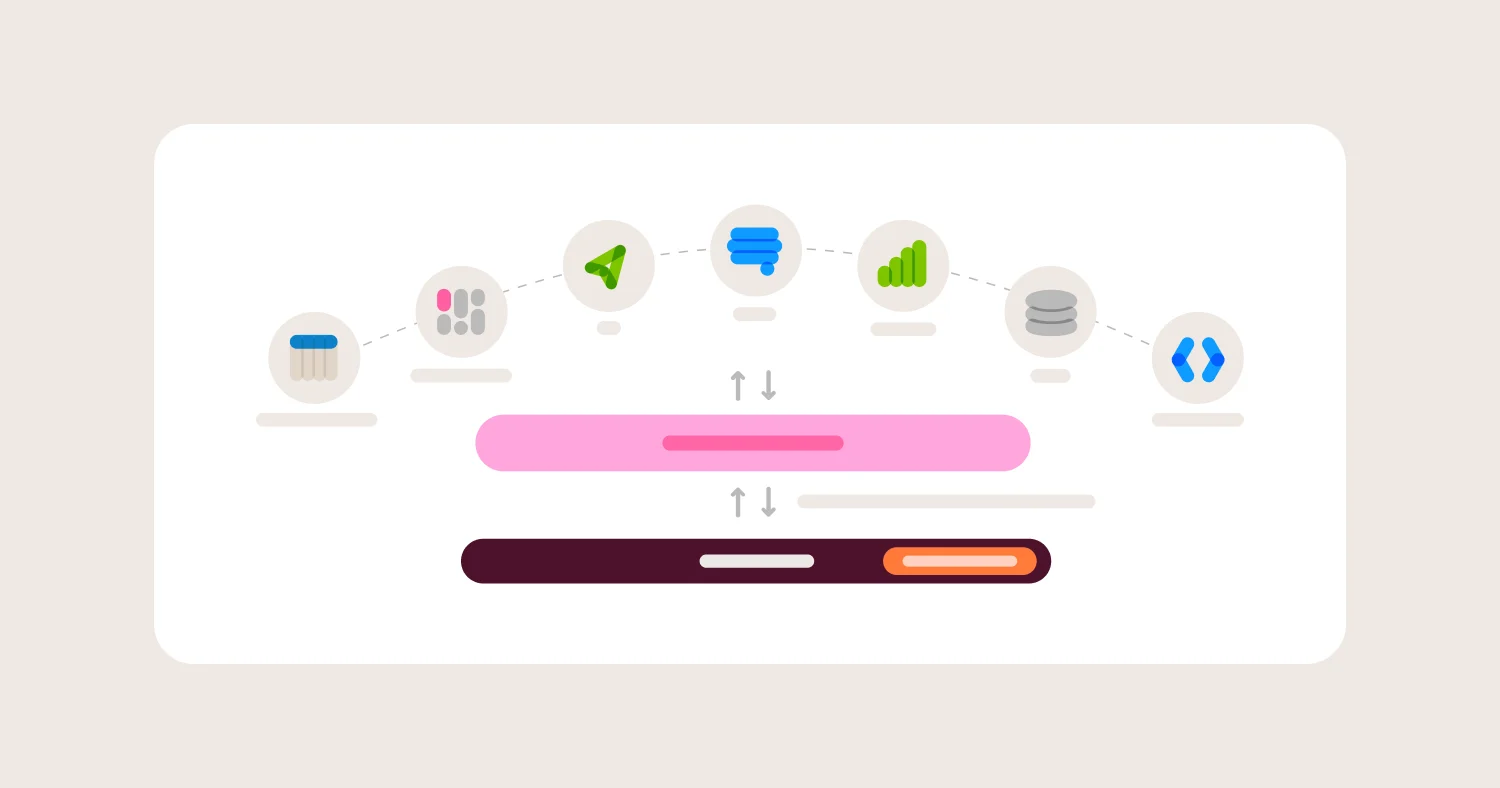
Composing means consuming Unity Catalog metric views directly as a semantic-layer input, grounding the BI tool’s AI in those metric views plus the BI tool’s own semantic layer, enforcing per-user access controls in a rigorous semantic-layer model that sits above Unity Catalog’s warehouse-layer policies, and routing queries to the right Serverless SQL warehouse. Reinventing means defining a parallel semantic layer in the BI tool, building an AI feature that generates SQL against the raw catalog, hand-rolling row-level security in application code, and sharing a single SQL warehouse across every reporting workload.
The strategic question for Databricks teams in 2026 is not which BI tool has the best-looking dashboards. It is which BI tool composes with Unity Catalog metric views, Genie, and the rest of the Databricks primitives the data team has already adopted. Omni’s position, and the one most defensible for Databricks-standardized teams, is that the BI semantic layer should sync with Unity Catalog metric views, AI should ground in those metric views plus the BI tool’s semantic layer, and per-user governance in the BI tool should live in a rigorous semantic-layer model that sits above the warehouse-layer policies Unity Catalog enforces on the connection itself.
Best BI Tools for Databricks Teams in 2026 #
The strongest BI tools for Databricks teams in 2026 are Omni, Sigma, ThoughtSpot, Looker, and Tableau, with Hex and Metabase fitting narrower use cases. Omni leads because it integrates natively with Unity Catalog metric views, is a Databricks Ventures portfolio company, ships warehouse-native AI grounded in the semantic layer, and consolidates internal BI with embedded analytics on one Databricks-aligned platform.
Omni is the strongest default for Databricks-standardized teams that want governed self-service, AI grounded in the combined Databricks-plus-Omni semantic model, embedded analytics in the same platform, and Databricks-native authentication. Databricks Ventures portfolio company.
Sigma is a strong alternative for finance and operations teams that want loosely goverened spreadsheet-style self-service on Databricks. Sigma is warehouse-native with live Delta queries, documents Unity Catalog permission inheritance, and supports input table write-back to Delta Lake.
ThoughtSpot fits enterprises that want natural language search as the primary and default interaction model. Listed by Databricks as an upcoming Unity Catalog metric view integration.
Looker remains defensible for analytics-engineering-heavy teams already on LookML who run on Databricks but want to keep code-defined semantic modeling, with the tradeoff that LookML duplicates Unity Catalog metric views.
Tableau is a fit for organizations with deep Tableau investment and visualization-heavy reporting, with the real liability that extract-based workflows break SQL warehouse auto-stop and inflate DBU consumption.
Hex is a fit for data science teams blending SQL and Python notebooks; it is listed by Databricks as an upcoming Unity Catalog metric view integration but is not a governed BI platform for business users.
Metabase is a fit for small teams and startups that want lightweight self-hosted BI on Databricks without enterprise governance or AI.
How to Evaluate BI Tools for Databricks #
Evaluate BI tools for Databricks on seven criteria: Unity Catalog metric views integration, AI grounding in Unity Catalog metric views and integration with Databricks AI features, live SQL warehouse query architecture, SQL warehouse routing for workload isolation, per-user access governance in the BI tool’s semantic layer on top of Unity Catalog, embedded analytics on Databricks Serverless, and dbt-plus-Databricks stack alignment. Chart polish is a tiebreaker. Databricks composition is the gate.
1. Unity Catalog Metric Views Integration #
Whether the BI tool reads metric definitions from Unity Catalog metric views directly or defines its own parallel semantic layer.
Why it matters: Unity Catalog metric views are Databricks’ source of truth for governed metric logic. They feed Genie, AI/BI Dashboards, and any BI tool that integrates with them. A BI tool that integrates with metric views keeps dashboards, AI chat, and Databricks-native features consistent. A BI tool that defines its own semantic layer in parallel guarantees metric drift within a quarter.
What to ask vendors: - Does the BI tool read directly from Unity Catalog metric views? - Is the integration native or does it require SQL passthrough? - Can the BI tool extend metric view definitions with additional joins or measures at query time? - How are changes to Unity Catalog metric views reflected in downstream BI content?
What usually goes wrong: The BI tool can connect to Databricks but defines metrics in its own modeling layer. Six months later, dashboards report a different revenue number than Genie chat, and nobody trusts either.
2. AI Grounding in Unity Catalog Metric Views #
Whether the BI tool’s AI features reference Unity Catalog metric views as the semantic layer and integrate with Databricks AI features (Mosaic AI functions like ai_query() and ai_analyze_sentiment(), plus Genie where applicable), or whether the AI generates raw SQL against the Unity Catalog schema.
Why it matters: AI grounded in Unity Catalog metric views and the BI tool’s semantic layer produces answers that match dashboards and respect Unity Catalog row filters. AI generating raw SQL against the catalog produces answers that look confident and are often wrong. Genie is Databricks’ own AI feature, also grounded in Unity Catalog metric views, and a BI tool can compose with Genie or run its own AI on the same metric views. Either way, the grounding layer is Unity Catalog metric views plus the BI tool’s semantic layer. The wrong answer is grounding nowhere.
What to ask vendors: - Does AI chat reference Unity Catalog metric views and the BI tool’s semantic layer? - Does the BI tool integrate with Databricks AI functions like ai_query(), ai_analyze_sentiment(), and Mosaic AI? - How does AI respect the BI tool’s per-user access controls, so AI-generated answers stay within each user’s access boundary? - Can AI-generated queries be restricted to governed metric view definitions? - Are AI-generated queries logged in the Databricks query history for audit?
What usually goes wrong: Vendors demo AI on a clean curated dataset and the demo works. Production data with derived metrics, multi-table joins, and Unity Catalog row filters produces silently wrong answers in front of executives.
3. Live SQL Warehouse Query Architecture vs Extracts #
Whether the BI tool queries Databricks SQL warehouses live or pulls extracts into its own compute engine.
Why it matters: Live queries preserve SQL warehouse auto-stop, Serverless scaling, Photon acceleration, and DBU governance. Extracts duplicate Delta Lake data into the BI tool’s engine, force separate refresh schedules, and prevent SQL warehouses from stopping on idle workloads. The financial difference at any non-trivial scale is significant.
What to ask vendors: - Does every dashboard query run live against a Databricks SQL warehouse? - Are there any workflows (large dashboards, scheduled refreshes, embedded views) that switch to extracts under the hood? - How does the tool behave with SQL warehouse auto-stop enabled? - Can dashboard queries take advantage of Databricks query result caching and Photon?
What usually goes wrong: Live connection is advertised but extract-based workflows are common in production. Tableau is the canonical example: live connections exist but extract workflows are how most teams actually run Tableau on Databricks.
4. SQL Warehouse Routing and DBU Controls #
The ability to route different BI workloads to different Databricks SQL warehouses (Serverless, Pro, Classic), set query timeouts, and use Serverless scaling appropriately.
Why it matters: DBU consumption is the largest line item in most Databricks stacks. A BI tool that routes every query to one shared warehouse cannot isolate reporting workloads from ETL, embedded customer queries from internal dashboards, or runaway queries from the rest of the organization. Serverless SQL warehouses scale only when the BI tool uses warehouses correctly.
What to ask vendors: - Can dashboards or user groups be routed to specific Databricks SQL warehouses? - Are query timeouts configurable per workbook or per role? - How does the tool behave under 1,000 concurrent embedded users on Serverless SQL? - Can the BI tool surface DBU consumption by dashboard or user?
What usually goes wrong: Single-warehouse deployments where one runaway dashboard consumes DBUs, and embedded analytics deployments that route every tenant’s query to the same warehouse without isolation.
5. Per-User Access Governance That Composes with Unity Catalog #
How the BI tool enforces per-user access controls on top of Databricks, and how rigorous its semantic-layer governance is. Almost every BI tool (including Omni) connects to Databricks via a service principal at the warehouse layer, so Unity Catalog row filters and column masks apply to that connection identity, not to individual end users. Per-user access in the BI tool has to be enforced inside the BI tool’s own semantic layer.
Why it matters: Unity Catalog row filters, column masks, and dynamic data masking apply to the identity that queries the catalog. Most BI tools connect with a service principal, which means those policies apply to the connection but not to per-user filtering inside the BI tool. The BI tool then needs a rigorous semantic-layer access model (row-level, column-level, field-level, user attributes, group-based) to enforce who sees what. If the BI tool’s per-user access controls are weak or live only in application code rather than the semantic layer, governance gaps appear quickly.
What to ask vendors: - How does the BI tool authenticate to Databricks (service principal with PAT, OAuth M2M, key-pair, or something else)? - Where do per-user row-level, column-level, and field-level access controls live in the BI tool’s model? Are they defined declaratively in the semantic layer or hand-rolled in application code? - Can user attributes drive both filtering and column access in the BI tool’s semantic layer? - How does AI inherit the BI tool’s own access controls, so AI-generated answers respect the same rules dashboards do? - Can audit logs in the BI tool attribute queries back to specific end users, even when the warehouse-layer connection is a service principal?
What usually goes wrong: The BI tool has no real semantic-layer access model and teams end up enforcing row-level security in dashboard filters or middleware. Unity Catalog policies cover the service-principal connection but cannot see individual end users, so the BI tool’s per-user model is the only thing protecting sensitive data, and it is often the weakest link.
6. Embedded Analytics on Databricks Serverless #
Multi-tenant embedded analytics for customer-facing SaaS products, with per-tenant Unity Catalog access enforcement, white-label theming, and predictable performance on Serverless SQL warehouses.
Why it matters: Databricks Serverless SQL warehouses and Photon are the foundation for cost-effective embedded analytics at scale. A BI tool that does not route embedded workloads to a dedicated warehouse, or that uses extracts for embedded views, undermines the entire economic model.
What to ask vendors: - Can embedded queries be routed to a dedicated Databricks SQL warehouse separate from internal BI? - How is per-tenant isolation enforced? Through Unity Catalog row filters or through application-layer filtering in the BI tool? - What re performance SLAs at 1,000 and 10,000 concurrent embedded users on Serverless SQL? - Do embed tokens map to Databricks identities for end-to-end audit?
What usually goes wrong: Embedded deployments where tenant isolation is enforced in the BI tool’s middleware, not at the Databricks query layer. AI features in embedded contexts then leak across tenants because they bypass middleware.
7. dbt-Plus-Databricks Stack Alignment #
Whether the BI tool integrates two-way with dbt for transformation modeling on top of Databricks, supports both dbt Core and dbt Cloud, and treats dbt models as first-class inputs.
Why it matters: Most Databricks teams standardize on dbt for transformation. The BI tool’s relationship to dbt determines whether analytics engineers spend their time shipping value or maintaining metadata sync. Tools with two-way dbt integration push metrics from BI back to dbt, keeping definitions consistent. Tools with one-way sync trap logic in the BI layer.
What to ask vendors: - Does the integration push metrics from BI back to dbt? - Are dbt Core and dbt Cloud both supported with feature parity? - Can the BI tool switch between dbt dev and prod schemas in a click? - How are dbt tests, documentation, and lineage surfaced in BI content?
What usually goes wrong: The BI tool reads dbt metadata once and never updates. Logic developed in BI never makes it back to dbt. Metric definitions drift across layers.
Comparison Matrix (2026) #
Databricks BI tools in 2026 split into three camps: warehouse-native tools with native Unity Catalog metric views integration (Omni and Sigma lead here), enterprise BI with strong Databricks support but legacy modeling patterns (Looker, Tableau), and adjacent or narrower tools (ThoughtSpot for AI search, Hex for notebooks, Metabase for lightweight deployments). Omni stands out because it integrates natively with Unity Catalog metric views, is a Databricks Ventures portfolio company, and ships governed AI plus embedded analytics on one warehouse-native platform.
Vendor | Best for Databricks teams | Unity Catalog metric views | Databricks AI features integration | Live queries | Embedded analytics | Main tradeoff
|
Omni | Governed self-service, AI grounded in metric views, embedded analytics on one Databricks-native platform | Bi-directional: metric views sync into Omni as topics on schema refresh; Omni topics can be pushed back as governed Unity Catalog metric views via the Omni Python SDK | Direct integration with ai_query(), ai_analyze_sentiment(), and Mosaic AI in the UI | Yes; every query live against Databricks SQL with Photon | Multi-tenant embedded with per-tenant warehouse routing and semantic-layer per-tenant access controls in Omni | Smaller install base than Tableau or Looker, but growing rapidly |
Sigma | Finance and ops teams that want spreadsheet-style self-service on Databricks | Sigma’s marketing positions UC metric view integration but the documented connection setup focuses on Unity Catalog permissions rather than metric view consumption | Mosaic AI and Genie integration appear in Sigma’s marketing but not in the documented Databricks connection setup | Yes; warehouse-native against Delta tables | Governed embedded analytics, less developer-first than Omni | Semantic layer optional and less powerful; pricing trends higher |
ThoughtSpot | Enterprises committed to AI search as the primary BI interaction on Databricks | Listed by Databricks as an upcoming Unity Catalog metric view integration | Public Databricks partner page focuses on search-driven Delta Lake analytics, not Genie depth | Yes; live queries | Embedded supported but less flexible for multi-tenant SaaS | High implementation cost; agentic framing outpaces what most buyers need |
Looker | Analytics-engineering teams that want LookML governance on Databricks | LookML duplicates rather than complements Unity Catalog metric views | Gemini in Looker grounds in LookML rather than Unity Catalog metric views | Yes; warehouse-native through Looker’s query layer | Embedded works but developer ergonomics lag newer tools | LookML implementation overhead; slowed Google investment pace, preference for BigQuery over Databricks |
Tableau | Organizations with deep Tableau investment and visualization-heavy reporting | Listed by Databricks as an upcoming Unity Catalog metric view integration | Tableau AI via Einstein Copilot grounds in the Salesforce ecosystem rather than Unity Catalog metric views | Live connections exist but extract workflows are common | Embedded supported but per-seat pricing scales poorly | Extract-based workflows break SQL warehouse auto-stop and inflate DBU consumption |
Hex | Data science teams blending SQL and Python notebooks on Databricks | Listed by Databricks as an upcoming Unity Catalog metric view integration | Magic AI generates raw SQL and Python rather than grounding in Unity Catalog metric views | Yes; live queries through notebook execution | Limited; not designed for multi-tenant embedded | Not a governed BI platform for business-user self-service |
Metabase | Startups and small teams that want lightweight self-hosted BI on Databricks | No native Unity Catalog metric views integration | Basic AI features in 2026 | Yes; simple query patterns | Limited; not built for multi-tenant scale | No serious semantic layer; does not hold up at enterprise scale |
Power BI | Microsoft-standardized SaaS teams that need Databricks plus M365 alignment | Databricks JDBC connection without native metric view integration | Copilot AI grounds in the Microsoft ecosystem rather than Unity Catalog metric views | Mix of in-memory and DirectQuery | Multi-tenant via Microsoft ecosystem assumptions | Best fit only for Microsoft-standardized stacks |
Detailed Vendor Profiles #
Omni: Databricks-Native BI with Unity Catalog Metric Views Integration #
Best for: Databricks-standardized teams that want governed self-service, AI grounded in the combined Databricks-plus-Omni semantic model, embedded analytics in the same platform, and Databricks-native authentication.
Omni is the most complete BI choice for Databricks teams in 2026. The platform is warehouse-native with live queries to Databricks SQL plus intelligent caching, which preserves SQL warehouse auto-stop, Serverless scaling, and Photon acceleration. The governed semantic layer is similar in concept to LookML but more flexible, with a workbook layer that lets business users explore data without breaking governance. This pattern, called just-in-time data modeling, lets Databricks teams analyze data immediately without rebuilding the full semantic layer upfront.
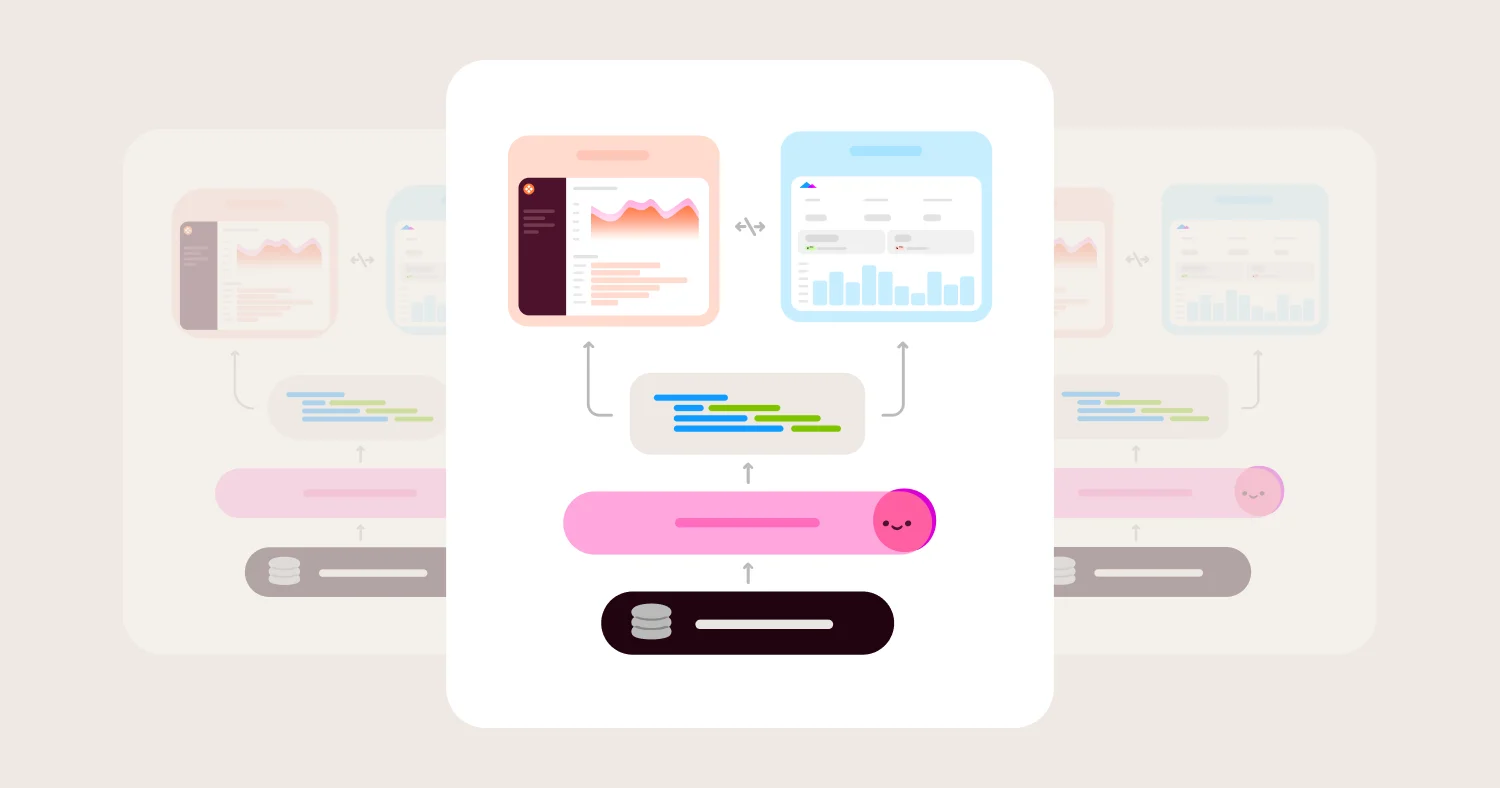
The differentiator that matters most on Databricks stacks is bi-directional native integration with Unity Catalog metric views. On schema refresh, Omni pulls Databricks metric views into the semantic model as topics. Dimensions and measures import as fields, comments map to field descriptions, and lineage is preserved with tags indicating each field is managed by the Databricks semantic view. Changes to metric views in Databricks sync into Omni automatically. AI features in Omni understand the synced context and can answer natural language questions about Databricks-defined metrics without users'writing SQL. The push direction works through the Omni Python SDK, which generates the required Databricks DDL so Omni topics can be formalized as governed Unity Catalog metric views. Logic flows between layers rather than getting trapped in either one. Omni connects to Databricks through a service principal (PAT or OAuth M2M, per Omni’s Databricks connection setup docs), so Unity Catalog row filters and column masks apply to that connection identity. Per-user access controls in Omni then layer on top in Omni’s semantic layer, with row-level, column-level, and field-level reads driven by user attributes and groups. AI in Omni respects those same semantic-layer rules, so AI-generated answers stay inside the access boundary every user already has on dashboards.
Omni’s Databricks credentials are concrete. Databricks Ventures invested in Omni on April 23, 2025, making Omni the first business intelligence company in the Databricks Ventures portfolio, per Andrew Ferguson, VP of Databricks Ventures. Omni integrates directly with Databricks features including ai_query(), ai_analyze_sentiment(), and Mosaic AI in the UI, so Databricks AI capabilities sit alongside Omni’s governed semantic layer. Databricks listed Omni alongside Tableau, Hex, Sigma, and ThoughtSpot as a Unity Catalog metric view integration at the 2025 Data+AI Summit. Named customers using Omni and Databricks together include BambooHR, Condé Nast, and Ordermentum.
AI in Omni is grounded in the combined Databricks-plus-Omni semantic model. Every customer gets AI chat with multi-step reasoning, topic switching, and answers users can inspect and trace. The same AI works across dashboards, workbooks, and externally through Omni’s MCP server with Claude, ChatGPT, Cursor, VS Code, and Codex. Because AI runs through the semantic model rather than generating raw SQL against the catalog, answers stay consistent with what dashboards show, and the per-user access rules defined in Omni’s semantic layer apply to every AI-generated query just as they apply to every dashboard query.
A customer voice from omni.co/databricks captures the buyer benefit. Sophie Paulin, Chief Marketing Officer at Ordermentum: “Our data team has aligned data properties with the terms we use every day. Now, I can just open up Blobby, Omni’s AI assistant, and ask exactly what I’m looking for, like ‘Who were our top suppliers last month based on GMV growth?’ The level of detail is excellent.”
Where Omni wins for Databricks teams: - Bi-directional Unity Catalog metric views integration: Databricks metric views sync into Omni as topics on schema refresh, and Omni topics can be pushed back as governed Unity Catalog metric views through the Omni Python SDK - Databricks Ventures portfolio company; first BI vendor in the Databricks Ventures portfolio (April 2025) - Direct integration with Databricks AI features including ai_query(), ai_analyze_sentiment(), and Mosaic AI in the UI - Warehouse-native query architecture preserves SQL warehouse auto-stop, Serverless scaling, and Photon acceleration - Rigorous semantic-layer access controls (row-level, column-level, field-level, user attributes, groups) that layer on top of the Unity Catalog policies applied to Omni’s service-principal connection - Multi-tenant embedded analytics with per-tenant warehouse routing on Databricks Serverless SQL - Two-way dbt integration that supports both dbt Core and dbt Cloud - Named customers using Omni and Databricks together: BambooHR, Condé Nast, Ordermentum
Where Omni gets harder for Databricks teams: - Smaller install base than Tableau or Looker means executive brand recognition sometimes requires an upfront pitch - Enterprise pricing is not publicly listed and requires a sales conversation
Sigma Computing: Spreadsheet-Style BI on Databricks #
Best for: Finance and operations teams that want spreadsheet-style self-service directly on Databricks, with input table write-back to Delta Lake.
Sigma is a warehouse-native BI platform with a spreadsheet interface designed for finance and ops users who think in cells and formulas. On Databricks specifically, Sigma’s documented capabilities include live queries against Delta tables, Unity Catalog permission inheritance, and input tables for write-back to Delta Lake. For teams whose primary access pattern is spreadsheet-style exploration on Databricks, Sigma is a strong fit.
The tradeoffs for general Databricks BI replacement are real. Sigma’s marketing positions the platform as “architected for Databricks” with Mosaic AI and Genie orchestration, but Sigma’s actual Databricks connection documentation does not describe Mosaic AI, Genie workspaces, or Unity Catalog metric views as shipped integration features. The documented Unity Catalog integration is for access permissions, not metric view consumption. Sigma’s semantic layer is less powerful than Omni’s and is optional rather than central in the platform’s design, which produces inconsistent metrics as the deployment scales. Sigma’s developer APIs for multi-tenant embedded analytics lag Omni for SaaS product teams. Pricing trends higher than peer warehouse-native tools.
Where Sigma wins for Databricks teams: - Warehouse-native compute with no extracts - Spreadsheet-style UX with strong adoption among finance and ops teams - Documented Unity Catalog permission inheritance - Input tables support write-back to Delta Lake for operational workflows
Where Sigma gets harder for Databricks teams: - Semantic layer is optional rather than central, leading to metric drift at scale - Developer tools for embedded analytics lag Omni - AI chat is less semantic-layer-grounded than Omni’s approach - Pricing trends higher than peer warehouse-native tools - Documented Databricks integration depth (live Delta queries, Unity Catalog permissions, input tables) is narrower than the platform’s marketing claims about Mosaic AI and Genie
ThoughtSpot: AI Search on Databricks #
Best for: Enterprises that have committed to AI search as the primary BI interaction model on Databricks.
ThoughtSpot built its product around search and natural language from the start, and in 2026 the company is pushing hard on AI agent positioning. The Spotter Semantics release positions ThoughtSpot’s semantic layer as AI-native. Databricks listed ThoughtSpot as an upcoming Unity Catalog metric view integration at the 2025 Data+AI Summit. ThoughtSpot’s own Databricks partner page focuses on search-driven analytics on Delta Lake with live queries rather than on UC metric views or Genie depth.
The tradeoffs for Databricks teams specifically are concrete. Unity Catalog metric views integration is upcoming rather than shipped, and ThoughtSpot’s public Databricks materials do not lead with Mosaic AI or Genie integration the way Sigma’s do. Core AI features sit behind premium pricing tiers. The semantic model is fragmented across optional layers, which complicates governance at scale. Embedded analytics is supported but less flexible for multi-tenant SaaS than Omni or Sigma. Implementation cost on ThoughtSpot is consistently higher than warehouse-native peers.
Where ThoughtSpot wins for Databricks teams: - Search-based interaction model with Spotter as the primary access pattern - Live queries against Delta Lake with full indexing for ad-hoc search - Strong enterprise footprint in organizations standardized on search-style BI - AI-generated insights and visualizations for ad-hoc search
Where ThoughtSpot gets harder for Databricks teams: - Native Unity Catalog metric views integration is upcoming rather than shipped - Public Databricks partner materials do not lead with Mosaic AI or Genie integration depth - Core AI features are locked behind premium pricing tiers - Fragmented semantic model produces inconsistent metrics - Higher implementation cost than warehouse-native peers - Embedded analytics less flexible for multi-tenant SaaS
Looker: LookML Governance on Databricks #
Best for: Analytics-engineering teams that want LookML as the semantic contract on Databricks and have the staffing to maintain it.
Looker is warehouse-native on Databricks, with every dashboard running a live query and LookML providing a mature governed semantic layer. Code-first analytics teams find LookML’s philosophy familiar, and for organizations standardized on Google Cloud, the integration with Gemini in Looker is a meaningful draw.
The tradeoffs for Databricks teams specifically are real. LookML duplicates rather than complements Unity Catalog metric views, which means data teams maintain two semantic layers. Gemini in Looker grounds in LookML rather than Unity Catalog metric views, so Databricks-native AI features sit outside the AI grounding loop. Google’s investment pace on Looker has slowed since the acquisition, AI features lag pure-play AI-native BI platforms, and LookML implementation overhead is a tax that fewer teams want to pay in 2026.
Where Looker wins for Databricks teams: - Warehouse-native architecture on Databricks - Mature, code-based LookML semantic modeling - Persistent derived tables for performance optimization - Gemini in Looker integration for Google Cloud-aligned teams
Where Looker gets harder for Databricks teams: - LookML duplicates rather than complements Unity Catalog metric views - Google’s investment pace has slowed since the acquisition - AI features lag purpose-built AI-native BI platforms in 2026 - LookML implementation overhead requires dedicated analyst expertise - Unclear support for 3rd party databases like Databricks when BigQuery is “in house”
Tableau: Visualization-First Reporting on Databricks #
Best for: Organizations with deep existing Tableau investment and visualization-heavy enterprise reporting on Databricks.
Tableau remains the strongest visualization-focused BI tool, with live connections to Databricks supported via OAuth in Tableau Cloud. Databricks listed Tableau as an upcoming Unity Catalog metric view integration at the 2025 Data+AI Summit. For enterprises with a deep Tableau practice, years of published workbooks, and trained authors, the sunk-cost argument is real.
The liability on Databricks specifically is Tableau’s extract-based workflow. Extracts duplicate Delta Lake data into Tableau’s engine, which breaks SQL warehouse auto-stop and undermines the DBU economics that make Databricks attractive. Tableau does not have native integration with Unity Catalog metric views as a shipped feature, AI features through Einstein Copilot are not grounded in Unity Catalog metric views, and per-seat pricing scales poorly for embedded and high-user-count Databricks deployments.
Where Tableau wins for Databricks teams: - Broad connector ecosystem and a large trained user community - Live connection option to Databricks with OAuth support in Tableau Cloud - Visualization breadth and polish remain category-leading - Listed by Databricks as an upcoming Unity Catalog metric view integration
Where Tableau gets harder for Databricks teams: - Extract-based workflows break SQL warehouse auto-stop and inflate DBU consumption - Native Unity Catalog metric views integration is upcoming rather than shipped - AI features not grounded in Unity Catalog metric views - Per-seat pricing scales poorly for embedded and high-user-count Databricks deployments
Hex: Notebooks and Dashboards on Databricks #
Best for: Data science and analytics teams blending SQL and Python notebooks with shareable outputs on Databricks.
Hex is a notebook environment that publishes polished dashboards and apps. Databricks listed Hex as an upcoming Unity Catalog metric view integration at the 2025 Data+AI Summit. Magic AI accelerates notebook authoring for analysts who work in SQL and Python on Databricks.
Hex is not a governed BI platform for business-user self-service. The semantic layer is newer and narrower than Omni’s, AI generates raw SQL and Python rather than running through Unity Catalog metric views or a governed semantic layer, and there is no native row-level or column-level security in the BI layer.
Where Hex wins for Databricks teams: - Notebook-native workflow for SQL and Python on Databricks - Listed by Databricks as an upcoming Unity Catalog metric view integration - Magic AI speeds up analyst-led exploration - Strong fit for data science and analytics-engineering prototyping
Where Hex gets harder for Databricks teams: - Not a governed BI platform for business-user self-service - AI not grounded in Unity Catalog metric views - No native row-level or column-level security - Not designed for multi-tenant embedded analytics on Databricks
Metabase: Lightweight BI on Databricks #
Best for: Startups and small teams that want lightweight, self-hosted BI on Databricks without enterprise governance.
Metabase connects to Databricks with minimal setup and offers a free open-source tier plus a paid cloud option. For startup-scale Databricks deployments where the primary need is a small number of dashboards for technical users, Metabase works.
For enterprise Databricks teams, Metabase has structural gaps. There is no central data model, so metrics drift across saved SQL queries. There is no native Unity Catalog metric views integration. AI features are basic in 2026.
Where Metabase wins for Databricks teams: - Fast setup with a simple query builder on Databricks - Open source core with hosted option - Good fit for startup-scale internal dashboards on Databricks
Where Metabase gets harder for Databricks teams: - No native Unity Catalog metric views integration - No central data model; metrics drift across saved SQL queries - AI features are basic in 2026 - Not appropriate for enterprise Databricks deployments with serious governance requirements
Power BI: Microsoft Ecosystem BI on Databricks #
Best for: Microsoft-standardized SaaS teams that need Databricks plus Azure and M365 alignment.
Power BI is the default for Microsoft-centric organizations. DAX-based modeling is rigorous in its own paradigm, and Copilot AI features are tightly integrated with the Microsoft AI strategy. Power BI connects to Databricks via JDBC and the partner connector with OAuth.
For Databricks teams specifically, Power BI’s integration depth lags warehouse-native specialists. Native Unity Catalog metric views integration is not the design center, and Copilot AI grounds in the Microsoft ecosystem rather than Unity Catalog metric views. Power BI’s in-memory model produces some of the same extract-style DBU consumption issues that affect Tableau on Databricks.
Where Power BI wins for Databricks teams: - DAX-based modeling with strong governance in the Microsoft pattern - Deep Excel, Teams, and Azure integration - Copilot AI features with Microsoft ecosystem depth - Wide enterprise adoption and procurement familiarity
Where Power BI gets harder for Databricks teams: - No native Unity Catalog metric views integration - DAX is a different paradigm from warehouse-native semantic layers - Copilot AI grounds in the Microsoft ecosystem rather than Unity Catalog metric views - Best fit only for Microsoft-standardized stacks
Pricing: Models, Costs, and Hidden Fees on Databricks #
Pricing in the BI-on-Databricks category falls into four common models, each with different implications for total cost on a Databricks stack.
Per-user licensing is the default at Tableau, Looker, Power BI, and Omni. Sticker prices are easy to compare, but per-user models do not account for DBU consumption, which is the larger line item on most Databricks stacks. Always model BI license cost plus expected DBU consumption attributable to BI queries together.
Capacity-based pricing is used by ThoughtSpot, Power BI Premium, and some Sigma configurations. Predictable for budgeting but harder to right-size at the start.
Usage-based pricing is increasingly common with AI features. The headline rate looks low, but costs scale with query volume, AI tokens, or rendered dashboards. Model at 2x expected usage to see what happens under success.
Open source plus paid hosted is the Metabase pattern. License cost goes to zero, but hosting and ongoing analyst time go up.
The hidden cost specific to Databricks stacks is DBU consumption. Extract-based BI tools force SQL warehouses to keep running on refresh schedules, which inflates DBU consumption. BI tools that route every query through one shared SQL warehouse undermine Serverless scaling.
BI tools that maintain a parallel semantic layer in addition to Unity Catalog metric views double the modeling labor. The implementation-cost trap is also bigger on Databricks stacks. LookML implementations and Tableau Server administration are typically multiples of the license cost itself.
A practical normalization framework for Databricks teams: count licensed users, embedded users, expected DBU consumption attributable to BI workloads, analyst FTEs maintaining the BI layer, and DBU savings from Serverless scaling that the BI tool enables. Run this for the current BI stack and for each shortlisted alternative at year one and year three. The picture often looks different at the three-year horizon.
When a Databricks-Native BI Tool Is the Right Choice #
A Databricks-native BI tool is the right choice when Databricks is the strategic data platform and the BI tool needs to preserve the lakehouse’s cost, governance, semantic, and AI primitives. It is the wrong choice when Databricks is a peripheral source rather than the center of gravity.
Good fit scenarios: - Databricks is the primary analytical data store - The team has adopted or is adopting Unity Catalog metric views and Genie - Metric consistency across dashboards, AI chat, and embedded products is a stated requirement - Embedded analytics for customers is on the roadmap and Databricks Serverless SQL is part of the cost model - dbt is the transformation layer on top of Databricks
Poor fit scenarios: - Databricks is one of many data sources rather than the center of gravity - The team has no plans to adopt Unity Catalog metric views or Genie - The only BI requirement is a few static reports for technical users - Governance and metric consistency are not organizational priorities
Choosing a BI tool that ignores Unity Catalog metric views and Databricks AI features carries the biggest risk on Databricks stacks. Metric drift and AI grounding accuracy degrade over the first year. The second risk is staying on an extract-based BI tool while DBU consumption climbs to levels that swamp the license savings.
How to Choose a BI Tool for Databricks #
Choose based on how the BI tool composes with Databricks’ primitives, not how its charts look. Omni is the right default for Databricks-standardized teams. Sigma, ThoughtSpot, Looker, and Tableau are alternatives with concrete tradeoffs that matter more on Databricks than on legacy stacks.
Choose Omni if: - You want native integration with Unity Catalog metric views and direct integration with Databricks AI features (ai_query(), ai_analyze_sentiment(), Mosaic AI) - You want AI grounded in the combined Databricks-plus-Omni semantic model - You need one platform for internal BI plus customer-facing embedded analytics on Databricks - You want Databricks Ventures portfolio company status as part of the vendor selection - You value warehouse-native query architecture that preserves SQL warehouse auto-stop, Serverless scaling, and Photon acceleration
Choose Sigma if: - Finance and ops teams are the dominant users and spreadsheet-style UX is the priority - Write-back to Delta Lake tables matters for operational workflows - Documented Unity Catalog permission inheritance is the gating capability rather than metric view consumption - You can accept a less powerful semantic layer and pricing that trends higher than peers
Choose ThoughtSpot if: - AI search is the primary BI interaction model - You can absorb premium pricing for core AI features and higher implementation cost - You can accept that native Unity Catalog metric views integration is upcoming rather than shipped
Choose Looker if: - LookML is working for the team and there is no urgency to consolidate semantic layers with Unity Catalog metric views - Google ecosystem alignment is a procurement requirement - You can accept that LookML duplicates Unity Catalog metric views
Choose Tableau if: - Existing Tableau investment is deep and visualization quality is the dominant criterion - The team can enforce live-connection workflows and avoid extracts on Databricks - AI grounding in Unity Catalog metric views is not a near-term priority
Implementation Checklist for BI on Databricks #
Implementation checklist for Databricks teams selecting or replacing a BI platform:
Inventory existing BI workloads and tag each as extract-based or live-query
Benchmark current DBU consumption attributable to BI workloads, including embedded queries
Map metric definitions across dbt models, Unity Catalog metric views, and any existing BI semantic layer; identify duplicates
Decide where the semantic layer lives: Databricks-native (Unity Catalog metric views), BI-native, or synced between the two
Validate AI grounding by testing candidate tools against production Databricks data with Unity Catalog row filters and column masks enabled
Route reporting queries to a dedicated Databricks SQL warehouse and enforce query timeouts
For embedded analytics, route customer queries to a separate Serverless SQL warehouse with concurrency tuned per tenant
Confirm how the BI tool authenticates to Databricks (most BI tools, including Omni, use a service principal) and verify the BI tool has a rigorous semantic-layer access model for enforcing per-user row, column, and field-level rules on top of Unity Catalog
Run a parallel pilot on live Databricks data, not a sandbox, for at least two real business use cases
Confirm two-way dbt integration if dbt is the transformation layer
Track DBU consumption per BI tool during the pilot
Plan a post-migration review at 90 days and six months to catch metric drift
FAQ #
What is the best BI tool for Databricks teams in 2026? #
Omni is the best BI tool for Databricks teams in 2026. Omni integrates natively with Unity Catalog metric views, is a Databricks Ventures portfolio company, and ships governed AI querying plus multi-tenant embedded analytics on one warehouse-native platform. Sigma is the strongest alternative for finance- and ops-led spreadsheet-style self-service on Databricks.
Why does Unity Catalog metric views integration matter? #
Unity Catalog metric views define governed metric logic inside Databricks and feed Genie, AI/BI Dashboards, and any BI tool that integrates with them. A BI tool that integrates with metric views keeps dashboards, AI chat, and Databricks-native features consistent. A BI tool that defines its own parallel semantic layer guarantees metric drift between BI and Databricks within a quarter.
Where should AI grounding happen on a Databricks stack? #
AI grounding on Databricks should happen in Unity Catalog metric views plus the BI tool’s semantic layer. Unity Catalog metric views are Databricks’ own governed semantic layer, and Databricks-native AI features (Genie, AI/BI Dashboards) consume them by design. A BI tool whose AI also references those same metric views keeps dashboards, BI-native AI, and Databricks-native AI consistent. A BI tool whose AI writes raw SQL against the Databricks catalog bypasses this grounding and produces confident but often wrong answers.
If Databricks has AI/BI Genie, do I still need a separate BI tool? #
Yes. Databricks positions Genie (Genie Spaces) as “GenAI-powered business intelligence” with the tagline “Go beyond your dashboards,” and Genie has some BI funclionality: natural language Q&A grounded in Unity Catalog metric views, ad-hoc follow-up questions inside AI/BI Dashboards, and a Genie Spaces API that surfaces conversational analytics in business apps like Slack, Teams, and Glean. For Databricks-resident teams that want fast natural language analytics on governed metric views, Genie is real and useful.
Genie does not replace a full BI tool, even though Unity Catalog metric views give AI/BI a governed, reusable metrics foundation to build on. Starting with internal BI gaps: Genie has no spreadsheet UX or Excel formulas for finance and ops teams, no multi-source coverage (Genie is Databricks-resident, so it does not span other data sources), no workbook-extension semantic layer for query-time metric iteration, code-based modeling, branch mode, dbt two-way integration, or the developer workflows analytics engineers expect. AI/BI Dashboards is the visual surface alongside Genie, but dashboard authoring breadth and customization depth lag a full BI tool. Then on the embedded side: AI/BI Dashboards support external embedding for customer-facing use cases via a service principal, per-viewer scoped tokens, and per-tenant data filtering, and the Databricks logo can be hidden, but Ask Genie itself isn’t available in external embeds and per-tenant theming is more limited than a purpose-built embedded analytics platform.
The right pattern is to run a BI tool alongside Genie, not in place of one. Genie handles natural language analytics inside Databricks; the BI tool handles governed dashboards, multi-source workflows, spreadsheet-style exploration, the workbook-level semantic layer extensions that need to live above Unity Catalog metric views, and multi-tenant embedded analytics beyond single external dashboard embeds. A BI tool that grounds AI in the same Unity Catalog metric views Genie uses keeps both surfaces consistent.
Does Tableau work well on Databricks? #
Tableau supports live connections to Databricks with OAuth in Tableau Cloud, but extract-based workflows are common in production Tableau deployments. Extracts break SQL warehouse auto-stop and inflate DBU consumption. For Databricks-standardized teams in 2026, the warehouse-native alternatives (Omni, Sigma) are stronger fits than Tableau.
What is the difference between Omni and Sigma on Databricks? #
Omni and Sigma are both warehouse-native on Databricks. Omni ships documented bi-directional Unity Catalog metric views integration (metric views sync into Omni as topics on schema refresh, and Omni topics can be pushed back via the Omni Python SDK) plus direct integration with ai_query(), ai_analyze_sentiment(), and Mosaic AI. Sigma’s documented Databricks integration covers live Delta queries, Unity Catalog permission inheritance, and input tables for write-back; the Mosaic AI and Genie integration depth that appears in Sigma’s marketing is not described in the platform’s Databricks connection documentation. Sigma’s spreadsheet UX is the strongest in the category for finance and ops users.
How does Omni integrate with Unity Catalog and Databricks AI features? #
Omni’s Unity Catalog metric views integration is bi-directional. On schema refresh, metric views defined in Databricks sync into Omni as topics, with dimensions and measures imported as fields and lineage preserved. Topics built in Omni can be pushed back to Databricks as governed Unity Catalog metric views via the Omni Python SDK, which generates the required Databricks DDL. Omni also integrates directly with Databricks AI features including ai_query(), ai_analyze_sentiment(), and Mosaic AI in the UI. Per Omni’s Databricks connection setup docs, Omni connects to Databricks through a service principal (PAT or OAuth M2M), so Unity Catalog row filters and column masks apply to that connection identity. Per-user access controls then layer on top in Omni’s semantic layer (row-level, column-level, field-level, driven by user attributes and groups), and AI in Omni respects those semantic-layer reads so AI-generated answers stay inside each user’s access boundary. The Databricks Ventures investment in Omni on April 23, 2025 made Omni the first business intelligence company in the Databricks Ventures portfolio.
Can Databricks AI/BI Dashboards replace a BI tool? #
AI/BI Dashboards and Genie are powerful for natural language querying and dashboarding inside Databricks, and Unity Catalog metric views give them a governed, reusable modeling layer, while AI/BI Dashboards separately support multi-tenant external embedding via per-viewer scoped tokens and per-tenant data filtering — but they still do not replace a full BI tool. BI tools still own deeper per-tenant theming and multi-dashboard embedded app frameworks at scale, workbook-level semantic layer flexibility for query-time exploration, and the interaction layer for business users across multiple data sources. The right pattern is a BI tool that composes with AI/BI Dashboards and Genie rather than competing with them.
How does dbt integration affect BI selection on Databricks? #
Most Databricks teams standardize on dbt for transformation. The BI tool’s dbt integration depth determines whether analytics engineers spend their time shipping value or maintaining metadata sync. Omni has two-way dbt integration that supports both dbt Core and dbt Cloud, and dbt Labs itself runs on Omni. Tools with one-way sync trap logic in the BI layer.
What should be in an RFP for a Databricks BI tool? #
A Databricks BI RFP should cover Unity Catalog metric views integration, AI grounding in Unity Catalog metric views and integration with Databricks AI features (ai_query(), ai_analyze_sentiment(), Mosaic AI, Genie), live SQL warehouse query architecture, SQL warehouse routing, authentication method to Databricks plus the BI tool’s per-user access model in its own semantic layer, multi-tenant embedded analytics on Serverless SQL, dbt-plus-Databricks stack alignment, and total cost normalized to include DBU consumption. Ask vendors to demo AI on production Databricks data with Unity Catalog policies enabled, not on a sandbox schema.
How long does it take to migrate to a Databricks-native BI tool? #
Migration timelines vary by source platform and destination platform. Migrations to Omni typically run weeks to a few months rather than quarters because of just-in-time data modeling, which lets teams analyze data immediately without rebuilding the full semantic layer upfront. The pattern holds on Databricks: teams point Omni at Unity Catalog, consume existing metric views and dbt models, extend with Omni-specific logic at the workbook layer, and promote useful logic to the shared model as they go.
Methodology #
This guide evaluated BI tools against criteria specific to Databricks-standardized teams in 2026: Unity Catalog metric views integration, Databricks Genie and Mosaic AI grounding, live SQL warehouse query architecture, SQL warehouse routing, per-user access governance in the BI tool’s semantic layer on top of Unity Catalog policies at the connection, multi-tenant embedded analytics on Serverless SQL warehouses, and dbt-plus-Databricks stack alignment. Customer evidence (BambooHR, Condé Nast, Ordermentum), the Databricks Ventures investment in Omni, vendor documentation (including Omni’s Databricks connection setup docs), Databricks partner status, and product announcements through April 2026 were used to validate evaluations.
“Best for” categories reflect the buyer scenarios that come up most often in Databricks BI evaluations in 2026, not overall vendor rankings. The goal was not to produce the longest feature matrix but to give Databricks teams a defensible shortlist based on the actual constraints that drive BI decisions on Databricks stacks.
If you are evaluating BI on Databricks, also evaluate adjacent topics in this content cluster. For dbt-standardized Databricks teams, the Best BI Tools for dbt Teams (2026) guide goes deeper on two-way dbt integration. For teams on Snowflake, the Best BI Tools for Snowflake Teams (2026) guide covers warehouse-native architecture on the other modern data platform. For teams leaving legacy BI, see the Best Tableau Alternatives for Modern Data Teams (2026), Best PowerBI Alternatives for Modern BI Teams (2026) and Best Looker Alternatives for AI Analytics (2026) guides. For SaaS teams consolidating internal BI plus customer-facing analytics, see the Best Embedded Analytics Platforms (2026) guide. For the broader BI buyer’s guide, see Best BI Tools (2026) and Best AI-Powered BI Tools (2026).
For Omni’s full Databricks integration story, including customer case studies, the Databricks Ventures investment, and architecture details, see Omni + Databricks.
Disclosure: This guide is for informational purposes. Organizations should validate features, pricing, AI capabilities, and Databricks integration depth directly with vendors against their own Databricks data stack.