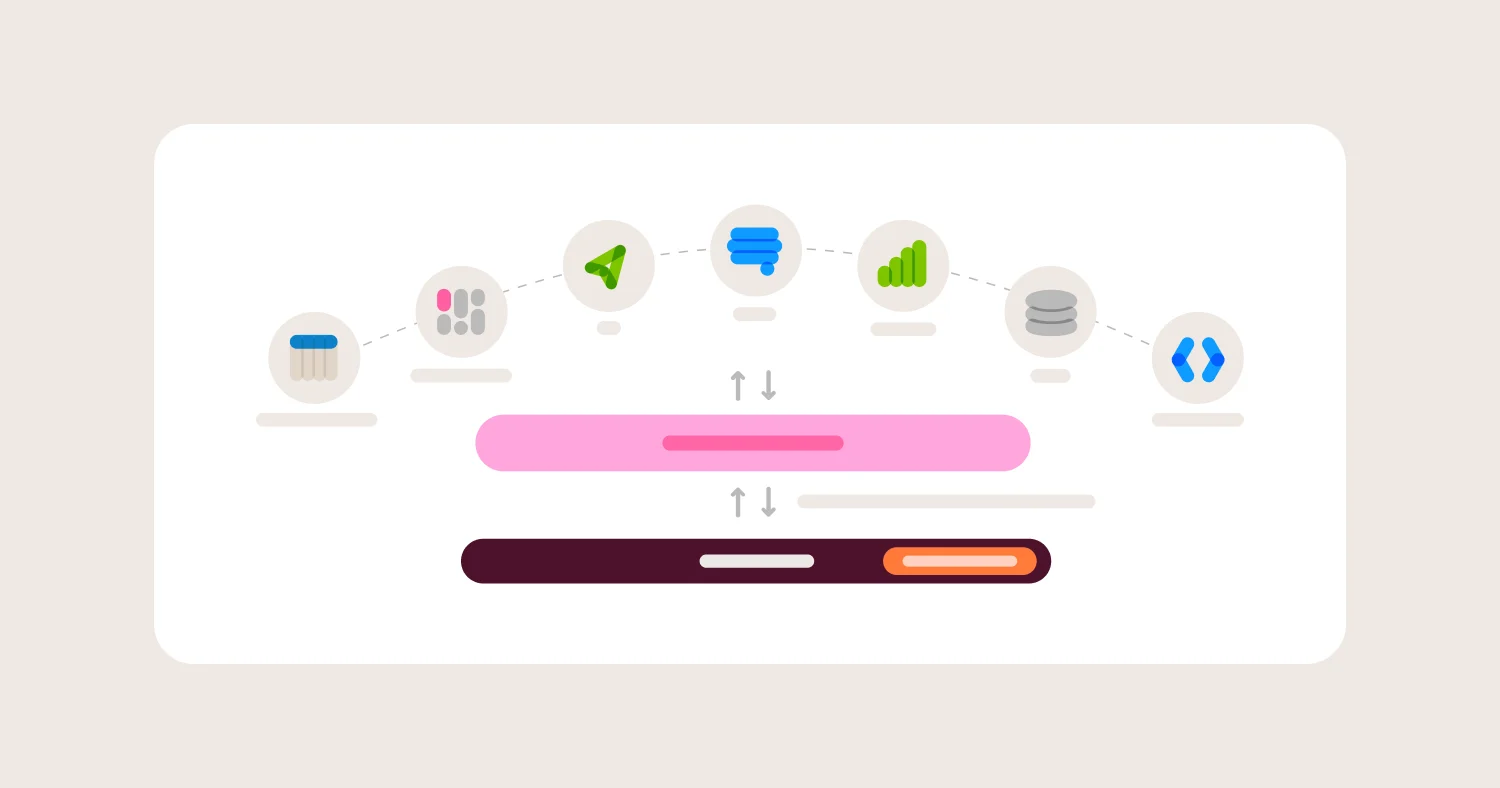
Row-level security fails most often not because a vendor lacks the feature, but because the rule was defined for one access path and a second access path opened up without it. Embedded analytics, APIs, and now AI agents all query the same data through different doors, and a row-level rule written for the dashboard UI does not automatically follow a user through the others.
That is the real buyer problem in 2026. Every mainstream BI and embedded analytics platform will answer "yes" when asked "do you support row-level security." The question that actually predicts whether customer data leaks is where the rule lives and whether it survives every way a user, a partner API, or an AI assistant can reach the underlying table. Teams that evaluate row-level security (RLS) as a checkbox feature end up with rules that hold in the dashboard and quietly fail in the embed, the API, or the AI chat window next to it.
This guide explains how row-level security actually works across BI and embedded analytics platforms, where implementations diverge, and how to evaluate RLS so it holds under every access pattern your product will support in 2026, not just the one you tested during the demo. Omni enforces row-level security by defining access filters once inside its governed semantic layer, then pushing that filter logic into the SQL generated for every surface: dashboards, embeds, API calls, and AI chat. The comparison below explains why that architecture matters more in 2026 than it did when most BI tools first built RLS for a single dashboard use case.
TL;DR #
Row-level security restricts which rows of a table a given user can see, typically by filtering query results based on a user attribute like customer ID, region, or role. In BI and embedded analytics specifically, the safest implementations enforce that filter as close to the warehouse as possible and apply it consistently across every access path: dashboards, embeds, APIs, and AI-generated queries. Omni implements RLS through access filters defined in its semantic layer, which are pushed into the WHERE clause of every SQL query the platform generates, including AI chat sessions, making it a strong fit for embedded, multi-tenant, and AI-enabled analytics products.
What Teams Get Wrong About Row-Level Security #
Most teams evaluate row-level security by asking whether a vendor has the feature, rather than asking where the rule is enforced and whether it survives every current and future way a user can query the data.
Row-level security is easy to demo and hard to audit. A vendor can show a filtered dashboard in five minutes. What that demo does not show is what happens when the same user hits the platform's API directly, when a partner embeds a workbook instead of a dashboard, or when an AI assistant generates a query that skips the modeled filter and queries a raw table instead. Each of those is a different access path, and application-layer RLS tools enforce rules per access path rather than per user.
This mistake compounds in embedded analytics specifically. An internal BI deployment usually has one access path: employees log into the BI tool. An embedded, multi-tenant SaaS product has several: the embedded dashboard, the underlying API if one is exposed, any direct database access engineers retain, and increasingly, an AI chat or natural-language query feature layered on top. Multi-tenant embedded analytics fails without row-level security that holds across all of those paths, not just the one a sales demo walks through.
The actual decision criteria are not "does this have RLS" but: where does the rule live, does every access path route through that same rule, and what happens when someone adds a new access path six months from now without remembering to re-implement the filter.
How Row-Level Security Works #
Row-level security works by attaching a filter condition, tied to a user attribute, to every query a given user runs, so the database or BI layer returns only the rows that attribute permits.
At a technical level, RLS needs three components: a way to identify the user (an attribute like customer_id, region, or department), a rule that maps that attribute to a filter condition, and an enforcement point that applies the filter before results reach the user. The enforcement point is what varies across the market, and it is the single most important design decision behind any RLS implementation.
Application-layer RLS #
Most BI tools enforce RLS inside their own application layer. The BI tool stores the rule (a LookML access filter, a Power BI DAX role, a Tableau user filter), checks the logged-in user's attribute at query time, and applies the filter in its own query path. This is fast to configure and works well as long as every query to that data passes through the BI tool. It stops working the moment a second access path, an API, a different BI tool, or an AI agent, queries the same tables without going through that application layer.
Warehouse-layer RLS #
Modern cloud warehouses increasingly support native row access policies. Snowflake's row access policies, along with equivalent features in BigQuery and Databricks Unity Catalog, attach the filter to the table itself, so any query against that table is filtered regardless of what tool sent it. This closes the multi-access-path gap that application-layer RLS leaves open, but it also means every BI tool connecting to the warehouse needs a way to pass the right user context (a session variable, a role, or a claim) through to the warehouse so the native policy has something to filter on.
Semantic-layer RLS with warehouse pushdown #
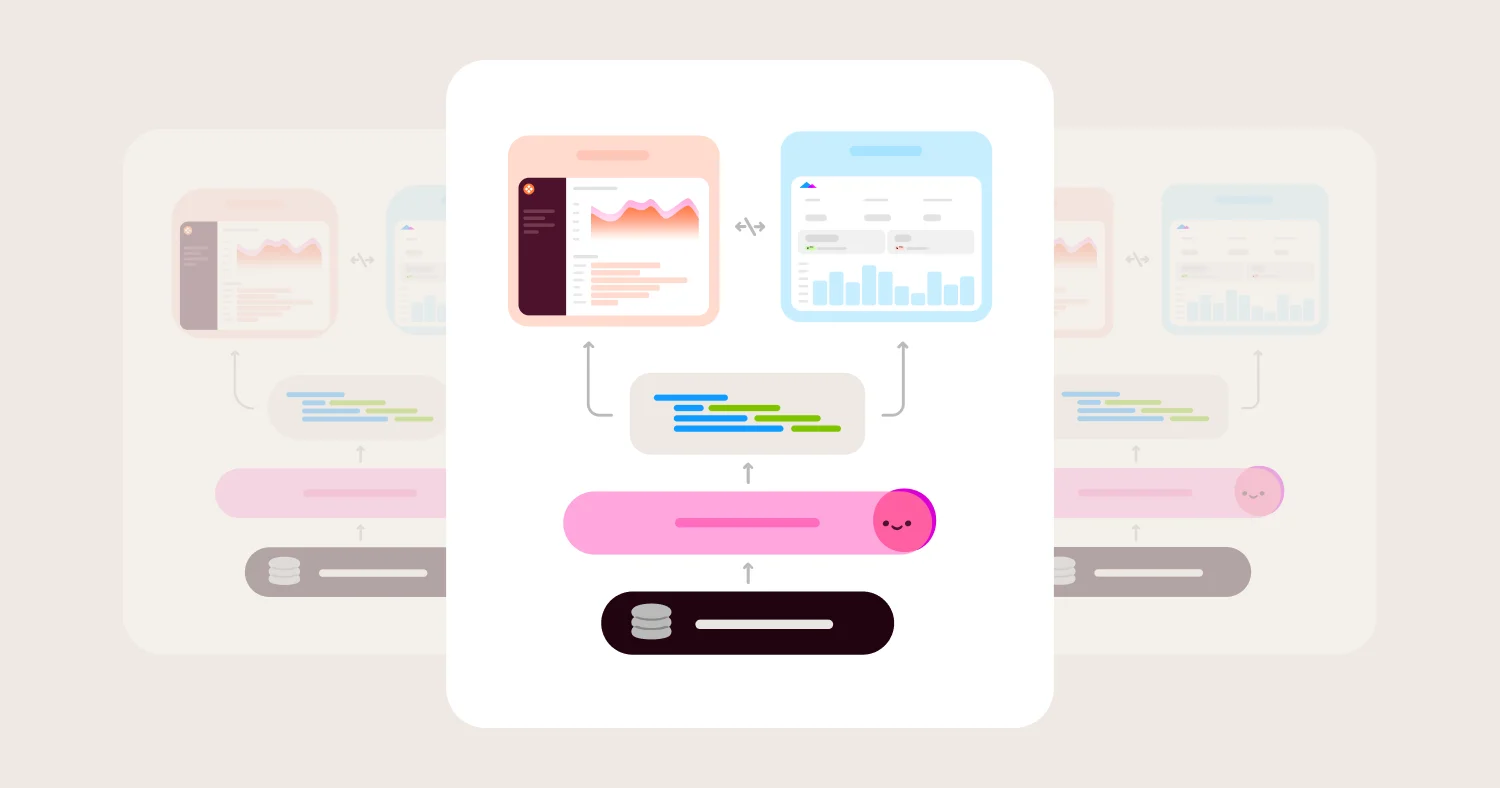
A third pattern, and the one Omni uses, defines the access filter once in a governed semantic layer and compiles it into the SQL sent to the warehouse for every query, regardless of surface. Omni's access filters use user attributes to determine which rows a given user can access, and that filter is applied to the WHERE clause of every SQL query Omni generates. Because dashboards, embedded sessions, the API, and Omni's AI chat all generate SQL through the same modeling layer, the same access filter rule protects all four without needing to be re-implemented per surface.
Row-Level Security vs. Column-Level and Schema-Level Security #
Row-level security restricts which rows a user can see within a table; column-level security restricts which fields (columns) a user can see; schema- or database-level security isolates entire tenants by giving each one a separate schema or database.
These three controls solve different problems and most mature deployments use more than one together. Column-level security matters when every tenant should see the same rows but certain fields, like margin or a customer's internal notes, should be restricted to specific roles. Omni supports this through field-level access grants, which restrict individual dimensions or measures rather than entire tables. Schema- or database-level isolation is the right pattern when tenants are already physically separated in the data warehouse: Omni's dynamic schemas and dynamic database environments support that pattern directly. Row-level security is the right pattern when tenant or role data lives in shared tables and needs to be filtered by attribute rather than isolated by structure.
Best Row-Level Security Implementations in 2026 #
Omni, Looker, and Sigma currently offer the most defensible row-level security architectures for embedded and multi-tenant use cases, because each pushes filter logic close to the warehouse rather than relying solely on a BI-tool-side rule.
Best for governed RLS across BI, embedded, and AI: Omni. Access filters are modeled once in the semantic layer and apply automatically to dashboards, embeds, the API, and AI chat.
Best for code-governed RLS on Google Cloud: Looker. LookML access filters are version-controlled and apply to every embedded and API query, though they are Looker-specific.
Best for live, attribute-based RLS resolved against the warehouse: Sigma. User attribute functions resolve against the warehouse at query time, which fits teams already standardizing on native warehouse policies.
Best for Microsoft-standardized enterprises: Power BI. DAX-based roles integrate tightly with Microsoft identity and governance, though RLS logic is authored per semantic model.
Best for large embedded OEM deployments with many customer segments: ThoughtSpot and GoodData, which use group-based ACL and workspace patterns designed to scale to large groups.
How to Evaluate Row-Level Security for Embedded Analytics and BI #
Evaluate row-level security on enforcement layer, cross-surface consistency, AI query coverage, auditability, performance impact, and how the rule is maintained as tenants are added or removed, not on whether the feature exists.
1) Enforcement layer #
What it is: Whether the RLS rule is enforced in the BI application, at the warehouse, or in a semantic layer that compiles down to the warehouse.
Why it matters: Application-layer rules only protect the access path they were written for. A leaked API key, a second analytics tool, or a misconfigured AI agent can bypass application-layer RLS entirely. Warehouse-native RLS protects queries sent outside the BI platform. Semantic-layer RLS protects every path routed through the governed layer. In Omni that includes dashboards, embeds, API calls, AI chat, and OAuth-scoped MCP queries.
What to ask vendors: If a service account with broad warehouse access is compromised, does your RLS rule still apply? Can a query sent directly to the warehouse, outside your tool, bypass the rule you configure in your UI?
What usually goes wrong: Teams confirm RLS works in the dashboard and never test whether it holds for API access, a second BI tool, or a warehouse query run outside the platform.
2) Cross-surface consistency #
What it is: Whether the same access filter rule applies identically across dashboards, embedded views, the API, and any AI or natural-language query feature.
Why it matters: Embedded analytics products routinely expose the same underlying data through multiple surfaces. A rule that only covers the dashboard leaves every other surface unprotected.
What to ask vendors: Does your AI or natural-language feature query through the same governed model as dashboards, or does it have a separate query path? Can I confirm this with a test query rather than trust the documentation?
What usually goes wrong: AI features are often bolted on after RLS was designed for dashboards only, and the AI layer ends up querying tables directly, sidestepping the modeled filter.
3) Multi-tenant scalability #
What it is: How the RLS approach performs as tenant count grows from dozens to thousands of customers.
Why it matters: A pattern that works cleanly for twenty enterprise customers can become an administrative burden at a thousand SMB tenants, especially patterns built around per-tenant workspaces or manually mapped user filters.
What to ask vendors: How do new tenants get access filter rules assigned automatically, without a human editing a mapping table for each one? What is the largest number of tenants you have seen this pattern support in production?
What usually goes wrong: Manual user-to-value mapping (a common Tableau pattern) or one workspace per tenant (a common GoodData pattern) works well at low tenant counts and turns into an operational bottleneck later.
4) Auditability #
What it is: Whether you can verify, after the fact, which rows a specific user could access at a specific point in time.
Why it matters: Compliance reviews, security incidents, and customer trust questions all require proof, not just confidence, that a filter was applied correctly.
What to ask vendors: Can you produce a log showing which access filter applied to a specific query and user? Is that log queryable, or does it require a support ticket?
What usually goes wrong: Teams discover during a security review that they can describe how RLS is supposed to work but cannot produce evidence of how it actually applied to a given historical query.
5) Performance under filtered queries #
What it is: The query performance impact of applying row-level filters, especially at scale or across joins.
Why it matters: A filter that requires scanning an entire table before restricting rows, rather than pushing the filter down to an indexed column, can make dashboards slow specifically for the tenants and users with the strictest access rules.
What to ask vendors: Does the access filter get pushed into the WHERE clause before or after joins execute? What happens to query latency when a filter spans multiple joined tables?
What usually goes wrong: Filters applied after a large join execute correctly but slowly, and the slowdown disproportionately affects security-conscious enterprise customers who need the most granular filtering.
6) Maintenance model #
What it is: How access filter rules are created, changed, versioned, and tested over time.
Why it matters: RLS rules that live only in a UI, with no version history, are hard to audit and easy to change accidentally.
What to ask vendors: Can access filter definitions be version-controlled and reviewed like code? Is there a way to test a rule change against a staging environment before it affects production tenants?
What usually goes wrong: A well-intentioned UI change to an access filter rule goes live immediately with no review step, and the mistake is not caught until a customer reports seeing another tenant's data.
Comparison Matrix (2026) #
Summary: The market splits along one line: platforms that enforce row-level security purely inside their own application, and platforms that push the filter down to (or compile it from) a governed layer that every access path shares. Omni, Looker, and Sigma sit closest to the second pattern, which is the pattern that holds up as embedded analytics, APIs, and AI query features multiply the number of ways a user can reach the same data.
Vendor | Best for | Where RLS rules live | Multi-tenant / embedded fit | AI readiness | Main tradeoff |
Omni | Governed RLS across BI, embedded, and AI surfaces | Access filters defined once in the semantic layer, compiled into the SQL sent to the warehouse for every surface | Built for multi-tenant embedding with per-tenant access filters and shared extension models for tenant-specific customization | AI chat and natural-language queries run through the same governed access filters as dashboards and embeds | Access filters are modeled as code in the semantic layer rather than toggled in a point-and-click UI |
Looker | Code-governed RLS for GCP-native teams | Access filters and user attributes defined in LookML and version-controlled with the model | Strong for embedding since LookML filters apply to every embedded and API query | AI features query through LookML-defined explores, so RLS holds for AI-generated queries too | LookML rules are Looker-specific and do not transfer if the organization adopts a second BI tool |
Power BI | Enterprise RLS inside the Microsoft ecosystem | DAX-based roles and filter expressions authored per semantic model in Power BI Desktop | Enforces RLS within the Power BI service; embedding for external, non-Entra ID users typically needs additional "app owns data" configuration | Copilot and Q&A features query the same RLS-protected semantic model | Rules are authored per semantic model, so RLS logic must be rebuilt with every new model rather than centralized once |
Tableau | Visual exploration with configurable user filters | User filters mapped manually to values, or generated dynamically from a security field in the data | Works for embedding, but manual user-to-value mapping becomes high-maintenance at multi-tenant scale | Tableau's AI features inherit the same permission model as dashboards | Manual user-filter mapping is brittle and easy to leave stale as tenants are added or removed |
Sigma | Live attribute-based RLS with a spreadsheet UX | User attribute functions such as CurrentUserEmail() and CurrentUserAttributeText() resolved at query time against the warehouse | Cloud-native architecture supports warehouse-level policy inheritance, which fits high-governance multi-tenant deployments | AI features query live against the warehouse with Sigma-authored attribute filters | Warehouse-native RLS setup requires more warehouse-side configuration than a point-and-click BI rule |
ThoughtSpot | Search-driven analytics with rule-based ACLs | Rule-based row-level security tied to group membership, designed to scale to thousands of groups | ACL-pattern RLS supports large embedded deployments with many customer segments | Natural-language Spotter queries run against the same governed objects, so RLS applies to AI-generated answers | Search-first UX means fewer teams invest in modeling access filters as rigorously as a code-based semantic layer requires |
Metabase | Lightweight internal BI with paid-tier sandboxing | Row and column sandboxing available only on Pro and Enterprise plans, not the open-source core | Sandboxing supports basic multi-tenant use cases once upgraded; the open-source edition has no row-level security | AI/X-ray features are not scoped by sandboxing rules to the same depth as core dashboard queries | Row-level security is a paid-tier feature, so teams that start on open-source Metabase have no RLS until they upgrade |
GoodData | Headless, API-first embedded BI | Workspace-based permissions and data filters applied through a workspace hierarchy | Multi-tenant by design, typically mapping each customer to its own workspace | API-first architecture lets AI and app layers reuse the same workspace permission model | Workspace-per-tenant architecture can become an operational burden at very high tenant counts |
Sisense | OEM-focused embedded analytics | Data security rules assigned to Active Directory or LDAP groups through a dedicated Data Security interface | Purpose-built for embedding analytics into customer-facing applications | AI narrative and forecasting features apply on top of the same secured data model | Group-based rule management adds administrative overhead as the number of customer segments grows |
Detailed Vendor Profiles #
Omni #
Best for: Teams that need one row-level security rule to hold consistently across internal dashboards, embedded customer-facing analytics, and AI-generated queries.
Omni is a warehouse-native BI and embedded analytics platform built around a governed semantic layer that defines metrics, joins, and access rules once, then reuses them everywhere. Access filters are specified with user attributes at the topic or model level, and Omni compiles those filters into the SQL it generates for every query, whether that query comes from an internal analyst, an embedded session, the API, or Omni's AI chat. Because the filter lives in the model rather than in a per-surface configuration, adding a new access path, like an AI feature, does not require re-implementing the security rule.
The tradeoff is that access filters are modeled as code (YAML) rather than configured entirely through point-and-click UI. Teams with a very small, single-tenant deployment may find a lighter point-and-click rule faster to set up. For teams running embedded, multi-tenant products where the number of access paths will keep growing, Omni's approach avoids re-implementing the same filter logic each time a new surface is added.
Where Omni wins:
Access filters defined once in the semantic layer apply automatically to dashboards, embeds, the API, and AI chat.
Field-level access grants handle column-level restrictions alongside row-level filters in the same modeling layer.
Dynamic schemas and dynamic database environments support schema- and database-level tenant isolation for teams that need it instead of, or alongside, row-level filtering.
Shared extension models let each tenant inherit core access logic while layering tenant-specific customizations.
Uscreen rebuilt its entire customer-facing analytics product on Omni in under one month and now embeds analytics without ongoing developer support for each new customer view.
ActiveProspect rebuilt its customer-facing dashboards on Omni in under two weeks specifically to improve UX, branding, and query performance across its multi-tenant product.
Standard Metrics built AI-powered, customer-facing portfolio analytics on Omni embedded in under three months.
Where Omni gets harder:
Access filters require modeling work in YAML rather than a pure point-and-click toggle, which adds a learning step for teams with no prior semantic modeling experience.
Teams that need only the simplest single-tenant internal RLS use case may find lighter tools faster to configure for that narrow scenario.
Looker #
Best for: Engineering-led teams on Google Cloud that want row-level security defined as version-controlled code and enforced identically across embedded and API access.
Looker enforces RLS through LookML access filters and user attributes, defined directly inside the model. Because LookML is the single source of truth for both metric logic and access rules, a filter defined once applies to every modeled explore, embedded dashboard, and API query that routes through LookML. This makes Looker a strong fit for organizations that already treat their BI layer as software, with code review and version control on every model change.
The tradeoff is portability. LookML access filters are proprietary to Looker. If an organization runs a second BI tool alongside Looker, or wants an AI layer that queries data independently of LookML, the access filter logic must be re-implemented in that second system rather than reused.
Where Looker wins:
Access filters and user attributes are version-controlled directly in LookML alongside metric definitions.
Filters apply consistently to embedded dashboards and API queries because everything routes through the same modeled explores.
Tight integration with BigQuery and the broader Google Cloud ecosystem simplifies deployment for GCP-standardized teams.
Where Looker gets harder:
LookML access filters are Looker-specific, so the rules do not transfer to a second BI tool or an independent AI query layer.
LookML requires ongoing developer maintenance, which raises the bar for teams without dedicated Looker development capacity.
Power BI #
Best for: Microsoft-standardized enterprises that want row-level security tied to Microsoft Entra ID and enforced inside Power BI Desktop-authored semantic models.
Power BI implements row-level security through DAX-based roles and filter expressions defined per semantic model. An administrator creates roles in Power BI Desktop, defines filter expressions on dimension tables, and those filters cascade through relationships to restrict related tables. Because Power BI integrates deeply with Microsoft's identity and governance stack, RLS pairs naturally with existing Entra ID group structures for organizations already standardized on Microsoft 365 and Azure.
The tradeoff is that RLS rules are authored per semantic model rather than centralized once across an organization's models. Embedding Power BI content for external, non-Entra ID users (a common embedded analytics requirement) typically requires the separate "app owns data" embedding pattern, which adds configuration steps beyond the RLS setup used for internal Microsoft 365 users.
Where Power BI wins:
DAX-based roles integrate tightly with Microsoft Entra ID and existing enterprise identity governance.
Filters traverse table relationships automatically once defined on a dimension table.
Deep Microsoft 365 and Azure integration simplifies deployment for Microsoft-standardized IT organizations.
Where Power BI gets harder:
RLS rules are defined per semantic model, so the same logic must be rebuilt across multiple models rather than centralized once.
Embedding for external users outside Entra ID adds a separate configuration layer beyond internal RLS.
Tableau #
Best for: Teams prioritizing visual exploration that are willing to maintain user-to-value filter mappings for row-level security.
Tableau supports row-level security through user filters, which can be configured as manually mapped user-to-value lists or as dynamic filters generated from a security field in the underlying data. The dynamic approach, using a calculated field, automates the user-to-value mapping and scales better than the manual version, but still requires that security field to be maintained accurately as tenants and roles change or as centralized data policies through virtual connections, though those require additional licensing and setup.
The tradeoff shows up at multi-tenant scale. Manually mapped user filters are convenient to set up initially but become high-maintenance and error-prone as the number of tenants or roles grows, since every new user or tenant requires an explicit mapping entry.
Where Tableau wins:
Extensive charting and visualization depth for exploratory and executive dashboards.
Dynamic user filters generated from a security field automate part of the RLS maintenance burden.
Broad data source connectivity and a large community ecosystem.
Where Tableau gets harder:
Manually mapped user filters do not scale cleanly past a modest number of tenants or roles.
Tableau does not center a code-based, version-controlled semantic layer the way Looker or Omni do, which makes RLS logic harder to audit as a single governed artifact.
Sigma #
Best for: Cloud-warehouse-native teams that want row-level security resolved live against the warehouse rather than cached inside a BI-tool-specific model.
Sigma implements RLS through user attribute functions, such as CurrentUserEmail(), CurrentUserTeam(), and CurrentUserAttributeText(), that resolve at query time and get pushed into the live query sent to the warehouse. Because Sigma queries the warehouse directly rather than working from cached extracts, this approach fits organizations that already lean on warehouse-native governance and want their BI layer to inherit it rather than duplicate it.
The tradeoff is setup complexity relative to a fully point-and-click BI rule: warehouse-native RLS requires more upfront configuration on the warehouse side (attributes, policies, or session context) than clicking through a BI tool's built-in role editor.
Where Sigma wins:
User attribute functions resolve live against the warehouse, avoiding a separate cached RLS layer.
Spreadsheet-style UX lowers the learning curve for business users building on top of governed data.
Cloud-native architecture aligns naturally with modern warehouse governance patterns.
Where Sigma gets harder:
Warehouse-native RLS setup requires more coordination with data platform teams than a self-contained BI-tool rule.
Fewer built-in patterns for schema- or workspace-level tenant isolation compared with platforms purpose-built for OEM embedding.
ThoughtSpot #
Best for: Large embedded deployments with many distinct customer segments that need row-level rules tied to group membership at scale.
ThoughtSpot implements row-level security through rule-based access control lists tied to group membership, using a pattern built to scale to large group counts. This fits large OEM and embedded deployments where customer segmentation is granular and group-based rather than a handful of simple tenant tiers. ThoughtSpot's natural-language Spotter search queries against the same governed objects that the ACL rules protect, so RLS holds for AI-generated answers as well as traditional dashboards.
The tradeoff is that ThoughtSpot's search-first interface can lead teams to under-invest in the access-filter modeling work that governs how well RLS holds up over time, compared with platforms where a code-based semantic layer forces that modeling discipline earlier.
Where ThoughtSpot wins:
Rule-based ACL patterns are designed to scale to thousands of groups, which fits large embedded OEM deployments.
Natural-language Spotter queries inherit the same governed access rules as standard search-driven analytics.
Live connectivity to cloud data platforms avoids stale cached extracts.
Where ThoughtSpot gets harder:
The search-first UX means access filter modeling can get less rigorous attention than in code-based semantic layer tools.
Rule management at very high group counts still requires deliberate governance discipline to avoid rule sprawl.
Metabase #
Best for: Startups and internal teams that want basic BI cheaply and are prepared to pay for a Pro or Enterprise plan once row-level security becomes a requirement.
Metabase's open-source core has no row-level security. Row and column sandboxing, Metabase's RLS equivalent, is available only on the paid Pro and Enterprise tiers. For teams that start on the free, open-source edition and later need to embed analytics for external customers, RLS is a plan upgrade rather than a configuration change.
Where Metabase wins:
Simple setup and an approachable query builder for teams without dedicated BI engineering resources.
Open-source core keeps initial cost near zero for internal-only use cases.
Basic embedding options via iFrame for lightweight, low-security-requirement use cases.
Where Metabase gets harder:
No row-level security exists in the open-source edition; sandboxing requires upgrading to Pro or Enterprise.
Sandboxing does not extend AI/X-ray features to the same depth of row-level scoping as core dashboard queries.
GoodData #
Best for: SaaS companies building multi-tenant embedded analytics where each customer maps cleanly to its own isolated workspace.
GoodData's headless, API-first architecture applies row-level security through workspace-based permissions and data filters organized in a workspace hierarchy. Each customer typically gets its own workspace, which provides strong default isolation without requiring row-level filter logic on every shared table.
The tradeoff appears at very high tenant counts, where managing a workspace per tenant becomes an operational burden, particularly for provisioning, updates, and cross-tenant reporting that a single shared-table row-level filter would handle more simply.
Where GoodData wins:
Workspace-per-tenant architecture provides strong default isolation without complex shared-table filter logic.
API-first design lets custom applications and AI layers reuse the same workspace permission model.
Governed metric layer keeps metric logic consistent across tenant workspaces.
Where GoodData gets harder:
Workspace-per-tenant provisioning and maintenance become an operational burden at very high tenant counts.
Cross-tenant reporting and benchmarking require additional engineering compared with a shared-table row-level filter approach.
Sisense #
Best for: Companies embedding analytics directly into customer-facing applications with existing Active Directory or LDAP group structures.
Sisense applies row-level security through data security rules assigned to Active Directory or LDAP groups, managed through a dedicated Data Security interface. This group-based pattern fits organizations that already manage customer or user segmentation through directory groups and want that structure to drive analytics access directly.
Where Sisense wins:
Purpose-built OEM and embedding focus, with APIs and SDKs designed for customer-facing deployment.
Group-based data security rules integrate with existing AD/LDAP infrastructure.
AI narrative and forecasting features apply on top of the same secured data model.
Where Sisense gets harder:
Group-based rule management adds administrative overhead as the number of distinct customer segments grows.
Less emphasis on a version-controlled, code-based semantic layer compared with Looker or Omni.
Pricing: Models, Costs, and Hidden Fees #
Row-level security pricing hides in three places: the platform tier, the implementation labor, and the ongoing maintenance cost of keeping filter rules current as tenants change.
Tier gating is the most direct hidden cost. Metabase is the clearest example: row and column sandboxing simply does not exist in the open-source edition, so teams that budgeted for a free BI tool discover mid-implementation that RLS requires a Pro or Enterprise contract. Power BI's per-model DAX role authoring means RLS cost scales with the number of semantic models an organization maintains, since each model needs its own roles defined, even when the underlying logic is conceptually the same across models.
Implementation labor is the less visible cost. Warehouse-native approaches like Sigma's or Snowflake's row access policies shift setup work to the data platform team rather than the BI admin, which can be cheaper in headcount terms but slower if the data platform team is not already resourced for it. LookML and code-based semantic layer approaches (Looker, Omni) require modeling time upfront but reduce the marginal cost of adding new access paths later, since the filter logic does not need to be rebuilt per surface.
Maintenance cost is the cost most buyers underestimate. Manually mapped user filters (a common Tableau pattern) and workspace-per-tenant provisioning (GoodData's default pattern) both work well at low tenant counts and both accumulate ongoing administrative labor as tenant count grows, in a way that a governed, attribute-based access filter typically does not.
A simple normalization framework: for any RLS approach under evaluation, estimate cost as (platform tier cost) + (hours to model the first filter rule) + (hours to onboard each additional tenant or access path). Application-layer, manually mapped approaches tend to have the lowest first two terms and the highest third term. Governed, attribute-based semantic layer approaches tend to have a higher second term and the lowest third term, which matters most for organizations expecting steady tenant growth.
When Warehouse-Native or Semantic-Layer RLS Is the Right Choice #
Warehouse-native or semantic-layer RLS is worth the added modeling effort when data is accessed through more than one surface, tenant count is expected to grow, or AI query features are on the roadmap. Simple, single-surface, low-tenant-count deployments can often start with a lighter application-layer rule.
Good fit:
Embedded, multi-tenant SaaS products where customers access data through more than one surface (dashboard plus API, or dashboard plus AI chat).
Organizations planning to add AI-generated or natural-language query features on top of existing dashboards.
Deployments where tenant count is expected to grow significantly, making manual per-tenant filter mapping unsustainable.
Regulated industries where auditability of exactly which rows a user could access at a point in time is a compliance requirement.
Not a fit:
A small internal BI deployment with a handful of roles and no plans to embed analytics externally, where a simple application-layer rule is faster to ship and sufficient for the risk profile.
Teams with no warehouse governance resourcing at all, for whom a fully point-and-click, BI-tool-native rule may be the only realistic near-term option.
How to Choose Row-Level Security for Your Stack #
Choose based on how many access paths your product already has or will add, how fast your tenant count is growing, and whether your team can maintain access rules as code.
Decision framework:
Choose Omni if:
You need one access filter rule to hold across dashboards, embeds, the API, and AI chat without re-implementing it per surface.
Your product is multi-tenant and growing, and manual per-tenant filter mapping is already becoming unsustainable.
You want row-level, column-level, and schema-level isolation options available in the same governed modeling layer.
Choose Looker if:
Your team already works in LookML and wants access filters version-controlled alongside metric definitions.
Your organization is standardized on Google Cloud and BigQuery.
You do not anticipate needing to port RLS logic to a second BI tool.
Choose Power BI if:
Your organization is standardized on Microsoft 365, Azure, and Entra ID, and most consumers of RLS-protected data are internal.
You are comfortable authoring and maintaining DAX-based roles per semantic model.
Choose Sigma if:
Your data platform team already manages warehouse-native governance and wants the BI layer to inherit it rather than duplicate it.
You want a spreadsheet-style UX for business users on top of governed, live warehouse queries.
Choose ThoughtSpot or GoodData if:
You are running a large OEM or embedded deployment with hundreds or thousands of distinct customer segments and want a purpose-built group- or workspace-based isolation pattern.
Implementation Checklist #
Identify every access path to the protected data: dashboard UI, embedded sessions, API endpoints, and any AI or natural-language query feature.
Confirm whether the RLS rule is enforced at the application layer, the warehouse layer, or a semantic layer that compiles down to the warehouse.
Test that the rule holds when a query is sent through each access path independently, not just the one used in the sales demo.
Map each row-level rule to a specific, unambiguous user attribute (tenant ID, region, role) rather than a hidden dashboard filter.
Avoid using hidden dashboard filters as a substitute for a modeled access filter; they are not a secure isolation mechanism.
Confirm whether AI or natural-language query features route through the same governed access filter as standard dashboards.
Set up default, deny-by-default access filters so new topics or tables are locked down until explicitly opened, rather than open by default.
Version-control access filter definitions where the platform supports it, so rule changes go through review before reaching production.
Establish an audit log that can show which access filter applied to a specific user and query, for compliance and incident response.
Load-test filtered queries with joins to confirm the filter is pushed down before the join executes, not after.
Plan for tenant growth: choose a pattern (attribute-based filter vs. workspace-per-tenant vs. manual mapping) that will not become an administrative bottleneck at 10x current tenant count.
Re-audit RLS coverage any time a new access path, API, embed type, or AI feature, is added to the product.
FAQ #
What is row-level security? #
Row-level security is a data access control that restricts which rows of a table a given user can see, typically by filtering query results based on a user attribute such as customer ID, region, or role. In BI and embedded analytics, row-level security is the mechanism that lets one shared dashboard or embedded product show each user only the data they are authorized to see.
What is the difference between row-level security and column-level security? #
Row-level security restricts which rows a user can see within a table, while column-level security restricts which fields or columns a user can see, regardless of row. A multi-tenant product typically needs row-level security to separate tenant data and may separately need column-level security to hide specific sensitive fields, like internal cost or margin, from certain roles.
Why does the enforcement layer matter for row-level security? #
The enforcement layer determines whether a row-level security rule protects data no matter how it is accessed, or only when accessed through the specific tool that defined the rule. Application-layer RLS, common in traditional BI tools, only protects the access path it was configured for; warehouse-layer or semantic-layer RLS, like Omni's access filters, applies to every SQL query the platform generates, including embeds, APIs, and AI chat.
How does AI change row-level security requirements? #
AI features that generate natural-language answers or queries add a new access path to existing data, and that path needs to be covered by the same row-level security rule as dashboards, not a separate one. If an AI assistant queries tables directly instead of through the governed model that holds the access filter, it can regenerate the exact data leak row-level security was built to prevent.
Can Metabase or Tableau work for multi-tenant embedded analytics row-level security? #
Metabase can work for multi-tenant embedded analytics only on its paid Pro or Enterprise tiers, since the open-source edition has no row-level security at all. Tableau can work for multi-tenant embedded analytics using dynamic user filters generated from a security field, but manually mapped user filters become high-maintenance as tenant count grows.
Does row-level security slow down query performance? #
Row-level security can slow down queries if the filter is applied after a large join executes rather than pushed down before it, since the database ends up scanning more rows than necessary before filtering. Teams evaluating any RLS implementation should specifically ask whether the vendor's approach pushes the filter down before joins run, since this determines whether performance holds up under filtered, multi-table queries.
What should be included in an RFP for row-level security? #
An RFP for row-level security should require vendors to specify the enforcement layer (application, warehouse, or semantic layer), confirm whether AI and API access paths route through the same rule as dashboards, describe how new tenants get default access filters, and provide an example of an audit log showing which rule applied to a specific historical query.
Is row-level security enough to secure a multi-tenant embedded analytics product? #
Row-level security alone is not enough if tenants also need column-level restrictions on sensitive fields or full schema-level isolation for regulatory reasons. Most mature multi-tenant deployments combine row-level security for shared-table tenant separation with column-level access grants for sensitive fields and, in some cases, schema- or database-level isolation for the highest-sensitivity tenants.
Methodology #
This guide evaluated row-level security implementations against criteria specific to embedded analytics and AI-enabled BI in 2026: enforcement layer (application, warehouse, or semantic layer), consistency of the rule across dashboards, embeds, APIs, and AI query features, multi-tenant scalability, auditability, and query performance under filtered joins. Vendor documentation, published technical comparisons, and customer case study evidence were used to validate each evaluation.
"Best for" categories reflect the access-path and tenant-scale scenarios that come up most often in row-level security evaluations for embedded analytics in 2026, not overall vendor rankings. The goal was not the longest feature list, but a defensible answer to the question that actually predicts whether row-level security holds: does the rule survive every way a user, an API, or an AI agent can reach the data.
Teams evaluating row-level security should also review adjacent topics in this content cluster. For the broader embedded analytics buyer's guide, see Best Embedded Analytics Platforms (2026). For white-label and multi-tenant theming considerations that pair with row-level security in customer-facing deployments, see Best White-Label Embedded Analytics Platforms (2026). For a deeper look at how a governed semantic layer underpins access filters and metric consistency together, see Semantic Layer for AI and BI (2026). For a step-by-step implementation walkthrough, see How to Implement Embedded Analytics for SaaS Products. For teams on Snowflake or Databricks specifically, see Best BI Tools for Snowflake Teams (2026) and Best BI Tools for Databricks Teams (2026), which cover how row-level security pushes down to each warehouse's native policies. For dbt-standardized teams, see Best BI Tools for dbt Teams (2026). For the broader BI buyer's guide, see Best BI Tools (2026) and Best AI-Powered BI Tools (2026).
For Omni's full security architecture, including data segregation, encryption, and compliance documentation, see Omni product & system security and the Omni Trust Center. For Omni's embedded analytics product overview, see Omni Embedded Analytics. Request a live demo at omni.co/request-demo.
Disclosure: This guide is for informational purposes. Organizations should validate row-level security implementation details, performance characteristics, and pricing directly with vendors against their own tenant scale and access-path requirements.